
Serial frame inspection

Modbus CRC calculator

Calculate from bytes without CRC, or verify a complete frame including its two CRC bytes.

Modbus CRC calculator

Frame bytes (hex)

Hex pairs, spaces, newlines or commas; 0x prefixes are allowed for single bytes.

Result

Frame processing stays in this browser tab. Inputs are not sent or saved.

Options

Fixed CRC-16/MODBUS parameters

Width 16 · Poly 8005 (reflected A001) · Init FFFF · RefIn/RefOut true · XorOut 0000

CRC agreement does not validate function codes, registers or device communication.

Enter bytes or load the example.

A log can print CDC5 while the serial capture ends in C5 CD. The Modbus CRC calculator puts the numeric value beside the actual CRC byte order, so you can compare like with like before changing a working implementation.

Use calculation mode for address, function and data bytes without a checksum. To validate a Modbus frame already captured from a bus, select verification: only the last two bytes are treated as the received checksum. Newlines separate bytes, not frames.

Why use this Modbus CRC calculator

Keep the number and wire order separate

The Modbus CRC calculator gives CDC5 for 01 03 00 00 00 0A, then appends C5 CD in standard low-first order. Switching to high-first affects only the two CRC bytes; it never reverses the register address or other payload bytes.

A frame gains two differently colored CRC bytes after their numeric order is reversed.

Keep the failed capture intact

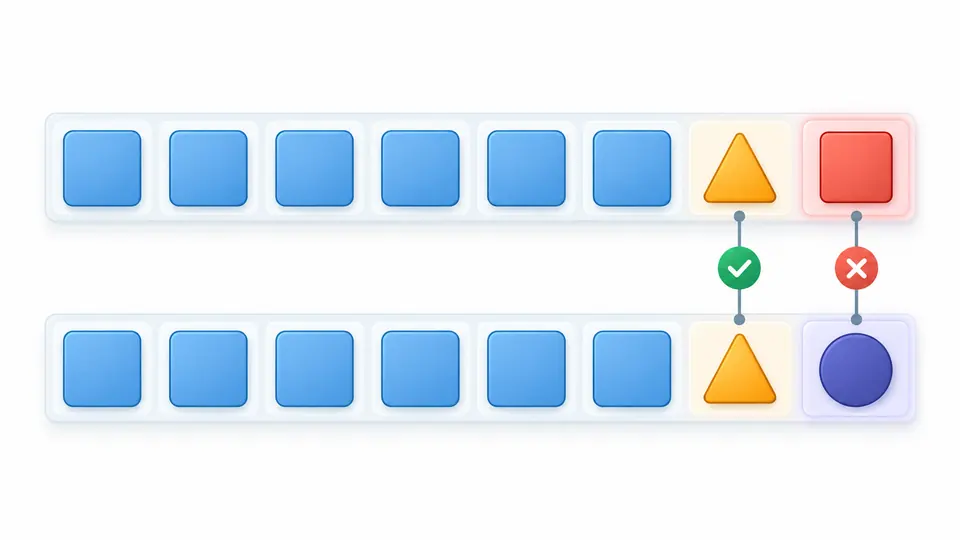
Verification retains the received trailer even when it differs from the computed bytes. A reconstructed frame appears separately, letting you compare the two values without losing the evidence or silently repairing the input.

A received frame trailer is compared with a separately recomputed trailer, highlighting one changed byte.

Read the result without reversing the wrong bytes

01

Decide whether the trailer is present

There is no automatic CRC detection. Calculate treats every supplied byte as input; Verify removes exactly two trailing bytes. The example button follows your selected mode and byte order, and shows a replacement preview before applying it.

02

Choose wire order deliberately

Low-first is the Modbus RTU CRC convention. High-first is a diagnostic setting for comparing reversed records, not an alternative standard. A match there is explicitly labelled nonstandard. Equal high and low bytes cannot reveal an ordering mistake.

03

Control when exports become current

Automatic calculation waits 350 ms. Switch it off to use Calculate / Verify or Ctrl/Cmd+Enter. Editing input, mode or order immediately disables stale exports. Clear and Example can be undone once, restoring both the previous input and result.

Inspect the checksum and its frame

A fixed CRC-16/MODBUS model

The 16-bit calculation uses polynomial 8005, reflected form A001, initial value FFFF, reflected input and output, and final XOR 0000. The check value for bytes 31 through 39 is 4B37. Parameters stay visible and cannot accidentally switch to another CRC family.

Hexadecimal bytes with precise errors

Paste compact hex, whitespace-separated groups or comma-separated bytes. Each group must contain complete byte pairs; a 0x prefix may introduce one byte only. Invalid symbols and odd groups are rejected with a line and column instead of being stripped from your capture.

Received and expected trailers

The result includes the numeric CRC, separate high and low bytes, expected trailer and a complete frame. Verification additionally reports the received two bytes and whether they match. A mismatch is a completed comparison, so you can still export its diagnostic report.

Reproducible frame reports

Copy the selected-order CRC bytes or the complete reconstructed frame. The JSON download includes mode, byte order, fixed parameters, payload, received bytes and comparison outcome. A report retains the ordering decision that a bare four-digit checksum would lose.

What a passing checksum does not prove

One bounded RTU frame
Calculation accepts 2–254 bytes; verification accepts 4–256 including the trailer. Input text is limited to 4096 characters. These limits reflect one RTU address/function/data frame, not an arbitrary binary-file checksum. A line break does not start a second calculation.
No protocol or device validation
A matching CRC says nothing about a valid function code, supported register, responding address or serial timing. The page does not contact hardware, send frames or inspect RS-485 wiring. CRC is an error-detection code, not proof of identity or protection against deliberate modification.
No ASCII, TCP or custom polynomial
This page computes the RTU CRC field. It does not calculate ASCII LRC or assemble TCP MBAP headers. Use the general checksum tool for a different polynomial, initial value or reflection setting; changing them would change the algorithm.
No guessing or automatic repairs
Calculation never strips a suspected existing checksum. Verification never swaps bytes until it finds a match. The high-first setting remains visibly nonstandard, and rebuilding a frame never overwrites the captured input.
Only the bytes you explicitly enter
There is no file, URL, C-array or packet-log importer. Remove log offsets, comments and brackets yourself; malformed hex remains an error. Drafts have no saved history. Preview replacements show character counts, and one undo restores the previous working state.

Modbus CRC calculator FAQ

Which CRC variant does Modbus RTU use?

It uses CRC-16/MODBUS. Width alone is insufficient: the polynomial, initial register, reflection and final XOR all matter. This page fixes those values to the Modbus model and exposes them below the input for comparison with your own implementation.

Is the high or low CRC byte transmitted first?

The low byte goes first. For numeric CDC5, the wire trailer is C5 CD. This is separate from the byte order of multi-byte register data. Use the labelled low and high fields rather than reversing every pair in the frame.

Should the existing checksum bytes be included in the calculation?

Exclude them when generating a new checksum. Verification accepts them because it separates the final pair before recalculating. Running Calculate on a valid complete low-first frame often produces residue 0000; that is not a new trailer for the original payload.

Does a matching CRC mean the frame is usable?

No. A CRC collision is possible, and even a correct checksum can accompany unsupported commands or invalid data. This tool checks the selected bytes and trailer only; it does not validate the application meaning of a request or response.

Why would a device ignore a frame whose CRC matches?

Possible causes include an incorrect address, unsupported function, timing, baud rate, parity or wiring. Broadcast requests may intentionally have no response. Compare the device documentation and a real capture; a checksum calculation cannot diagnose the physical connection.

Still have a question?

Check your next capture

Use the Modbus CRC calculator on one captured frame, retain the received trailer, and compare it with the result before changing your sender.