01
Select the real input format
Hex is the default. Choose Base64 or Base64URL explicitly, or read a local .cbor file; guessing between alphabets can decode the wrong bytes.
Protocols & Binary Serialization
Decode one CBOR item from Hex, Base64, Base64URL or a local file; inspect its tree and marked JSON mapping.
Enter data or load the example.
Processed locally in this browser; no payload is uploaded.
Choose the input format explicitly; one complete CBOR item is expected.
Enter data or load the example.
A CBOR to JSON converter is useful when a compact payload carries tags, byte strings or map keys that plain JSON cannot name accurately. This page keeps those types visible instead of silently flattening them. Use the CBOR decoder to inspect a captured message, then switch to the CBOR encoder when you need new bytes from ordinary JSON.
A Hex payload becomes a field tree with byte offsets. A tag remains a tag, and a numeric map key stays numeric, so a CBOR viewer can show what the wire item actually contains.
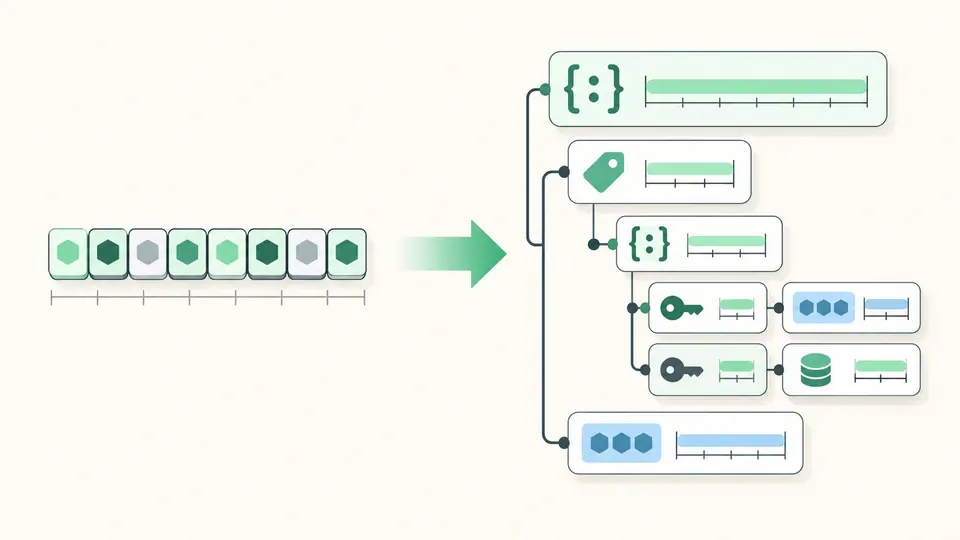
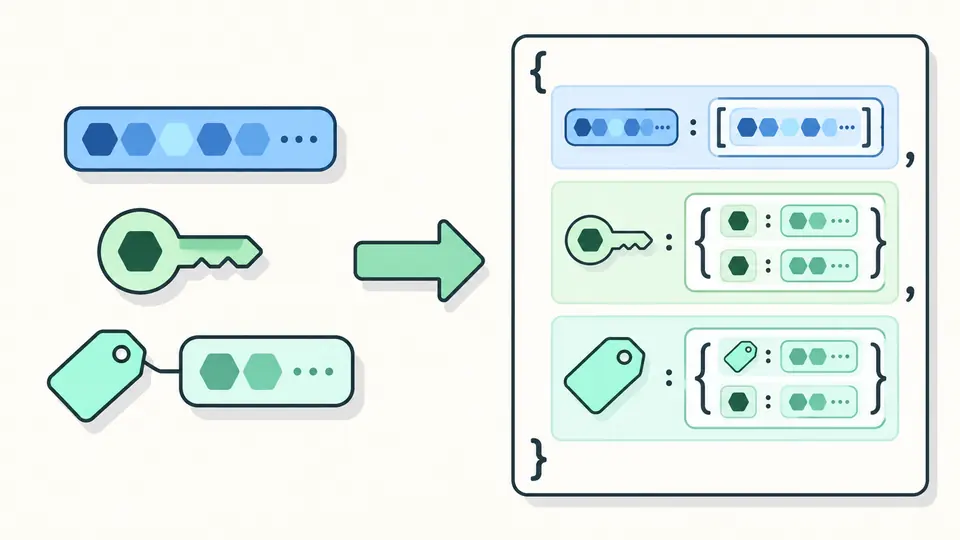
This CBOR to JSON converter wraps every map as ordered entries and labels bytes, tags and unsafe integers. The mapping avoids inventing ordinary JSON values where the CBOR model is wider.
Hex is the default. Choose Base64 or Base64URL explicitly, or read a local .cbor file; guessing between alphabets can decode the wrong bytes.
Automatic conversion waits 350 ms after a change. Turn it off for manual runs with Ctrl/Cmd + Enter; old results cannot be copied after the input changes.
The tree shows type and byte span; the JSON tab uses $cbor markers. A .json export is that mapping, while JSON→CBOR downloads raw .cbor bytes.
The CBOR decoder accepts definite and indefinite arrays, maps, byte and text strings, integers, floats, simple values and tags.
The JSON view exposes ordered map entries, byte strings and numbered tags. It is a readable projection, not a claim that CBOR and JSON share one data model.
JSON to CBOR turns objects, arrays, strings, booleans, null and safe numbers into a binary item; copy Hex or Base64 or download .cbor.
Choose Hex, Base64 or Base64URL, then paste one complete CBOR item. The default Hex sample demonstrates a tag, a byte string and a numeric map key.
CBOR integers outside the safe JavaScript number range stay decimal strings inside a typed wrapper in the mapping. Ordinary JSON encoding rejects unsafe integer literals rather than rounding them.
Extra bytes after one data item cause a trailing-byte error with a byte offset. This tool does not automatically split a CBOR sequence.
The mapping uses a $cbor bytes wrapper with a hex field, so a byte string cannot be mistaken for an ordinary text string.
Yes. The file input reads .cbor or .bin data with the browser File API and previews replacement before applying it; no upload is performed.
Still have a question?
Inspect a captured CBOR item or encode a plain JSON value. The mapped output makes non-JSON types visible before you export.