01
Include meaningful differences
Use one object or a nonempty array containing only objects. Arrays merge element models; they do not generate a wrapper with an invented property. Nested arrays are inferred recursively.
Type generation
Compare both records. An input array produces the element model; use List<Root> when decoding the array.
Parsed and generated in this browser. Input is not uploaded or stored.
Array input: this file defines the element model. Decode List<Root>.
2 classes · 2 nullable fields
JSON to Java helps when an API response is your only starting point. Supply several representative objects to expose properties absent from the first record and nulls that need a wider type.
This JSON to POJO converter creates a draft, not an API contract. Review business requirements separately; samples cannot establish which future values are valid.
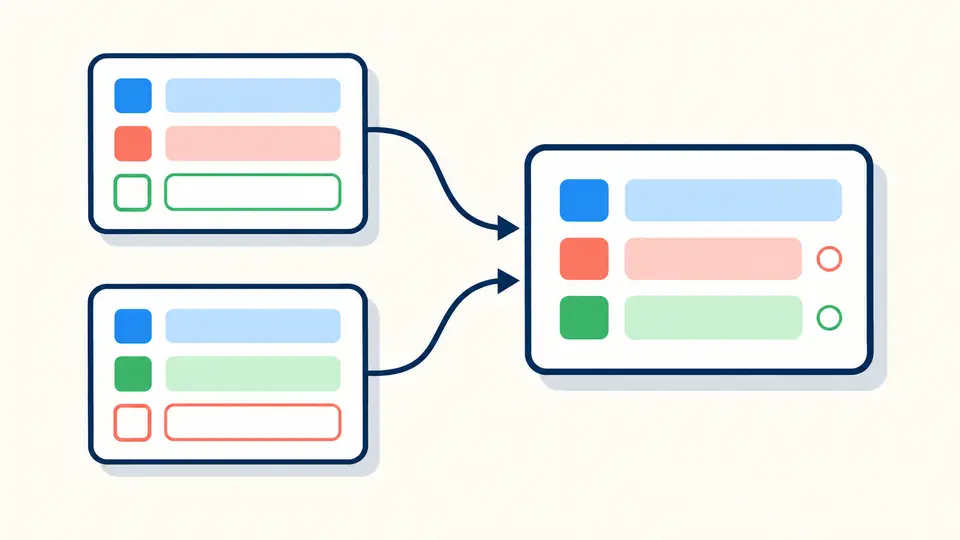
JSON to Java merges fields across every object at the same array position. A property appearing later is retained, and missing or null evidence changes its nullable type.
A Java class generator needs legal identifiers. Jackson annotations connect renamed properties to their original JSON keys, including punctuation, Unicode and stable collision suffixes.

Use one object or a nonempty array containing only objects. Arrays merge element models; they do not generate a wrapper with an invented property. Nested arrays are inferred recursively.
Observed mode widens fields seen missing or null. All mode boxes Java primitives and makes Kotlin properties nullable with null defaults. Disable nesting to emit top-level helper classes in the same file.
Automatic generation waits 350 ms. Turn it off for the Generate button or Ctrl/Cmd+Enter. Editing immediately disables exports. Clear and Example retain one undo snapshot of input, settings and output.
Plain integers fitting signed 64 bits become long/Long. Larger integers use BigInteger; decimals and exponent tokens use BigDecimal, including 1.0 and 1e3. No numeric token passes through JavaScript floating point.
Select JSON to Kotlin data class output on this page. Observed nullable fields use T? = null; non-null fields have no default. Empty objects at the root produce an ordinary class because a data class requires parameters.
Names become ASCII camelCase with deterministic suffixes. Java fields receive JsonProperty; Kotlin parameters and getters each receive it. Fully qualified types avoid collisions with root names such as String or List.
Java uses public fields and static nested classes by default. Kotlin uses nested data classes. Turning nesting off emits nonpublic Java helper classes or top-level Kotlin classes, still in one downloadable file.
JSON to Java uses signed 64-bit types for plain in-range integers, BigInteger for larger ones and BigDecimal for decimal or exponent spelling. Mixed Object/Any positions require the decoder precision settings described above.
With annotations enabled, every Java field and each Kotlin constructor parameter/getter carries the original key. This also resolves renamed reserved words and collisions. Empty keys still need a different model.
The samples contain incompatible types or only null at that position. A broad type expresses that lack of evidence. Add representative values or refine the generated class after confirming the API contract.
Yes. Paste an object or an array of object samples, choose the root name and review the inferred fields. For an array, decode List<Root> rather than Root. The browser generates source but does not compile it.
No. The default places static helper classes inside the root. Disabling nesting places nonpublic helper classes in the same file. Copy or download the complete source; add a package declaration in your own project.
Found an inference case to improve?
Use JSON to Java with representative records, review nullability and Jackson settings, then compile and test the exported model in your project.