01
Choose the contract root
If the XSD has several global elements, use the root selector after conversion. The first global element is the default; changing it makes the previous result stale.
XML / XPath / XSD
Paste an XSD or load the example. Select the target draft and review the mapping report before export.
Conversion runs in this browser; schema text is not uploaded.
Paste an XSD or load the example.
XSD to JSON Schema helps teams carry an XML contract into a JSON API. A schema is different from an XML document: this page produces validation rules, not a sample JSON payload.
Convert XSD to JSON Schema with a selected global root. The XML Schema to JSON Schema mapping lists each approximation so a migration can be reviewed rather than assumed equivalent.
Keep the generated contract beside its evidence.
XSD to JSON Schema keeps a source path beside each mapped element or attribute. Ordering, namespace and pattern differences are marked as approximations; unsupported constructs stay visible.
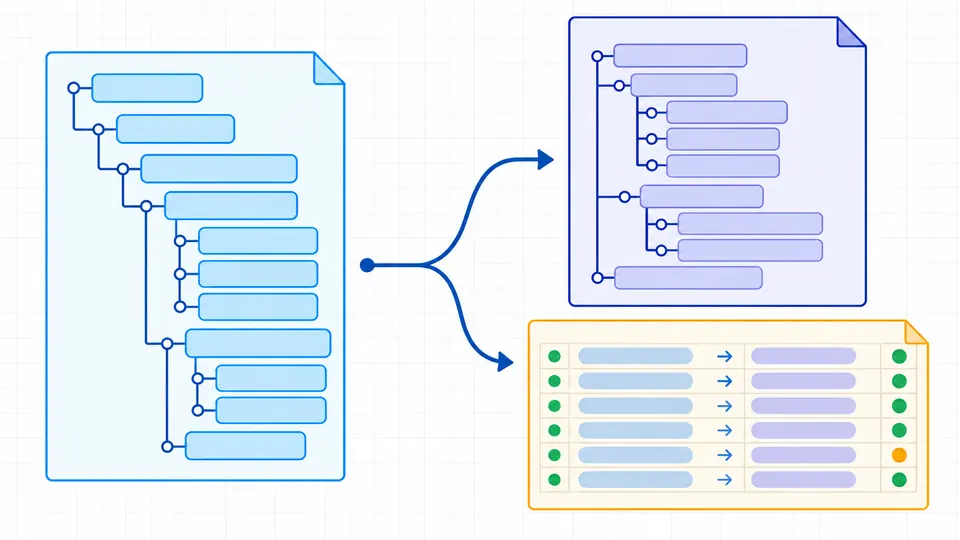
One XSD may declare several global elements. Choose the document root before export; the selected root controls the generated JSON Schema reference and is named in the report.
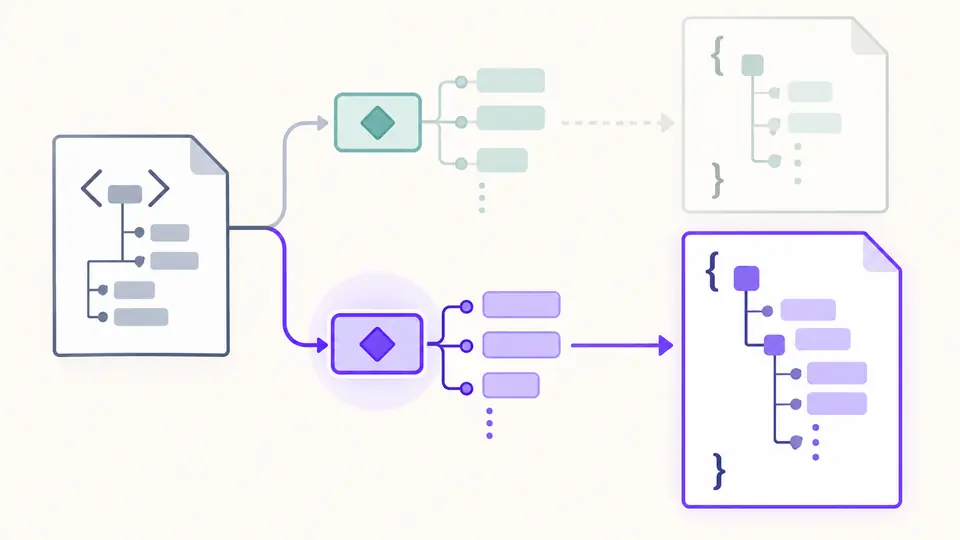
If the XSD has several global elements, use the root selector after conversion. The first global element is the default; changing it makes the previous result stale.
Draft 2020-12 is the default and Draft-07 is available. The definition keyword and $schema URI change together; Ctrl/Cmd+Enter runs when automatic conversion is off.
A valid JSON Schema can still approximate XSD. Review each source path and severity; copy and download remain disabled until the latest conversion passes target-draft validation.
Named simple and complex types become reusable definitions. Enumeration, length and numeric bounds carry into the generated schema where their meaning matches.
minOccurs controls required fields, maxOccurs creates arrays, and XML attributes use @-prefixed properties to avoid collisions with child elements.
The converter compiles the output against the selected JSON Schema draft and resolves local references. A bad schema blocks export instead of appearing as a successful conversion.
Load or paste the existing XSD, then select the global root and target draft. The generated file is a JSON Schema; inspect the mapping report for any lost XSD semantics.
No. XSD and JSON Schema describe different data models. A generated schema may be valid for its draft while sequence order, namespaces or identity constraints still need human review.
An optional element is left out of required. Repeated elements become arrays with item limits when available; a single optional element remains one property.
A repeated element becomes an array with items. minOccurs and a finite maxOccurs map to minItems and maxItems; the report identifies the source declaration.
No. JSON Schema validates JSON values, while XSD validates XML. Use an XML/XSD validator for XML instances; this tool checks the generated schema itself.
Does a diagnostic look unexpected?
Run XSD to JSON Schema on a real schema, select the intended root, and review every approximate or unsupported mapping before using the output in an API.