01
Select the destination
Text mode keeps quotation marks. Attribute mode escapes only the quote used by the surrounding attribute; it does not add the surrounding quotes or a tag.
XML tools
Choose a text node or an attribute value before escaping.
Conversion stays in this browser; input is not uploaded.
Context affects escaping only. Batch separators stay literal; a decoded newline belongs to its record. The JSON report preserves those boundaries.
Input ≤ 1,048,576 UTF-16 units; output ≤ 6,291,456; batch ≤ 10,000 records; report ≤ 16,777,216 units.
38 → 48 units · 3 replacements · 1 records
XML escape is useful when an ampersand in a product name breaks a feed, or a quoted value must fit inside an attribute. The destination matters: text content and quoted attributes do not need identical replacements.
XML unescape restores one encoded layer. It reads entity references in a content string without parsing tags, loading a DTD or treating the input as a complete document.
XML escape encodes a carriage return as a numeric reference. Attribute mode also protects tabs and line feeds, plus the selected quote. This preserves values when inserted into ordinary CDATA-type attributes.
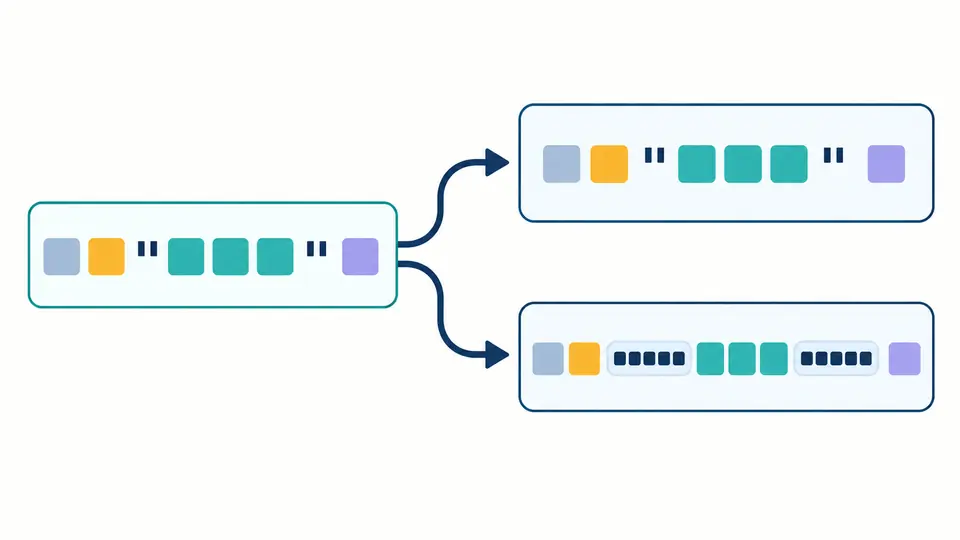
Restoring a numeric newline reference can create extra lines inside one record. The JSON report stores each input, output and original separator separately, so those new lines do not erase record boundaries.
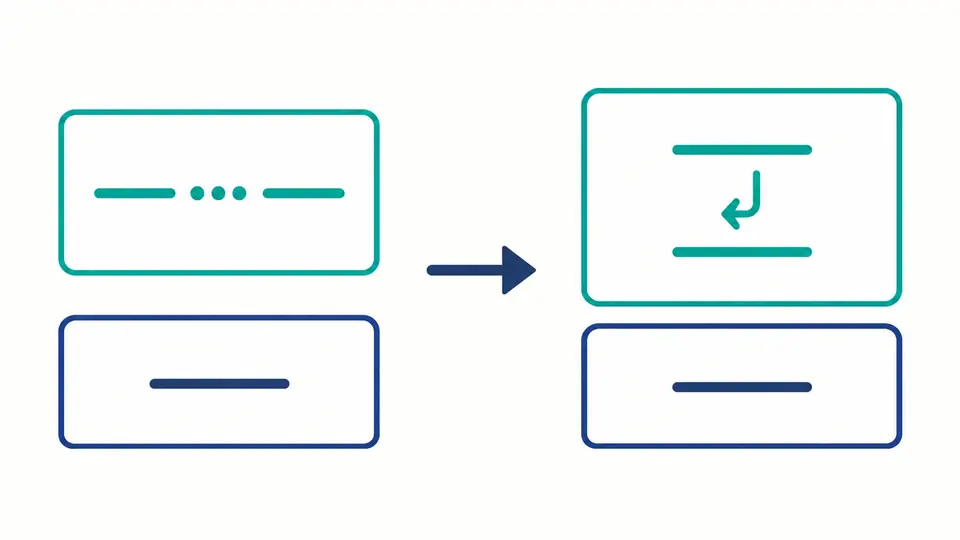
Text mode keeps quotation marks. Attribute mode escapes only the quote used by the surrounding attribute; it does not add the surrounding quotes or a tag.
Automatic conversion runs after 350 ms. Turn it off to reveal Convert, or press Ctrl/Cmd+Enter. An edit immediately disables export until the new conversion succeeds.
Example and Clear show a replacement preview and character counts. Apply confirms the change; Undo restores the previous input and result. Long output grows in 20,000-unit preview chunks.
XML escape keeps XML entities distinct from HTML names. Decoding recognizes amp, lt, gt, quot and apos, with exact case and a required semicolon.
Decimal references such as A and hexadecimal references such as A both restore A. The hexadecimal prefix must use lowercase x; its digits may use either case.
XML special characters can be encoded, but forbidden XML 1.0 characters cannot be repaired by spelling their numeric value. The first error reports the original line and UTF-16 column; the whole run fails.
The five predefined names are amp, lt, gt, quot and apos. They represent &, <, >, double quote and apostrophe. Names are case-sensitive; this XML escape tool rejects other names instead of guessing a definition.
Not generally. HTML has many built-in names that XML does not. For a nonbreaking space, use a literal valid Unicode character or   rather than . Custom declarations are outside this tool.
Escape a data value before inserting it into markup: at least ampersands and less-than signs need attention. The tool also encodes greater-than signs to avoid a literal ]]> sequence, and offers context-specific quote and whitespace handling.
CDATA can hold text with many angle brackets, but it cannot appear inside an attribute and cannot contain its own ]]> terminator. This page does not generate CDATA sections.
A conforming XML parser reports malformed or undeclared references. This decoder also rejects unknown or incomplete references, but a successful result does not certify that the surrounding XML document is valid.
Found an unexpected result?
Use XML escape with an ampersand, quotes and a line break, then compare text and attribute output.