XML tools

XQuery testerrun a query against your own XML

Run the included FLWOR example, or use Ctrl/Cmd+Enter after editing the XML, query or variables.

XQuery tester

XML input

XQuery program

Result

XML and query run inside this browser. No document is sent to a server.

Use up to 32 simple names with string, number or boolean values; declare each as external in the query.

XQuery 3.1 subset. One XML document; no doc(), modules or updates. 3-second execution limit.

Result is out of date. Run again before copying or downloading.

Use this XQuery tester when an XML query needs more than selecting nodes: filter books, sort them, then construct a new element for each match. The result comes from an actual XQuery 3.1 engine.

A small XQuery editor is useful for reproducing a query before it reaches a database. Run XQuery online here with one pasted document; this page does not pretend to provide BaseX collections or remote files.

Why use this XQuery tester?

See an actual query result with deliberate limits.

Construct output, not just select nodes

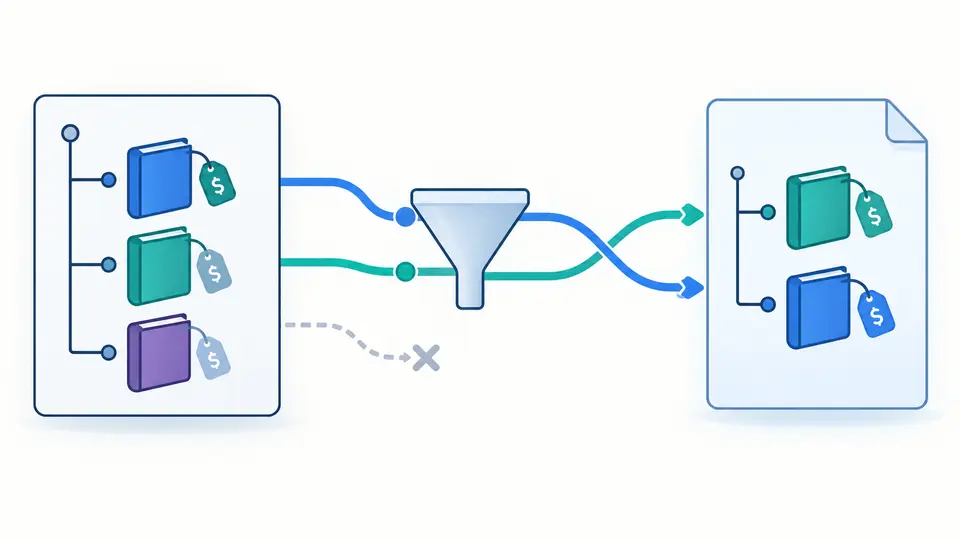
This XQuery tester runs for, where, order by and return over a pasted XML tree. The default query selects two books, sorts them by price and creates result elements; XPath 1.0 alone cannot express that program.

A book-shaped XML tree is filtered and sorted into two newly constructed result branches.

Know which resources the query can see

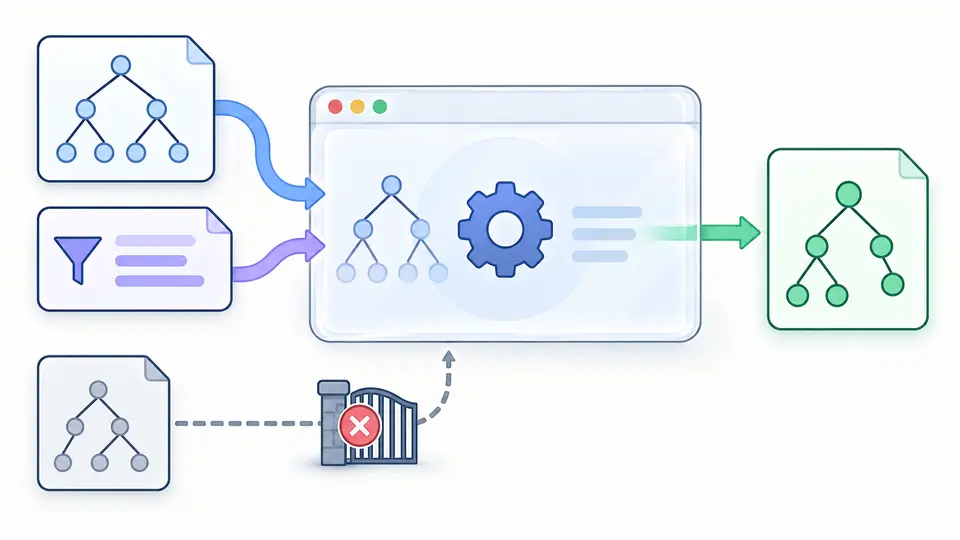
Execution stays in a terminable worker with a single supplied document. If a query asks for doc(), a collection or a module, it fails rather than reaching a URL or silently returning unrelated data.

An XML tree and a query enter a contained browser worker; a result leaves while an external document path is blocked.

Three details before trusting a result

01

Start with a real FLWOR example

The included query filters and sorts books, then builds new result elements. Switch the example selector to try an external variable, a declared namespace or a deliberate syntax error.

  • Loading an example previews all three fields and can be undone once.
02

Declare each variable explicitly

Put a JSON scalar under a simple name and add declare variable $minimum external; in XQuery. The variable example starts with 20 and returns only the matching title.

  • Only string, finite number and boolean values are accepted.
03

Rerun after every edit

Execution is manual because a short query can still create a large sequence. Ctrl/Cmd+Enter runs it; editing XML, XQuery or variables immediately disables export until the next complete result.

  • A zero-item result is successful; a timed-out query is not exportable.

Query behavior you can inspect

FLWOR and constructors

For, where, order by and return let an XML query filter and reorder nodes, then create new XML. The output keeps sequence order and displays constructed nodes as text, never live HTML.

Bound parameters

JSON variables feed declared external XQuery variables without splicing values into program text. Change a threshold to test the same query with different input.

Visible failures and empty results

Malformed XML, an undeclared variable and invalid syntax fail separately. A valid empty sequence reports zero items, while a successful full result can be copied or downloaded.

Version, resources and limits

XQuery 3.1 subset, one document
The XQuery tester uses FontoXPath 3.34.0, not a BaseX database. It supports the demonstrated FLWOR and constructors, but group by, count clauses, window clauses, schema-aware typing and vendor extensions are not promised.
No remote resources or updates
doc(), collection(), unparsed-text(), imported modules and XQuery Update are unavailable. The query cannot read a URL or file, alter the XML, or access a database. Use the XML field as the only document context.
Strict XML and bounded execution
Only well-formed XML 1.0 is accepted; DOCTYPE and external entities fail. Limits are 100,000 XML characters, 10,000 query and variable characters, 5,000 nodes, depth 100, 32 variables, 1,000,000 output characters and 3 seconds of worker execution.
Complete results only
If output or time exceeds the budget, the run fails; it does not offer a truncated export. Example and Clear show a preview before replacing all three fields; Undo restores the former inputs and result once.

XQuery tester questions

How do I run XQuery against an XML file?

Paste the file's XML text into the XML field and run the query against that one document. File paths, URLs and collections are not loaded. This XQuery tester is for a reproducible single-document case.

How do I pass an external variable to XQuery?

Declare it in the query, for example declare variable $minimum external;, then enter {"minimum":20} in Variables. The engine binds the number as a value rather than inserting it into query source.

How does XQuery work with XML namespaces?

Declare a prefix for the namespace URI in the query and use that prefix in the path. The Namespace example includes XML with a default namespace and a matching b prefix declaration.

How can I output XML from XQuery?

Return an element constructor such as <result>{$book/title/text()}</result>. Returned nodes are serialized as XML text. This page does not add a declaration or render them as browser HTML.

What is the difference between XPath and XQuery?

XPath selects and computes values in a document. XQuery adds a complete query language with variables, FLWOR clauses and constructors. Use the XPath tester for a path expression and this XQuery tester when the result must be reshaped.

Have a query that behaves differently?

Run your XQuery tester example

Keep the XML sample beside its query when reporting a failure. This XQuery tester keeps the error and the last complete result distinct, so another run never looks successful by accident.