
Webmaster tools

XML sitemap generatorand validator

Paste one absolute URL per line, or switch to XML validation. Run manually so large lists are checked only when you are ready.

XML sitemap generator

URL list

Result

Your URLs and XML stay in this browser tab. No page or sitemap URL is fetched.

Options

One absolute URL per line. Optional real lastmod: URL, a tab, then YYYY-MM-DD. Exact duplicates are counted and removed.

Paste a URL list or XML, or load the example.

A deployment export gives you the page URLs but no sitemap.xml. This XML sitemap generator turns that exact list into a protocol-ready file, while keeping malformed or off-site addresses visible for correction instead of silently dropping them. It also works as a sitemap validator for XML you already have.

Before publishing, use the sitemap.xml checker to inspect a pasted urlset or sitemap index. A split sitemap needs the public directory where every part will be hosted; the index cannot point to imaginary relative files.

Why use this XML sitemap generator

Check the list you have, and receive every file your site must host.

Spot a bad row before it disappears

The XML sitemap generator retains input line numbers for invalid addresses, mixed origins and exact duplicates. A bad row blocks export, while a duplicate is counted and removed openly. A valid URL list never quietly shrinks.

Separate URL lines pass through a local check; one invalid line remains marked while valid lines form a sitemap.

Keep the index tied to real files

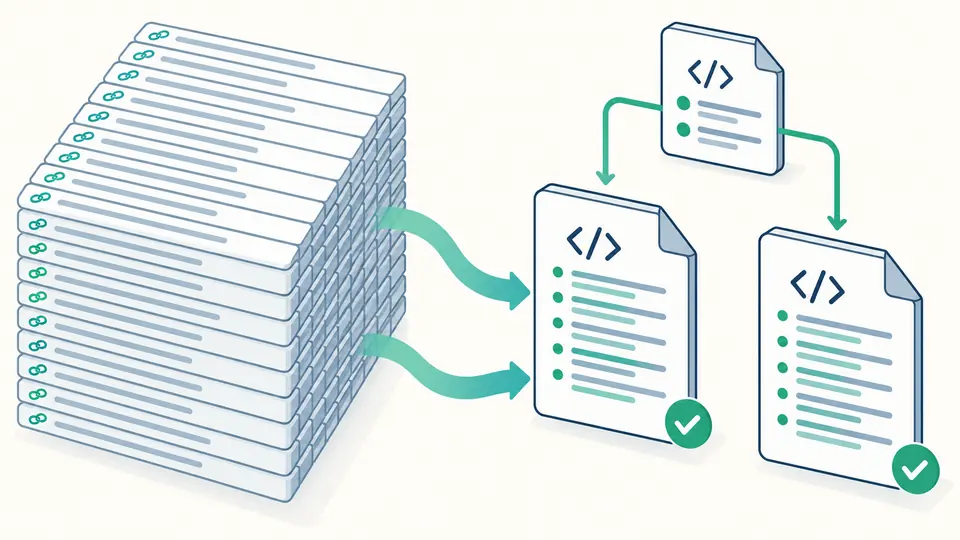
When either limit is reached, complete URL entries move into numbered parts. The sitemap index uses the public directory you provide to form absolute links, and the ZIP contains the index plus every part. Nothing is submitted to a search engine automatically.

One large URL collection becomes two complete XML sitemap parts referenced by a single index file.

Prepare a sitemap that can actually be hosted

01

Keep each URL exact

Use one absolute HTTP or HTTPS URL per line. If you know a page's real modification day, put a tab and YYYY-MM-DD after that URL; leaving it blank omits lastmod. The tool does not guess a protocol, canonical URL or date.

  • Use the example to see the tab-separated date format.
02

Name the public directory for split files

A single sitemap needs no directory setting. If the list crosses 50,000 URLs or 50 MiB, enter the real directory URL ending in /. Its path must cover the page URLs, or the generated index would not be deployable there.

  • Editing the directory makes the previous result stale and disables export.
03

Check the report before deployment

Look at the per-file count and byte size, or switch to XML validation for an existing file. Ctrl/Cmd+Enter runs either task. A green local check does not verify HTTP access, robots rules or indexing; inspect those after hosting.

  • Download the ZIP for a split sitemap; it includes the index and all parts.

From URL rows to protocol-sized XML

A strict urlset from a plain list

Each accepted URL becomes an escaped <loc> inside a UTF-8 urlset. Optional per-page dates are checked before a <lastmod> is emitted. No generation-time date, changefreq or priority is added.

Two-limit splitting and sitemap index

A split sitemap closes a part before it exceeds 50,000 URLs or 52,428,800 uncompressed bytes. The index points to every numbered part using absolute URLs from your public directory, and the ZIP holds the whole set.

Pasted XML structure validation

The sitemap validator checks XML syntax, namespace, root, required loc, optional field values, duplicate addresses and protocol limits for urlset and sitemapindex. Issues retain source line and column; referenced files are not fetched.

What a local check can and cannot establish

No network crawl or live URL test
The sitemap.xml checker reads only pasted text. It cannot tell whether a page returns 200, redirects, carries noindex, has a different canonical URL or is blocked by robots.txt. No input URL is requested or submitted.
Dates have to come from the site
A URL may carry its actual modification date as a tab-separated YYYY-MM-DD value. Otherwise lastmod is omitted. The generation day is not a substitute; changefreq and priority are not generated because Google ignores them.
Same origin and valid deployment scope
Generated page URLs must share scheme, host and port. For split output, the specified public directory must be on that origin and high enough in the path tree to cover every listed page. The tool cannot prove you will deploy files there.
Two limits apply to every file
Each urlset and sitemapindex must stay within 50,000 entries and 50 MiB before compression. Invalid lines stop generation rather than being skipped. This page does not import CSV, fetch an existing sitemap URL or add image, video, news and hreflang extensions.

XML sitemap generator questions

How many URLs can one sitemap contain?

One file can contain at most 50,000 URLs and 50 MiB of uncompressed UTF-8 XML. The XML sitemap generator starts another file when either boundary would be crossed and creates an index for the parts.

Can I validate a sitemap index?

Yes. Paste a complete sitemapindex document to check its structure, loc values and limits. Child files named by that index are not fetched or verified, so validate them separately.

Why are pages still not indexed after submitting a sitemap?

A sitemap helps discovery, but does not command indexing. Search engines may reject or ignore pages because of access, duplication, canonical choices or content quality. Use Search Console to inspect a specific page.

Should noindex or blocked URLs appear in a sitemap?

Usually no. This local check cannot detect noindex or robots rules, so filter those URLs using site data before pasting the list. It never claims a syntactically valid file is ready for indexing.

When should I include lastmod?

Include it only when you know the page's real significant modification date. Put that date after the URL with a tab. Leave it out otherwise; the XML sitemap generator does not stamp today's date across every page.

Need to report an edge case?

Run the XML sitemap generator now

Start with the sample URL list, then use the XML sitemap generator on your own canonical URLs. Review diagnostics before downloading every file your site will publish.