Date and time

WebKit timestamp converterKeep the last microsecond

Convert Chrome database microseconds to UTC dates, or enter ISO dates with an explicit offset. One value per line.

WebKit timestamp converter

Input

Results

Your input is processed in this browser and is not sent to a server.

Options

Chrome database epoch: 1601-01-01 UTC · one unit = one microsecond.

One signed decimal integer per line, or YYYY-MM-DDTHH:mm:ss[.1–6 digits]Z / ±HH:mm. Dates must resolve to UTC years 0001–9999.

Zero has an arithmetic date but may mean unset in Chromium. Signed 64-bit minimum/maximum values are infinity sentinels, without dates.

UTC shows six fractional digits. Unix seconds and milliseconds are floored, with nonnegative microsecond remainders.

Up to 1,000 physical lines and 100,000 UTF-16 code units. Blank rows are errors; outer whitespace is trimmed.

Reverse is available only when every row has a date. Errors and infinity sentinels must be resolved first.

Enter input or choose an example to begin.

Use the WebKit timestamp converter when a Chrome history export contains long integers instead of readable dates. Start with the original database value: a spreadsheet may already have rounded the final digits before you paste them here.

The familiar WebKit name refers here to the Chrome/Chromium format measured from 1601. A browser API can use a different epoch or unit even when its field has a similar name. Check the source before interpreting the result.

Why use this WebKit timestamp converter?

Check a round trip without rounding

The WebKit timestamp converter turns 11644473600000001 into 1970-01-01T00:00:00.000001Z. Reversing the result preserves that last digit. Six fractional places remain visible even when your usual date viewer stops at milliseconds.

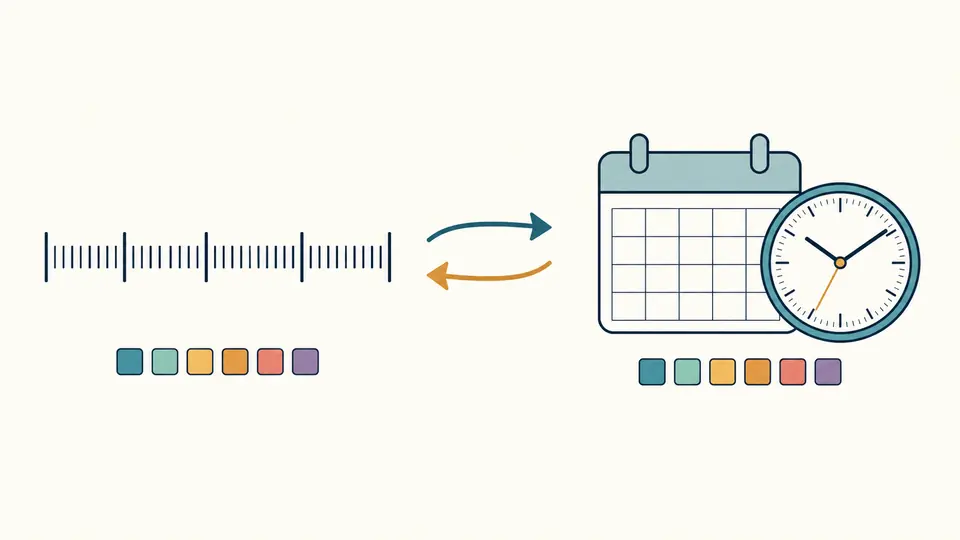
A microsecond value and calendar exchange arrows while the fine divisions remain aligned.

Keep the bad row beside the good ones

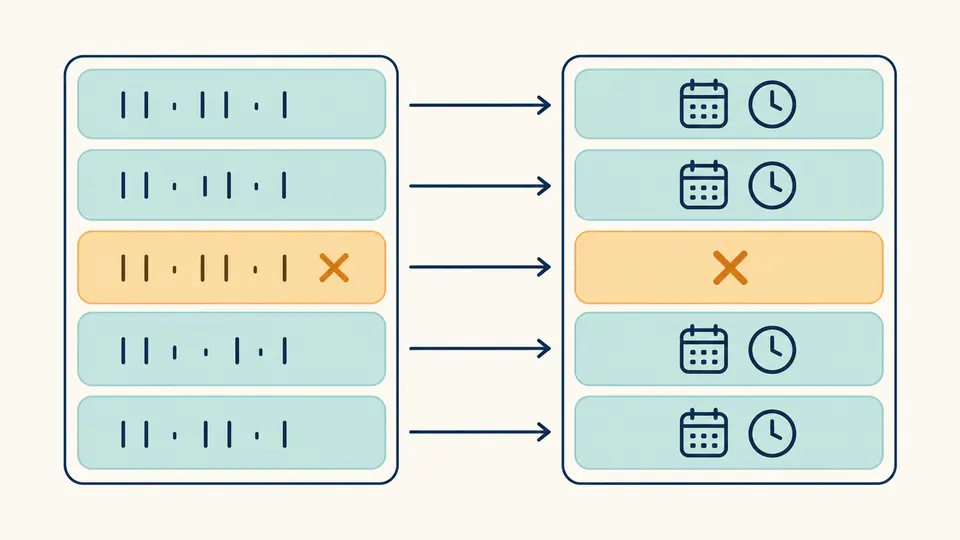
A malformed entry does not cancel its neighbors. The batch report retains the original text and physical line number, so you can match each converted date or error to its source rather than realigning a shortened list.

Several source rows lead to matching results, with one error row kept in its original position.

Confirm the source, offset and result state

01

Check the database field first

Chrome history timestamp fields such as visits.visit_time use this format. The extension API’s lastVisitTime uses Unix milliseconds. A short integer is not rejected just for being short, so digit count cannot replace checking the source.

02

Make the offset explicit

For the reverse direction, include Z or ±HH:mm even when your own computer uses UTC. The Example button follows the selected direction and previews its replacement before Apply. Fractions longer than six digits are rejected rather than truncated.

03

Use the full report when checking a batch

Automatic conversion waits 350 ms; switch it off for Convert or Ctrl/Cmd+Enter. Editing immediately disables exports until the result refreshes. Reverse requires all rows to have dates, and Undo restores both the input and the earlier report.

Compare one instant in several units

Exact decimal strings

The Chrome timestamp converter keeps large counters as integer strings in JSON. A current microsecond value exceeds JavaScript’s safe integer limit; converting it to a floating-point number before subtraction could lose an odd final digit.

Unix quotients plus remainders

WebKit to Unix conversion first subtracts 11644473600000000 microseconds. The report includes exact Unix microseconds as well as floored seconds and milliseconds. The leftover microseconds are separate fields, so coarse units can be reconstructed without guessing.

Dates before either epoch

Negative WebKit values represent dates before 1601 within the supported calendar range. One microsecond before 1970 gives Unix seconds -1 plus a remainder of 999999 microseconds, not a misleading zero-second quotient.

Per-row diagnostics and complete exports

Each batch accepts up to 1,000 physical lines and 100,000 UTF-16 units. Results initially show 50 rows, with 50 more per click. Copy and Download include every row, original input, interpretation and error message in the JSON report.

Separate the format from the field’s meaning

This page has one epoch and one input unit
No automatic detection of Unix, JavaScript, FILETIME or Safari timestamps is performed. FILETIME uses the same epoch but 100 ns units. Chrome extension APIs and modern Safari/WebKit formats must be checked separately; performance.now is a relative clock.
Zero and infinity need context
Zero is shown as an arithmetic 1601 date with a possible-unset notice, not proof of an event in 1601. The signed 64-bit extrema are reported as Chromium infinity sentinels without dates or Unix values. The original integer remains available.
Calendar bounds are a product limit
Finite dates must resolve to UTC years 0001 through 9999. Signed 64-bit storage has a wider range. A finite value outside the supported calendar produces a row error, while neighboring valid rows still convert.
Strict dates, no silent repair
Dates require seconds and Z or an explicit offset within ±14:00. Unknown -00:00, invalid calendar days, leap seconds, 24:00 and more than six fractional digits are rejected. No named-zone or daylight-saving inference is applied.
Paste values, not a database
The tool does not read History or Cookies files, request browser-history access, extract SQL columns or fetch URLs. Scientific notation, hexadecimal and quoted JSON numbers are not accepted. Outer whitespace is trimmed; blank rows remain errors instead of disappearing.
Replacement is an explicit action
Example, Clear and Reverse show the replacement content and its size before Apply. One Undo restores the previous input, options and results. Reverse stays disabled for a batch with an error or an infinity sentinel, preventing silent loss of those rows.

WebKit timestamp converter questions

How do I convert a Chrome cookie timestamp to a date?

For an original creation_utc or expires_utc counter in this format, paste the decimal integer in WebKit → date mode. Read the UTC date and retain the field name separately. A zero or special value needs the cookie record’s context before you infer creation or expiry.

Is this the same format as Windows FILETIME?

They share 1601-01-01 UTC as the epoch, but their units differ: one microsecond here versus 100 nanoseconds for FILETIME. A normal FILETIME count is ten times the corresponding Chrome count. Use the matching converter rather than swapping the values.

What does zero mean in these columns?

Chromium uses zero for an uninitialized time. Arithmetic conversion still lands on 1601-01-01, so this page shows both that result and a possibleNull notice. It cannot determine whether a cookie is a session cookie or a history field is unset from the number alone.

How do I convert the current time to a Chrome timestamp?

Enter a current ISO date with Z or an explicit offset in Date → WebKit mode. The formula is Unix microseconds + 11644473600000000. This page does not sample the clock for you; a source recorded only to milliseconds cannot supply three extra measured digits.

How do I make a Chrome history timestamp readable?

Copy a value from the original visits.visit_time or urls.last_visit_time column and read the UTC result. To reconcile a local display, account for its time zone. Do not apply this conversion to the extension API’s similarly named lastVisitTime, which uses milliseconds from 1970.

Unexpected result?

Check the final digit before exporting

Return to the WebKit timestamp converter with a source value you can verify. Inspect its UTC date, special-value notice and Unix remainder, then save the complete report.