01
Select bytes only for raw bytes
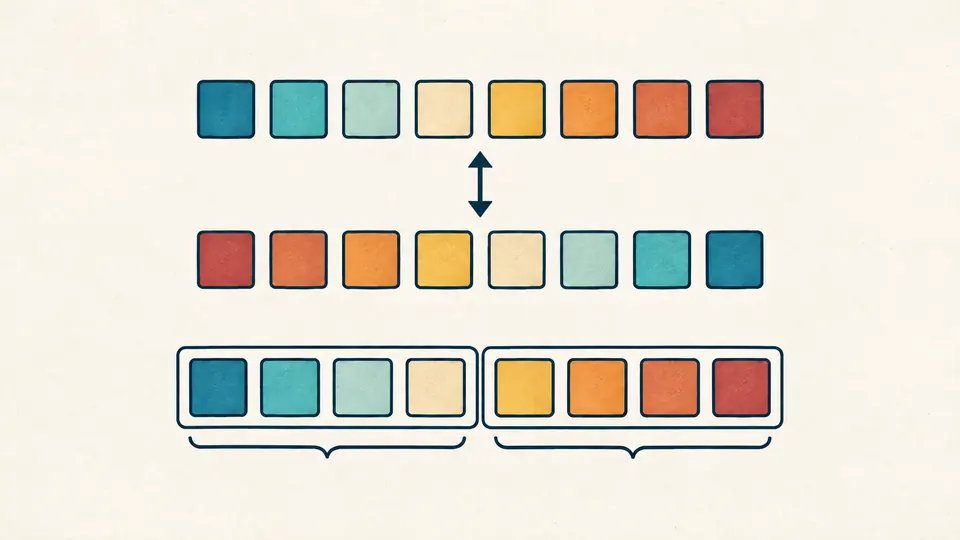
A whole hexadecimal number and a little-endian byte dump can look similar. Byte order is enabled only for the eight-byte format; the high/low format always takes the high word first, separated by a comma.
Date and time
Convert Windows timestamps and UTC dates with seven fractional digits. Choose the source format and LDAP attribute before interpreting a value.
Your input is processed in this browser and is not sent to a server.
Windows epoch: 1601-01-01 UTC · one tick = 100 ns.
One value per line. High/low: high,low (decimal or 0x words; signed decimal words allowed). Bytes: 16 hex digits or 8 pairs. Dates: YYYY-MM-DDTHH:mm:ss[.1–7 digits]Z or ±HH:mm; +YYYYYY for expanded years.
Byte order applies only to byte input. Select the actual AD field; zero is not universally Never. Decimal -1 is accepted only as a pwdLastSet write control.
UTC dates retain seven fractional digits. Unix quotients are floored; their remainders are in 100 ns ticks.
Up to 1,000 physical lines and 100,000 UTF-16 code units. Blank rows are errors; outer whitespace is trimmed.
Enter input or choose an example to begin.
The FILETIME converter helps you read an Active Directory export or a timestamp extracted from an NTFS record. Keep the original integer when a spreadsheet or a millisecond-only date viewer would hide its last digits.
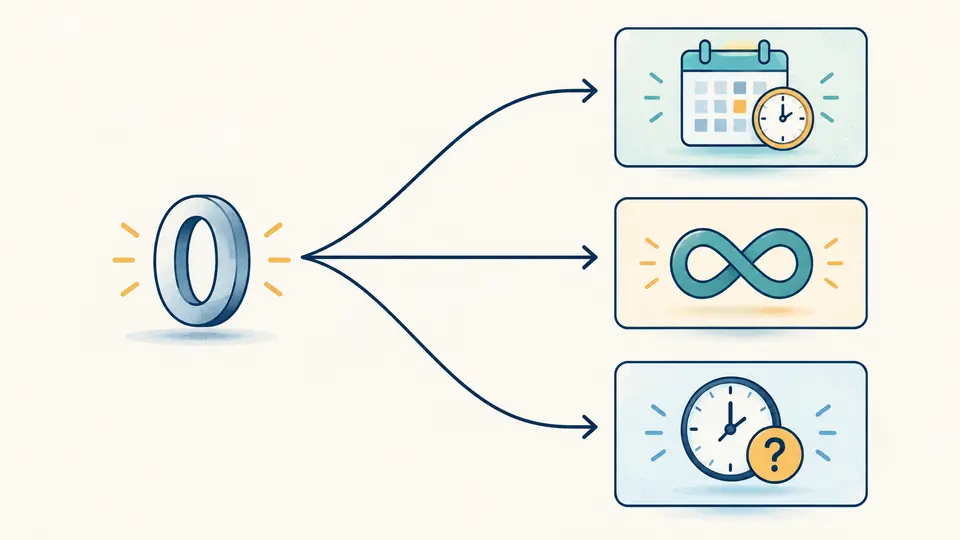
A 64-bit value carries no attribute name. A zero can describe the Windows epoch, an account without an expiry date, or an unknown login time. The selected context determines which interpretation appears.
The FILETIME converter reports the whole decimal and hexadecimal value, both DWORDs and both byte orders together. Compare a memory dump with an API result without accidentally reversing the bytes of an already decoded integer.
Switching from generic FILETIME to accountExpires changes zero from a date to Never expires. The lastLogon preset instead reports Unknown. A special result deliberately has no fabricated date or Unix timestamp.
A whole hexadecimal number and a little-endian byte dump can look similar. Byte order is enabled only for the eight-byte format; the high/low format always takes the high word first, separated by a comma.
Choose an AD attribute only when it matches the source. Reverse conversion requires Z or an explicit offset, even if your own computer uses UTC. Example follows the current representation and opens a replacement preview.
Automatic conversion waits 350 ms after editing. Turn it off to use Convert or Ctrl/Cmd+Enter. Reverse requires every row to contain a date; Apply replaces the input and Undo restores both input and results.
116444736000000001 becomes 1970-01-01T00:00:00.0000001Z. Decimal strings and integer arithmetic preserve that last tick. Output dates always show seven fractional digits; no millisecond rounding is applied.
High/low accepts unsigned DWORDs or signed decimal LONG values in the 32-bit range. Negative words use two’s complement, and the report includes both signed and unsigned forms. This rule does not reinterpret a negative whole FILETIME.
The LDAP timestamp converter subtracts 116444736000000000 ticks before dividing. Seconds and milliseconds are floored, with a nonnegative tick remainder for each. This preserves instants immediately before 1970 as well as after it.
Up to 1,000 physical rows retain their original text and line number. A malformed Windows timestamp does not suppress neighboring results. Display starts with 50 rows; Copy and Download include the full JSON report and all diagnostics.
For a FILETIME-based attribute, subtract 116444736000000000 and divide by 10000000 for seconds. Preserve the remainder if precision matters. The report supplies both components, but first use the matching attribute preset so a control value is not treated as a date.
accountExpires uses both 0 and 9223372036854775807 for this state. Select that preset to see the interpretation. These meanings do not apply universally to every Windows timestamp or LDAP attribute.
Yes. Fields such as whenCreated and whenChanged commonly use GeneralizedTime, for example 20240101000000.0Z. That text is not a decimal count of 100 ns ticks and this page intentionally rejects it.
Each second contains 10000000 ticks and each millisecond 10000. Converting to Unix units also requires changing the epoch from 1601 to 1970. The report keeps the discarded fraction separately instead of silently reducing precision.
The exact formula is milliseconds × 10000 + 116444736000000000. This page accepts dates for the reverse direction, so enter the corresponding ISO instant with an offset. A millisecond source cannot recover the additional four fractional digits that were never recorded.
Unexpected result?
Use the FILETIME converter with the original value and its field name. Save the complete report so the byte order, context and remaining precision travel with the converted date.