01
Choose the intended operation
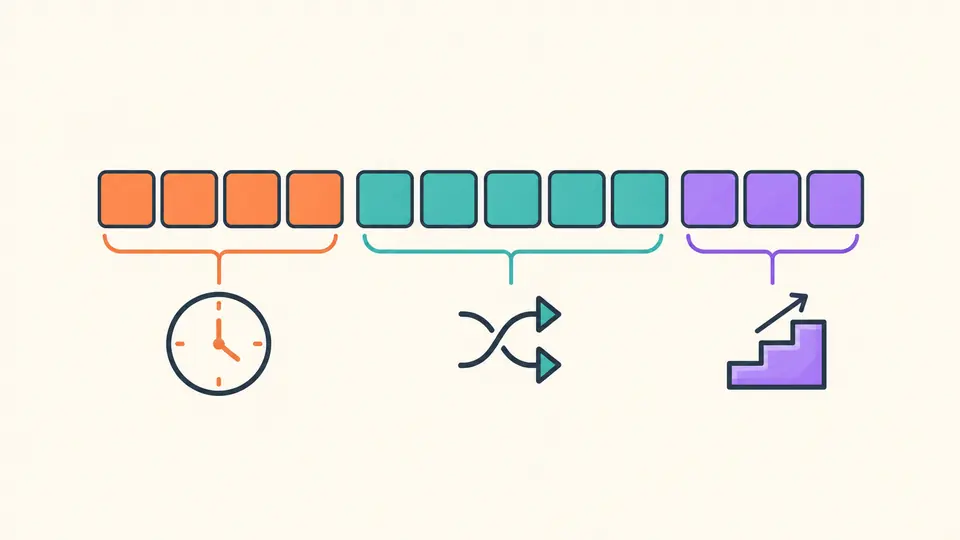
Generate creates new IDs; Decode reads existing IDs; Date boundary creates a timestamp prefix followed by zero bytes for query comparisons.
- A date boundary is not a unique ID for insertion.
Identifiers
Choose generation, decoding or a date query boundary.
4-byte unsigned timestamp, 5-byte random value, and 3-byte counter. Random bytes do not reveal a machine ID or PID.
Your input is processed in this browser and is not sent to a server.
Decode: one 24-hex ObjectId per line. Generate: leave empty for now, or enter one time. Lower bound: one time per line. Use integer Unix seconds or ISO with seconds and Z or ±HH:mm; spaces are not removed.
Up to 1,000 lines and 100,000 UTF-16 code units; generate 1–1,000 IDs. Times must be within 0–4294967295 Unix seconds.
Enter input or choose an example to begin.
An ObjectId generator is useful when API fixtures need realistic identifiers before a database exists. For a value copied from a log, switch to decoding to inspect the time embedded in its first eight hexadecimal characters.
An identifier is evidence of its own bytes. Its timestamp does not prove when a document was inserted, and a valid shape does not establish that a record exists. Keep a separate application timestamp when exact event time matters.
The ObjectId generator shows the 4-byte timestamp, 5-byte random value and 3-byte counter separately. The middle field stays opaque: modern ObjectIds do not expose a recoverable machine name or process ID.
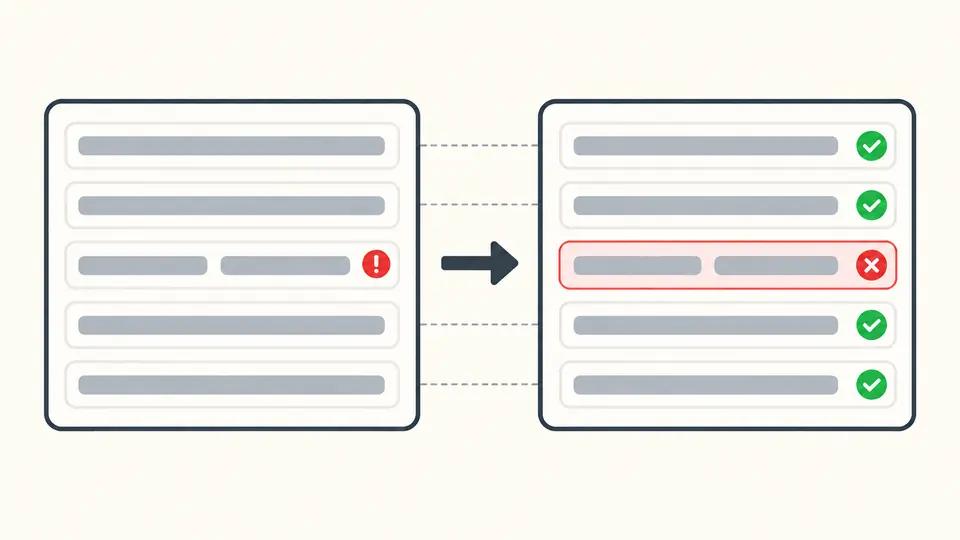
A malformed line should not vanish from an audit. Batch decoding keeps the original line, its position and its error, so the valid total cannot quietly conceal missing input.
Generate creates new IDs; Decode reads existing IDs; Date boundary creates a timestamp prefix followed by zero bytes for query comparisons.
Leave generation input empty to use the current second. For a chosen instant, enter Unix seconds or an ISO date with Z or an explicit offset.
Decode accepts one exact 24-character hexadecimal ID per line. Check errors before copying; the report preview is smaller than the exported report. Decode and date boundaries refresh automatically 350 ms after edits by default. Turn automatic conversion off to use Convert or Ctrl/Cmd+Enter. Generation always requires an explicit action; it never runs automatically.
Create 1–1,000 lowercase IDs per request. Browser cryptographic randomness seeds a stable random field and a counter that advances for each new ID.
The ObjectId decoder reads an unsigned big-endian Unix timestamp and reports its UTC date, preserving the random and counter fields for comparison.
Create a zero-suffix BSON ObjectId for a chosen second. These values help describe time-based query ranges; they do not create or query database documents.
Generation copies or downloads one ID per line as TXT. Decode and boundary modes export JSON reports that retain source lines and errors, including rows outside the visible preview.
Read the first four bytes as Unix seconds. This page also presents UTC time. That value describes the embedded timestamp, which may be custom or based on a skewed client clock; it is not proof of an insert time.
The ObjectId generator produces a standard 12-byte layout rendered as 24 lowercase hex characters. Convert that text to your driver's BSON ObjectId type when inserting; a JSON string alone is a different BSON type.
ObjectId uses 12 bytes and a second-based time field. UUID uses 16 bytes; its time information depends on the version. UUID v4 is random, whereas v7 includes a millisecond timestamp.
Yes. Choose a count from 1 to 1,000. All IDs in a generated batch share the context's random field and have advancing counters. Copy or download includes the whole batch.
Yes. Provide Unix seconds or a whole-second ISO timestamp with an explicit timezone. Use Generate for test identifiers and Date boundary for a repeatable comparison value with a zero suffix.
Found an unexpected value?
Try a known value or generate a small fixture batch, then inspect the timestamp and byte fields before exporting.