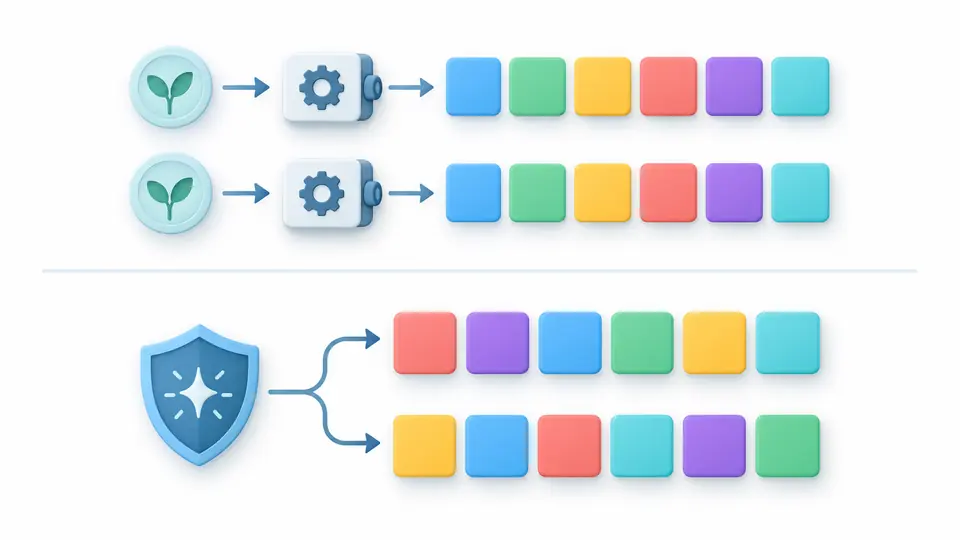
Choose a value type and generate a batch. A seed repeats test values; passwords always use secure randomness.
random string generator
Randomness source
Secure mode uses Web Crypto. Each click draws a new batch; editing options does not generate automatically.
Generated values
Input is processed in this browser and is not sent to a server.
Generation settings
Length counts Unicode code points. Custom pools are deduplicated; at most 256 distinct points and 4,096 input code units. Whitespace and controls are rejected.
A random string generator is useful when a failing test needs the same inputs tomorrow, while a fresh password needs the opposite property. Choose the source explicitly, keep the parameters with your test case, and generate each batch only when you are ready.
Why use this random string generator
Repeat a fixture without weakening a password
The random string generator separates two jobs: a seed rebuilds the same test sequence, while secure mode draws new values from Web Crypto. Selecting password mode forces the secure source. Changing the seed, length or type leaves your previous output visible but disables export until you generate again.
See the difference between bytes and text
A request for 16 bytes creates 16 values between 0 and 255. Hex displays those bytes as 32 lowercase digits, including leading zeros. With the same seed and length, both views describe the same bytes, so you can check an encoding fixture without confusing byte count with text length.
Keep a batch reproducible
01
Choose the source before the format
Use seeded mode for regression fixtures, and keep the exact seed, character pool and range. Every run restarts that sequence. Spaces in a nonempty seed matter; the page does not secretly add the current time.
02
Check what length measures
String length counts Unicode code points; hex and bytes count raw bytes. For numeric or date tests, both bounds are included. The preset example loads three seeded strings of length 12 after you review the replacement.
03
Rerun after an edit
Changing any parameter marks the result stale. Generate again with the button or Ctrl/Cmd + Enter before copying. The preview shows 50 values first, but both downloads always contain the entire current batch.
Values for different test fields
Character pools you control
Select letters, digits, alphanumeric, URL characters or a custom pool. Duplicate code points in the pool are removed before drawing, so repeating a character does not weight it. Visible Unicode code points are accepted; whitespace, control and formatting characters are rejected.
Bounded random numbers
The random number generator samples integers from an inclusive interval within the signed 32-bit range. Rejection sampling avoids modulo bias for intervals such as 0–100. Each draw is independent: equal bounds intentionally produce a repeated constant, and a batch may contain duplicates.
A separate password policy
The random password generator uses Web Crypto and requires at least one uppercase letter, lowercase letter, digit and symbol. It draws a whole candidate uniformly and rejects candidates missing a class. Length is 8–128; this mode never accepts a seed.
Dates and network fixtures
Dates are calendar days in UTC, not local timestamps. IPv4 stays in 192.0.2.1–192.0.2.254, IPv6 uses 2001:db8::/32, and MAC addresses set the local and unicast bits. These are test values; no address is contacted or checked for availability.
Typed batch exports
Random bytes appear as decimal arrays and random hex as lowercase text. TXT has one value per line; JSON keeps integers, booleans and byte arrays in their original types. A boolean draw has equal probabilities, without promising an exact half-and-half split for a finite batch.
Limits that affect your fixtures
A seed is for tests
Seeded output uses a fixed FNV-1a/Mulberry32 sequence and is predictable. Repeatability applies to the current engine version and exact effective settings, not other generators. Do not use seeded strings as production secrets or share secret-bearing links.
Random does not mean unique
There is no deduplication, uniqueness check or sampling without replacement. Short strings, booleans and the small IPv4 range can repeat frequently. If a database field must be unique, validate it against that database or use a suitable ID scheme.
Finite batches, no silent truncation
Request 1–1,000 values. String and byte lengths are 1–1,024; passwords are 8–128. For length-based types, count × length cannot exceed 100,000 units. An oversized request fails as a whole instead of returning a misleading partial batch.
Fixed formats and closed ranges
Numbers are integers from −2,147,483,648 through 2,147,483,647; decimals and arbitrary precision are not supported. Dates must be valid YYYY-MM-DD values from year 0001 to 9999. Reversed bounds and invalid dates are rejected instead of swapped or rolled over.
Code points, not visible glyphs
A custom pool allows at most 256 distinct code points and 4,096 input code units. It is not Unicode-normalized. Combining marks may count separately, so a visually single character can occupy several length units. No regex templates, prefixes or suffixes are applied.
Generation ends at the output
No public IP allocation, vendor lookup, password vault, secret-sharing link or strength score is provided. Passwords use a fixed four-class policy, without a symbol toggle or word-based passphrases. Export is TXT or JSON; there is no CSV, SQL or file import.
Random string generator FAQ
Are strings generated securely?
Secure mode uses the browser’s cryptographic random source and rejection sampling. It fails with an error if that source is unavailable; it does not fall back to a seed or Math.random. Seeded mode is deliberately reproducible and is suitable for test fixtures, not credentials.
Can I use this for passwords?
Choose the Password type. It switches to secure mode and enforces all four character classes, with a default length of 16. The generic String type only samples its selected pool and does not guarantee those classes. Store real credentials in a password manager and avoid copying them into test logs.
What character types can I include?
The presets cover English letters, digits, their combination and URL-safe characters. Custom pools support visible Unicode code points, remove duplicates and reject whitespace and control characters. The password mode has a separate fixed pool with mandatory uppercase, lowercase, digit and symbol coverage.
Can I generate multiple strings at once?
Yes. Set the count from 1 to 1,000, subject to the combined 100,000-unit limit for length-based outputs. Preview expansion only affects what is displayed. Copy, TXT and JSON include every generated value, and parameter changes disable them until a new batch succeeds.
How is this different from the API key generator?
This page creates raw strings, byte values and other test data. It does not register an API key with any service or attach permissions, an expiration date or revocation. A generated string becomes an actual credential only when your own system provisions and manages it.
Use the random string generator to create values with an explicit source, length and format. Save the exact seed and settings alongside reproducible tests; keep password output out of shared fixtures.