Docker & Containers

Docker Run builderCompose one container command

Set an image, add only the mappings you need, then review the generated POSIX command.

Docker Run builder

Task parameters

Ports

Mounts

Environment variables

Command preview

docker run \
  --detach \
  'nginx:alpine'

POSIX sh output for macOS, Linux or WSL. Paths are literal; variables and ~ are not expanded.

Configuration stays in this browser. No Docker connection, registry request or command execution.

Options

Up to 20 rows per group. CPU: 0.001–1024. Memory: integer b/k/m/g, at least 6 MiB; blank leaves it unset.

Command preview is current.

A container launch often starts with an image name and a handful of settings copied from different notes. The Docker Run builder brings those choices into one form so you can check which side of a port mapping belongs to the host and which path belongs inside the container.

Build a command for a new container without guessing the order of flags. Your image keeps its default entrypoint and command; an empty option is omitted, not replaced with an invented value. The initial nginx:alpine example runs detached and publishes no ports until you add them.

Why use the Docker Run builder

Separate configuration from shell punctuation

The Docker Run builder turns individual host ports, container ports, mount sources and ENV values into distinct arguments. You can review the generated mapping without manually balancing quotes around a path such as /opt/site files. Changing a setting immediately disables export of the old command.

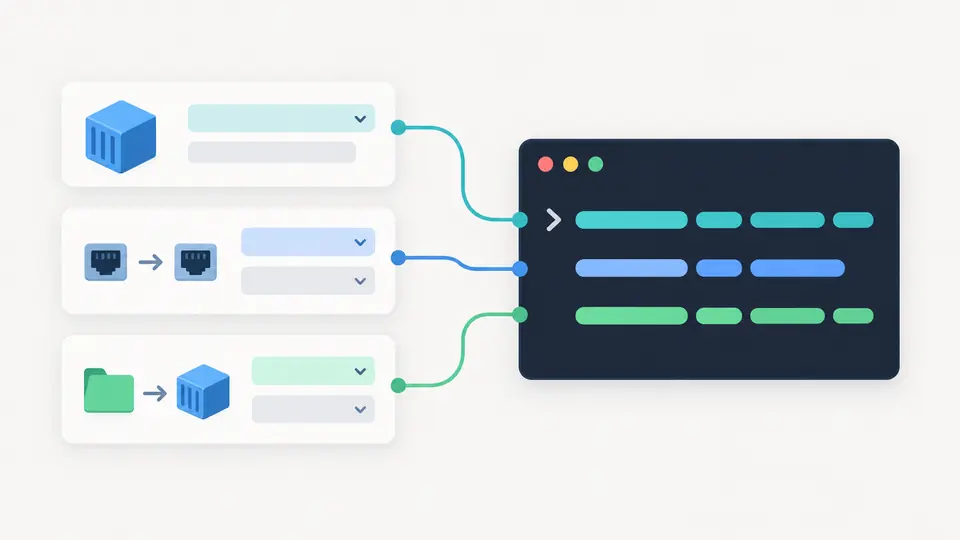
Image, port and mount form rows flow into a single terminal command preview.

Review exposure before exporting

An all-interface port, a privileged container or a sensitive bind source earns a visible warning. ENV values start masked in both the fields and the command preview. Showing them is an explicit choice before a complete command can be copied; masking is a display feature, not encryption.

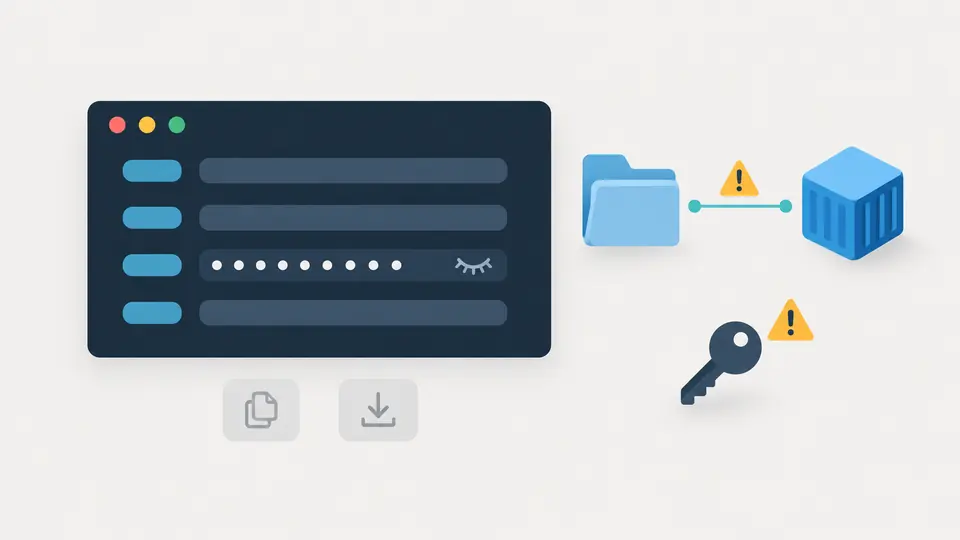
Masked environment entries and disabled export beside warnings for privileged access and host mounts.

Three decisions to make before the terminal

01

Choose the host binding deliberately

A new port row starts with 127.0.0.1 and TCP. That limits the requested binding to loopback. Clearing the address requests all interfaces; it does not mean that Docker chooses a private address. The container port must still match the service inside the image.

02

Distinguish a path from a named volume

Choose bind for an existing absolute path on the Docker host, or volume for storage managed by Docker. New rows are read-only. A writable database volume needs that switch changed deliberately; the tool does not infer application requirements.

03

Use manual mode for a group of edits

Automatic building waits 350 ms. Turn it off to edit several rows, then use Build command or Ctrl/Cmd+Enter. Check any warning and reveal ENV values only when you are ready to export. Example, clear and row removal show a preview and support one undo.

What the generated arguments express

Explicit port mappings

Each row emits one --publish argument with its IPv4 binding, host port, container port and TCP or UDP protocol. Overlapping bindings for the same host port and protocol are rejected, while TCP and UDP can share a number. This checks the form, not whether another process already owns the port.

Two kinds of persistent storage

Bind mounts point to host files or directories; named volumes let Docker manage storage. The output uses --mount with an explicit type and optional readonly flag. Duplicate normalized container targets are rejected so one row cannot silently hide another mapping.

Environment variables as literal values

The Docker command generator keeps spaces, equals signs, apostrophes and dollar signs within one argument. An empty value generates KEY= explicitly. Duplicate keys are errors, and no value is read from the browser computer's environment. Shell substitution is never used to fill a value.

Lifecycle and resource controls

Combine detached mode, interactive TTY, a container name, restart policy, CPU and memory limits. Remove-on-exit conflicts with every non-no restart policy and blocks generation. Blank resource fields add no limit; choosing a limit is not a reservation of hardware capacity.

Supported syntax and limits

One command, one shell family
Output targets POSIX sh on Linux, macOS or WSL, with Linux container paths. There is no PowerShell or CMD quoting, command import, Compose export, Dockerfile editing, custom entrypoint or arbitrary extra flags. The page never runs Docker or checks a registry.
Bounded image and port forms
Images accept a lowercase repository path, optional DNS or IPv4 registry and port, tag, and sha256 digest. IPv6 registries, bare image IDs and other digest algorithms are excluded. Port numbers are explicit integers from 1 to 65535; ranges, automatic ports, IPv6 bindings and SCTP are not supported.
Unambiguous mount paths
Bind sources must be absolute; targets must be absolute and cannot be the root. Commas, double quotes, backslashes, controls and dot or parent path segments are rejected. Spaces and apostrophes remain literal. Named volumes use 2–255 letters, digits, dots, underscores or hyphens and start with a letter or digit.
Finite form and resource budgets
Each of the three row groups accepts up to 20 rows. A text value is limited to 4096 UTF-16 units and all text together to 65536. CPU values range from 0.001 to 1024 with at most three decimals. Memory uses an integer and optional b/k/m/g suffix, at least 6 MiB and at most a signed 64-bit byte count.
Masking does not make a secret store
All ENV values are hidden by default. Copy and download stay disabled while a result containing ENV is masked. Revealing enables exact exports, including empty values, which may subsequently appear in shell history or container inspection. Names and paths are not classified as secrets.
Warnings cannot audit the host
Sensitive-path detection covers root and system or home directories, and warns even for read-only socket mounts. It cannot resolve symlinks, test permissions, verify image contents or confirm resource support. Writable binds and nonloopback publication need your review on the machine where Docker will run.

Docker Run builder questions

How do I map multiple ports or volumes?

Add one row for each mapping, up to 20 per group. Port rows keep the host and container numbers separate. Mount rows use a distinct source, target and type; there is no comma-separated list pasted into a single mapping. Repeated targets or overlapping host bindings are rejected.

How do I pass an environment variable that contains spaces?

Enter the value without adding shell quotes yourself. Spaces and punctuation are preserved, and the output quotes the entire KEY=value argument. For example, the literal text $HOME stays that text rather than becoming a directory. Newlines and control characters are rejected.

How to do --rm and --restart in dockerfile?

These are runtime flags for docker run, not Dockerfile instructions. In this form, remove-on-exit can be used only with restart set to no. For a persistent service choose a restart policy and leave automatic removal off; for a temporary container use --rm without that policy.

Docker volumes vs bind mounts?

A named volume is managed by Docker and selected by its name. A bind mount points to a particular host path and can expose or change host data. Choose the type explicitly. With --mount, a missing bind source is normally an error; the page cannot check whether it exists.

Can it generate docker-compose YAML?

No. This page creates one docker run command and keeps the image’s own startup command. A Compose file can describe several services, networks and dependencies, which need a separate model. The generated text should not be pasted into a YAML service definition as though it were Compose.

Does the preview differ from the Docker documentation?

Review the command, then copy it

Use the Docker Run builder to check the exact flags you intend to run. Resolve errors, inspect exposure warnings and confirm the Docker host before exporting.