GraphQL documents

GraphQL formatterread, check, understand

Work with operations, SDL or variables. Add a complete SDL schema to check fields before taking the document back to your API client.

GraphQL formatter

Input

Result

All document processing stays in this browser. No API requests, saved history or input in URLs.

Options

No schema: syntax only. With a complete SDL schema: static field and type checks. Variables: JSON object syntax only; values are not checked against declared variable types.

Document and schema: 100,000 characters each; variables: 20,000. GraphQL: 20,000 tokens, 100 nesting levels; processing stops after 8 seconds.

Enter a document or load an example.

A GraphQL formatter is useful when a query copied from a log is difficult to review. Expand its selections without sending a request, then inspect the fragment definitions alongside the operation that uses them.

Formatting and validation answer different questions. A readable query can still ask for a nonexistent field. The status explicitly tells you whether only syntax was checked or a supplied schema was used.

Why use this GraphQL formatter

Read the document as a whole

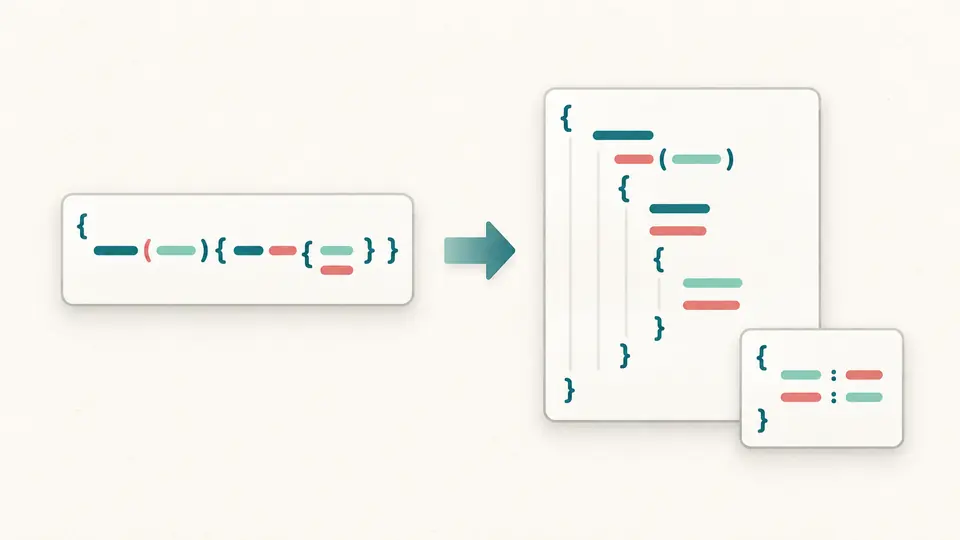
The GraphQL formatter expands nested selections into a consistent two-space layout. Named operations and fragments remain together; the structure view shows their source lines without expanding fragment references or inventing missing definitions.

A compact document expands into indented rows, with its variable object shown in a separate card.

See the difference a schema makes

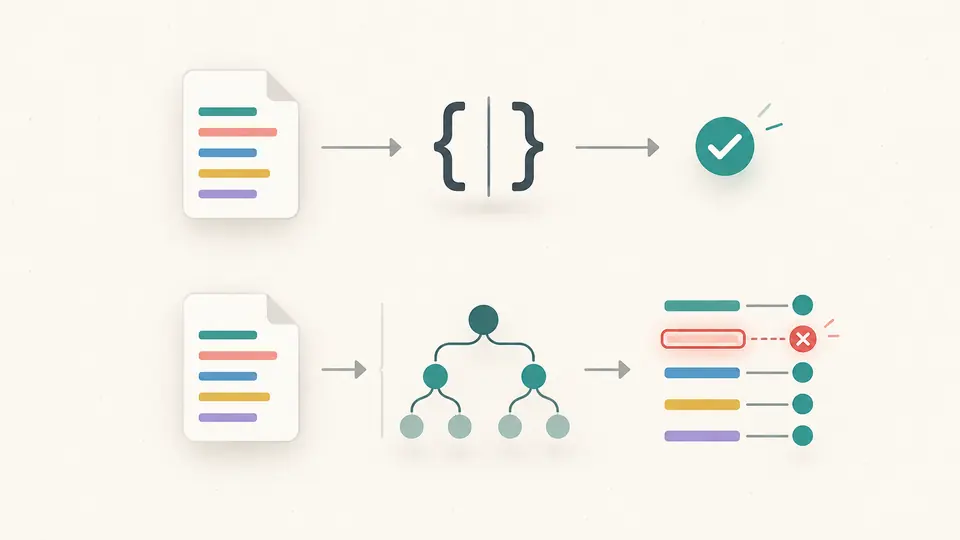
A GraphQL query validator needs your API contract to recognize unknown fields. Leave Schema empty for a syntax check, then add the full SDL to test selections, arguments and fragment relationships. A failed check identifies the input that needs attention.

The same query passes a syntax gate, while a supplied schema reveals a mismatched field highlighted in coral.

Choose the scope before trusting the result

01

Use the right document type

Operations accept queries, mutations, subscriptions and fragments. SDL accepts type definitions and extensions, including a standalone type without a Query root. Variables mode works independently, so you do not need a query just to tidy an object.

02

Supply the missing context

In Operations, switch input tabs to add your complete schema and variables. Tabs retain their contents. The example contains all three inputs; its replacement preview lets you check what will change before applying it.

03

Keep exports in step with edits

Automatic mode waits 400 ms after changes. Turn it off to use Process document or Ctrl/Cmd+Enter. Any input or mode change disables export until processing completes successfully; switching a result view uses the same current calculation.

One document, several useful views

Formatting and minification

Use the readable layout for reviews and the GraphQL minifier for compact text. Both retain string values and field order. The minifier understands token boundaries, so adjacent names keep the separating space they require.

Types and operations in context

The outline lists operations, variables, fragments, fields and SDL definitions with source lines. It shows 100 entries at a time. A structure download contains the complete outline as JSON, including entries not yet displayed.

Lossless variables formatting

The GraphQL variables formatter keeps numeric tokens such as 9007199254740993 and 1.2300e+40 intact. Object key order is retained, including numeric-looking keys. Duplicate keys fail instead of silently selecting one value.

Useful validation failures

Syntax errors carry a source and position when available. Click an error to open its input tab and location. For syntactically correct documents, schema errors leave formatted text visible for repair while exports stay disabled.

Know what the checks establish

Static checks have a boundary
This workbench does not execute requests, resolve fields or predict responses. Valid JSON variables may still be rejected by the server: required values, runtime coercion, custom scalars and business rules are not checked here.
Paste SDL, not introspection JSON
The optional schema input expects a complete SDL schema with a query root and referenced types. Remote schemas, Federation composition and code generation are not supported. Standalone SDL mode checks syntax only and accepts incomplete schema fragments.
Comments differ from descriptions
Printing an AST and minifying a document remove # comments. SDL string descriptions are retained as syntax. The original input is preserved; there is no automatic repair, field sorting or external fragment lookup.
Limits stop work instead of trimming it
Each document and schema is limited to 100,000 characters, variables to 20,000, and GraphQL to 20,000 tokens and 100 nested delimiters. JSON nesting is also bounded at 100. A worker is stopped after 8 seconds; split large documents and retry.

GraphQL formatter questions

How can I check whether text in an editor is valid GraphQL syntax?

A GraphQL parser can check whether text follows the language grammar without a schema. In Operations mode with Schema empty, this workbench reports syntax only. It cannot establish that a field exists on your server.

How can I validate GraphQL operations against a server schema?

Paste the server’s complete schema as SDL in the Schema input tab, with the query and fragment definitions in Document. The standard static checks compare selections and declared types. They do not authenticate, execute the operation or test resolver behavior.

Why are my GraphQL variables reported as invalid JSON?

Variables use JSON syntax, rather than GraphQL input-object syntax or a language-specific dictionary. Use double-quoted keys and strings, remove trailing commas, and supply an object at the root. This tool also rejects duplicate keys.

Why does GraphQL report “Query root type must be provided”?

That error means the supplied complete schema lacks a valid query root. Define type Query, or a schema declaration pointing to an existing object type. If you only want to format an isolated type or extension, choose SDL mode instead.

Why does printing a GraphQL query leave out its fragment definition?

Printing one operation node cannot add definitions that are elsewhere or were never pasted. This workbench prints the whole document, keeping included fragments. Add each referenced fragment to the same document; it does not load external files or inline fragment bodies.

A document produced an unexpected result?

Make the next review easier

Use the GraphQL formatter to inspect a complete document, check the stated validation scope, and export the current view when it is ready.