Copy and download export the selected view in full. Redaction changes the output only.
Postman to OpenAPI is useful when a collection of working requests needs to become a documented API. A request records one possible call; a specification describes what callers may send. This workbench makes that distinction visible instead of treating the two files as interchangeable.
Use the reverse direction to prepare a collection from an existing contract. Keep the original document alongside the result: authentication placeholders, omitted response definitions and schema constraints still need attention before you use the requests.
Why review Postman to OpenAPI here?
Requests and omissions in the same workbench
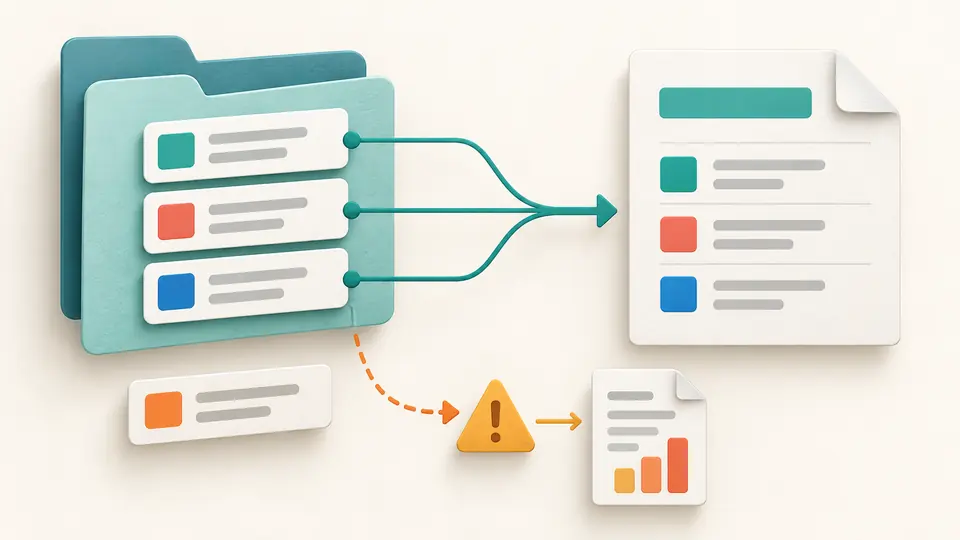
Postman to OpenAPI flattens nested folders into operations while retaining the folder name as a tag. Open the request list to see what was read, then switch to the report for script, variable and unsupported-field findings. Duplicate method/path pairs stop conversion rather than overwriting a request.
Review credentials before handing over a file
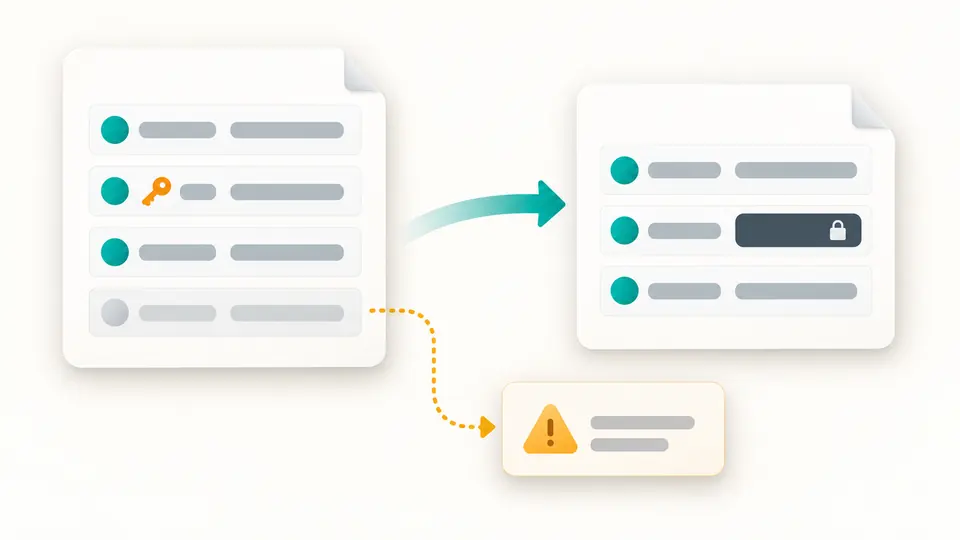
Environment export and collection formatting apply the same default redaction option. Recognized sensitive values become placeholders in the output. Disabled environment entries are reported separately, so a smaller .env file does not hide why a variable disappeared.
Three decisions before using the export
01
Choose the source family first
The mode selector does not replace your input. After changing direction, load that mode’s example or import the matching file. A collection must declare the 2.1 schema; an environment must contain a values array.
02
Watch when the result becomes current
Automatic conversion waits 350 ms after an edit. Disable it to inspect several changes before running with Ctrl/Cmd + Enter. Input and option changes disable both export buttons until the new result is ready.
03
Export the view you have reviewed
Result exports the converted document, Requests exports the full inventory, and Report exports all finding codes and source pointers. The 50-row preview limit never truncates the downloaded list.
A collection, a contract and an environment
Two conversion directions
The Postman collection converter creates OpenAPI 3.0.3 as JSON or YAML. OpenAPI to Postman accepts 3.0 and 3.1 and creates Collection 2.1. Local references needed for operation details are resolved within the provided specification.
Concrete examples with limited assumptions
Query and header values become string examples; raw JSON bodies remain examples without invented required or enum constraints. In reverse, explicit examples or defaults are used. Missing values become named placeholders, not generated test data.
Authentication and server precedence
Basic, Bearer and header/query API Key schemes have a defined mapping. Reverse conversion respects operation, path and root server precedence and picks the first effective server. Multiple choices, missing servers and complex security combinations appear in the report.
Environment values ready for configuration
Export Postman environment variables from a standalone environment JSON file. Enabled scalar values become strings, null becomes empty, and quoting preserves spaces, line breaks and literal dollar signs. Invalid or repeated keys stop the export.
What changes and what still needs review
Supported versions are explicit
Collection 2.1 is the accepted collection format. OpenAPI 3.0.x and 3.1.x are accepted for reverse conversion. A Postman to Swagger search may refer to Swagger 2.0; this tool neither reads nor generates that version.
Conversion is not a round trip guarantee
Scripts and tests are not executed or converted into assertions. Formatting retains their source text; conversion reports their omission. Dynamic variables are not evaluated, and separate environment or global scopes are not merged into a collection.
A request is not an entire schema
The generated specification describes observed examples. Reverse conversion omits response definitions and validation constraints, and reports that loss. Complex parameter serialization, callbacks, webhooks, OAuth flows, signatures and binary file contents are outside the mapping.
Reference and server boundaries
No external file or URL reference is fetched. Missing local targets or invalid specifications stop processing. If a collection base variable cannot be resolved, the generated server is / and a finding asks for review. Reverse conversion uses example.invalid when no server is available.
Redaction has a defined scope
Sensitive key names, secret-marked variables, authentication values, cookies and URL credentials are masked. JSON bodies are inspected; unstructured bodies are masked as a whole. Arbitrary secrets inside prose or scripts can remain, so inspect the export. Redaction never edits the input.
Bounded input and explicit failures
Limits are 500,000 input characters, depth 60, 50,000 nodes, 1,000 requests, 500 findings and a 2,000,000-character result envelope, with a five-second worker budget. Duplicate keys, unsafe numbers, YAML aliases, custom tags and multiple documents are rejected.
Postman to OpenAPI questions
Can I import specifications in YAML and JSON?
Yes, in OpenAPI → collection mode. Collections and environments use JSON. The output-format option applies only to the generated OpenAPI document; collection output is always JSON and environment output is .env.
Can conversion between Postman and OpenAPI be lossless?
No. A script-driven collection and a declarative contract represent different information. Review every report entry. The converted file is a migration starting point; it does not prove that requests are authenticated or that examples match a live service.
How is baseUrl set when generating a collection?
The effective server follows operation > path > root precedence. Its first URL becomes a collection baseUrl variable; subsequent operations use separate base variables. Server-variable defaults are substituted. With no server, example.invalid is used and reported.
Can I prevent secret variables from appearing in the export?
Leave credential redaction enabled. Variables marked secret and recognized sensitive names are replaced with [REDACTED]. This controls this tool’s output, not Postman’s export permissions, and cannot identify every secret hidden in arbitrary text.
Does exporting a collection include all environment variables?
No. Use a separate exported environment JSON in Environment → .env mode. Only that file’s enabled values are processed. The tool cannot retrieve local, global or vault values that were absent from the supplied file.
Use Postman to OpenAPI with a small collection first. Compare its request inventory and report, replace unresolved placeholders, then save the document your next step requires.