Line 1, column 24
{/version,resource}- Variable:
version· Defined - Variable:
resource· Defined
Expanded part: /v1/search
URL / URI Tools
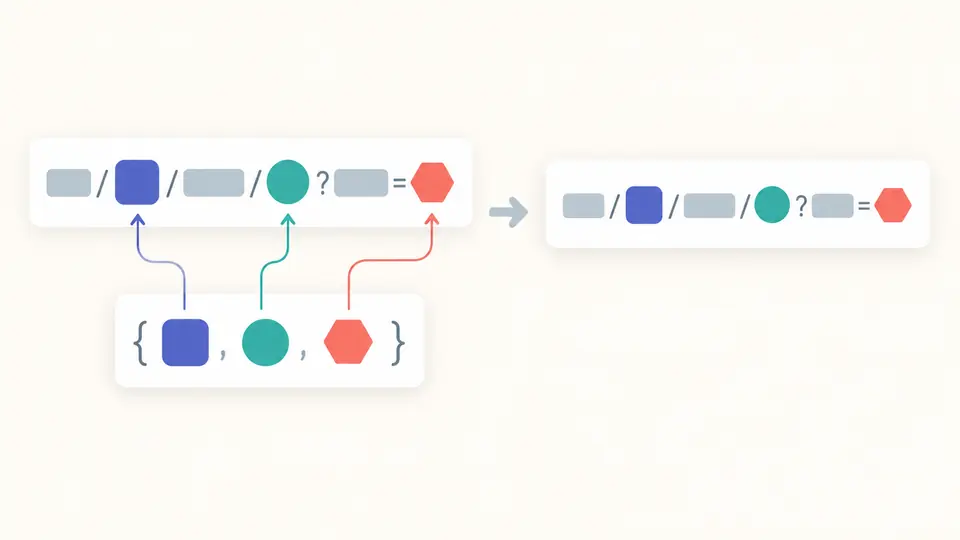
Enter one template and a JSON object. Inspect the URI and the contribution of each expression.
Templates and variables stay in this browser. Addresses are never requested.
Omitted variables: None
Unused JSON keys: None
Line 1, column 24
{/version,resource}version · Definedresource · DefinedExpanded part: /v1/search
Line 1, column 43
{?q,page,tags*}q · Definedpage · Definedtags* · DefinedExpanded part: ?q=hello%20world&page=2&tags=red&tags=blue
Showing 2 of 2 expressions
RFC 6570 Level 4: {var}, {+var}, {#var}, {.var}, {/var}, {;var}, {?var}, {&var}; :n takes a prefix and * explodes a list or map.
Limits in UTF-16 units: template 16,384; JSON 65,536; output 262,144; up to 500 expressions.
2 expressions · 0 omitted variables · 75 output units
A slash inside an identifier can become %2F while the same slash in a base path must survive. The URI template tester lets you inspect this difference with the actual variable values before embedding a template in an API client.
Use this URI template expander for a concrete RFC 6570 experiment: choose a sample, change an operator and compare the generated fragments. The URI template parser accepts relative references too, so a successful expansion does not imply a complete web address.
The URI template tester shows where each expression begins and what it contributes. When a query parameter disappears, check whether its variable is missing, null or an empty collection before changing the template. An empty string is shown separately.
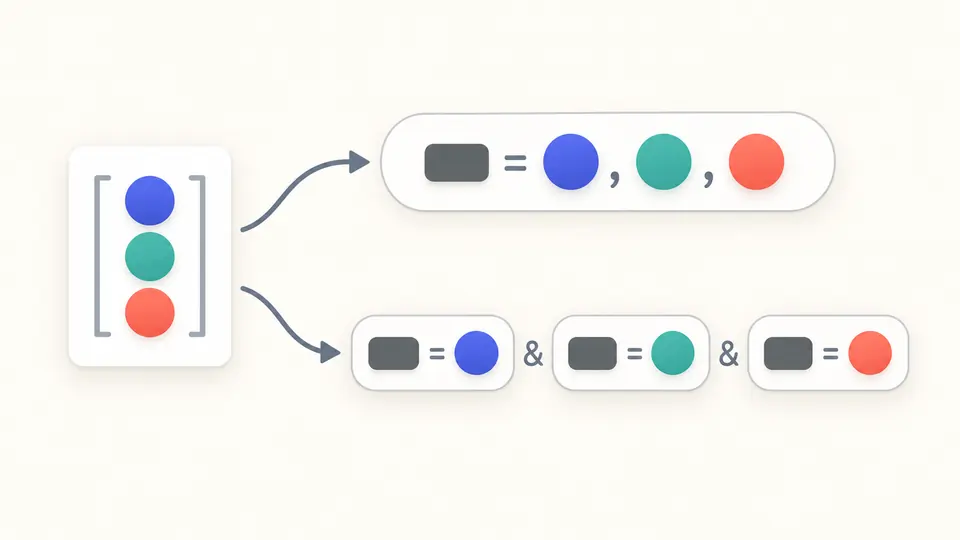
A list in {?tags} becomes one comma-separated value. In {?tags*}, every item gets its own tags parameter. Exploding a map instead uses its member keys. The details keep those output fragments next to the expressions that produced them.
Use an object with exact keys. The name user.id refers to the key "user.id", not a nested object. A percent-encoded name also needs that exact spelling in the JSON.
Load the reserved-character example to inspect a path that keeps its slashes. Use the composite example for exploded lists, map keys and Unicode prefixes. Loading first previews the replacement; Undo restores both editors and the previous result.
Automatic expansion waits 350 ms after edits. Turn it off for the button or Ctrl/Cmd + Enter. Editing disables exports immediately; copying becomes available only after the current inputs expand successfully.
The URI template tester supports simple expansion plus +, #, ., /, ;, ? and &. Prefix modifiers accept 1–9999 Unicode characters; explode handles lists and maps. The selected operator determines percent encoding and separators.
Numeric JSON tokens remain text throughout expansion. An ID such as 9007199254740993 stays exact; -0 and exponent notation also retain their spelling. Booleans expand as true or false. No floating-point conversion silently changes the value.
Invalid expressions and JSON syntax errors include a line and column. Duplicate keys are rejected. Unsupported nested values identify their JSON Pointer. Undefined variables are diagnostics, not syntax failures: their expressions may still produce a valid empty substring.
Copy gives only the expanded URI. The JSON download includes the template, raw variables JSON, complete expression details and omitted or unused names. The interface shows 50 expressions at a time; the report includes them all.
Keep the expression braces literal: /users/{id} contains a variable. /users/%7Bid%7D contains encoded literal braces and is not expanded. Supply the value without encoding the whole template first; the expression operator performs the appropriate encoding.
The / operator adds a slash before each defined variable; exploding a list adds one slash per item. Simple expansion encodes slashes inside values. Reserved expansion with + preserves them but adds no slash itself. These are different rules, not interchangeable formatting choices.
There is no operator for an arbitrary optional space separator. Prepare a single string containing the desired words and expand that value; its spaces become %20. Exploding a list uses the separator defined by its operator, such as / or &, not a configurable delimiter.
A regular expression alone cannot check the variable values. Even a syntactically valid {items:3} is invalid when items is a list. This tool parses expressions and checks the supplied JSON as part of expansion, reporting a source location when the run fails.
RFC 6570 specifies expansion from variables to a URI. Recovering variables can be ambiguous, especially for multiple variables, reserved expansion and exploded maps. This page does not reverse a URI into route parameters; use a route-matching tool for that task.
Something looks wrong?
Compare a reserved path or exploded query with your actual variable object, then save the current report.
One template, one variable object, inspectable results.