01
Check the dialect first
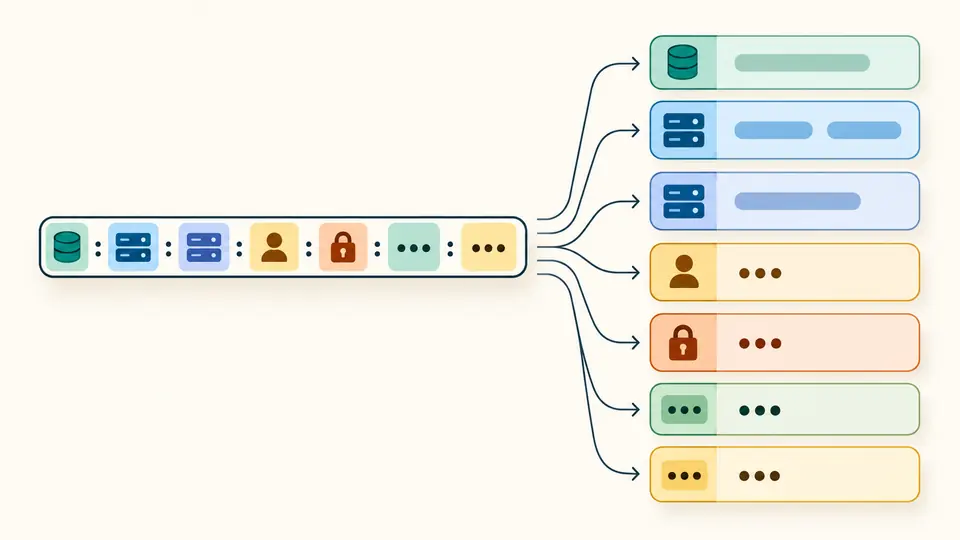
postgres:// and postgresql:// select native PostgreSQL URI rules. JDBC prefixes select driver syntax; mysql:// represents a bounded MySQL Shell form. Similar-looking strings can decode query characters differently.
Database & SQL tools
Read the fields behind a connection string
Processed in your browser without connections or saved history. The source editor contains your original text.
Masking applies to results, previews and exports. Disable it explicitly to reveal and copy original values. Database names and hostnames remain visible.
Syntax inspection only: no connection, DNS/TXT, environment or parameter-effect validation. JDBC supports PostgreSQL and basic MySQL URLs; other vendors and advanced host forms are unsupported.
Up to 100,000 UTF-16 input units, 100 hosts, 1,000 parameters and 1,200,000 output units. Text preview shows at most 20,000 units; exports are complete.
| Name | Value |
|---|---|
| sslmode | *** |
Shown 1 / 1; exports contain the complete result.
Parsed 2 hosts and 1 parameters.
The Database URL parser helps when a deployment setting contains an unexpected host, database or encoded password. Read each component in a structured report before changing the configuration.
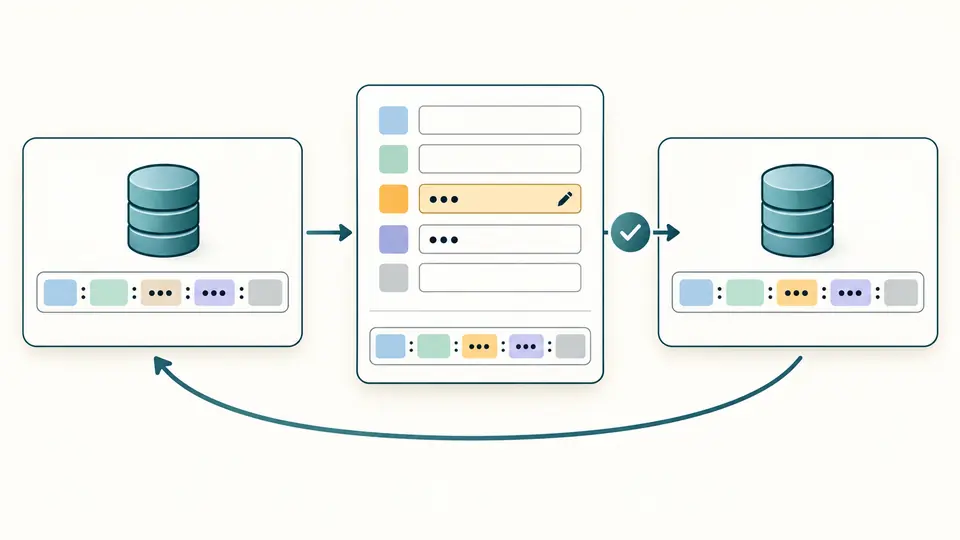
Use the connection string parser for supported URI dialects, or the JDBC URL parser for common PostgreSQL and MySQL forms. The connection string builder keeps edits in a separate draft so an unfinished change cannot overwrite your input.
The Database URL parser hides usernames, passwords and all parameter values in results by default. Host lists and database names remain useful for checking a migration; explicitly reveal values when a complete configuration is needed.
Build a percent-encoded string from decoded fields, inspect the preview and apply it only when ready. One undo restores the previous input and result, making a host or database change easy to compare.
postgres:// and postgresql:// select native PostgreSQL URI rules. JDBC prefixes select driver syntax; mysql:// represents a bounded MySQL Shell form. Similar-looking strings can decode query characters differently.
Hosts use one host[:port] per line; bracket IPv6 addresses. Credentials and database names are decoded fields, while query text is already encoded. Generate a fresh preview after every draft change.
Automatic parsing waits 350 ms. Turn it off for Parse or Ctrl/Cmd+Enter. Changed input disables exports until refreshed; the reveal switch controls both the visible report and exported values.
Inspect multiple hosts for native PostgreSQL, standard MongoDB and supported JDBC forms. A conventional default port is an annotation, not proof of the port a driver will ultimately use.
Malformed percent escapes and invalid UTF-8 are rejected instead of becoming replacement characters. Building encodes reserved delimiters within fields so they do not become new URL separators.
Keep parameter names and values as entries rather than a lossy object. In the MongoDB Node dialect, only readPreferenceTags may repeat; unknown options are not validated against a driver property catalog.
All parameter values are hidden by default, including nested URLs and tokens. Ordinary ASCII parameter names remain visible; other names are masked. Revealing results is an intentional action.
Encode the password component, not the entire connection string: @ becomes %40 and # becomes %23. Enter the decoded password in the builder and let it encode the value once; pasting an already encoded password there encodes the percent sign again.
A common form is postgresql://user:password@host:5432/database?sslmode=require. Credentials, port and other parts may be omitted. The Database URL parser reports what the string contains without reading environment variables or assuming the effective login.
It tells a driver to discover servers through DNS SRV records and obtain supported TXT options. It is a different connection format, not a suffix to add to an arbitrary localhost URL.
In redis://host:6379/12, 12 is a database index, not a database name. Whether that index is available depends on the Redis deployment and its configuration; this tool does not connect to check it.
SRV records supply the service ports, so an explicit :27017 is invalid in that URI format. Use the actual SRV hostname without a port, or the standard mongodb:// format with the appropriate host list.
Found a parsing issue?
Use the Database URL parser to inspect a configuration, prepare a separate draft and keep a recoverable original when applying changes.