01
Select the actual dialect
MySQL, PostgreSQL, SQLite, SQL Server and Oracle have different quoting rules. Selecting PostgreSQL does not translate a MySQL query; it changes the grammar used for the operation.
Database & SQL tools
Read queries, preserve their text
Processed locally in your browser. No database connection or saved history.
Enter SQL or choose an example.
The SQL formatter helps you review a long query before changing it in your editor. Choose the dialect that produced the source: formatting rules differ even when the SELECT statements look similar.
Use the SQL beautifier to reveal joins and nested clauses, or the SQL minifier to reduce whitespace while retaining comments. You can format SQL online without turning a formatting success into an execution guarantee.
The SQL formatter separates clauses and applies consistent indentation. Quoted text, numeric spellings and comments are checked against the source; an unsafe rewrite is rejected instead of silently exported.

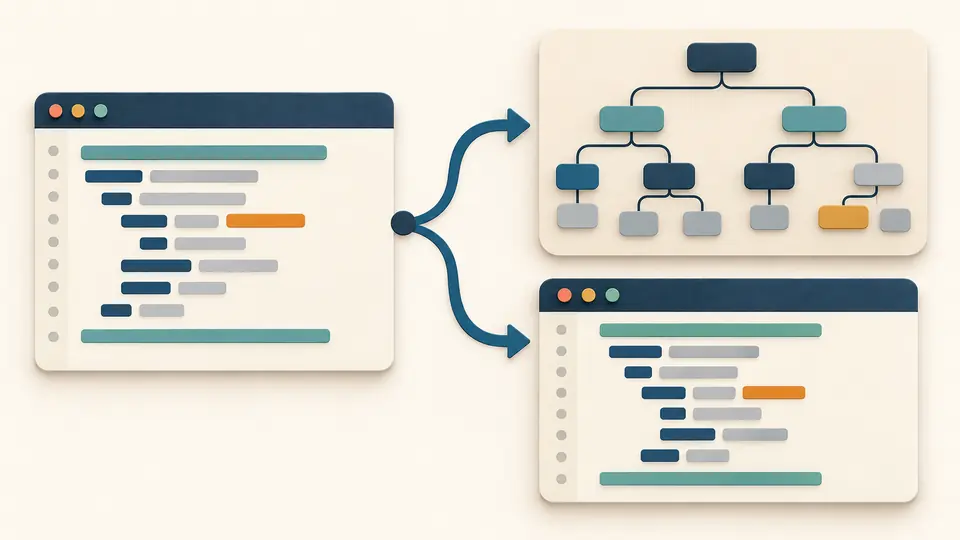
The AST mode uses a separate parser for four dialects. Oracle formatting remains available, while Oracle AST is explicitly unsupported. A tree is a parser interpretation, not an execution plan.
MySQL, PostgreSQL, SQLite, SQL Server and Oracle have different quoting rules. Selecting PostgreSQL does not translate a MySQL query; it changes the grammar used for the operation.
Indentation and keyword case shape formatted SQL. Compact mode preserves comments and necessary newlines. AST produces JSON and has stricter input and numeric limits.
Automatic processing waits 350 ms. Disable it to use the button or Ctrl/Cmd+Enter. Use output previews a replacement; Apply changes the source and Undo restores the previous settings and result.
Use sql-formatter with two spaces, four spaces or tabs and uppercase, lowercase or original keywords. Identifier, function and datatype case are left unchanged by configuration. Only structural keywords change case; contextual words such as ACTION or NO keep their source spelling to protect identifiers.
Whitespace outside tokens is reduced without deleting line comments, block comments or executable hints. PostgreSQL newline-separated string literals keep their required separation.
node-sql-parser handles its supported MySQL, PostgreSQL, SQLite and Transact-SQL subset. JSON exports contain only the returned tree, never the editor history or previous input.
Choose a stable dialect and indentation style so joins, conditions and subqueries are easier to review. This SQL formatter separates presentation from AST inspection; always review a changed query in the context of its database.
Uppercase keywords can make clauses visually distinct, but this is a style convention. Choose lowercase or preserve if that matches your project. Quoted identifiers and string content are not converted to uppercase.
Choose compact output. It collapses outside whitespace while preserving tokens and comments, including line breaks needed for line comments or PostgreSQL adjacent string literals. It is intentionally less aggressive than a comment-removing minifier.
AST mode can report whether this parser accepts its grammar. It cannot check tables, column types, permissions or server-specific behavior. A formatter result alone gives even less assurance: it is a layout operation.
Commands such as psql backslash commands belong to the database client, not ordinary SQL grammar. Remove them from the snippet you format, keeping the original script separately; this tool does not interpret them.
Found a formatting problem?
Use the SQL formatter to compare readable text, compact text and a supported syntax tree before you decide which result to take back to your editor.