
Database & SQL

MongoDB EJSON converterwith types in view

Convert strict EJSON between Canonical and Relaxed, with explicit type and precision notices.

MongoDB EJSON converter

Inspect ObjectId

EJSON input

JSON result

Text is processed in this browser. No database connection or document upload.

Output and interpretation

One strict JSON value. Shell expressions, comments and duplicate keys are rejected.

Unwrapped integers infer Int32/Int64; decimal or exponent tokens infer Double. Ordinary strings remain strings.

Limits: 500,000 UTF-16 input units, depth 100, 50,000 nodes and 2,000,000 output characters.

Input or options changed. Convert before exporting.

A MongoDB EJSON converter helps when an exported document looks like JSON but contains values such as $oid, $date and $numberDecimal. Removing those keys changes what a MongoDB consumer can reconstruct.

Use the example to compare the two output modes. The source stays visible while the result changes; a large sequence number deliberately demonstrates the difference between keeping its digits and keeping its BSON type.

Why use this MongoDB EJSON converter?

Review representation changes before taking a document into another system.

Keep meaningful wrappers

The MongoDB EJSON converter starts in Canonical mode. Relaxed Extended JSON simplifies finite numbers and eligible dates, while ObjectId and Decimal128 retain their type wrappers. The difference is visible alongside the unchanged source.

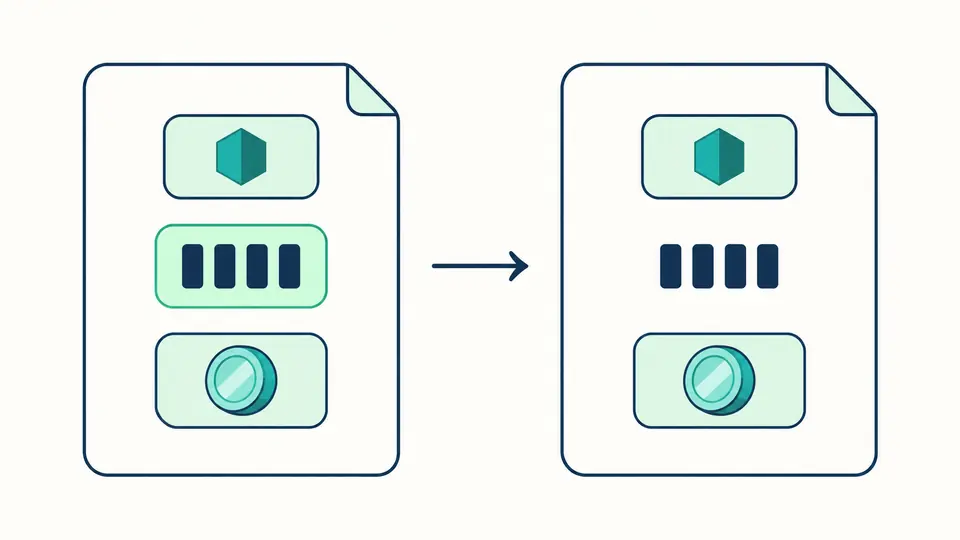
Three typed data rows; a numeric wrapper opens while identifier and decimal wrappers remain

Keep every Int64 digit

A Long such as 9007199254740993 is written from its exact integer token. Relaxed export keeps those digits, with a warning that consumers using JavaScript Number can still round the value.

An intact sequence of digit blocks crosses a document boundary toward a warning symbol

Choose the representation your consumer expects

01

Start with valid JSON syntax

Paste a document, an array or a single JSON value. Use $oid and $date wrappers instead of ObjectId() and ISODate() expressions.

  • Load example and Clear show a replacement preview; Undo restores the previous input and output.
02

Compare modes before exporting

Canonical Extended JSON retains explicit number types. Switch to Relaxed for readable numbers, then review the precision notices before copying.

  • Changing a mode or indentation immediately disables exports of the old result.
03

Control when conversion runs

Auto conversion waits 350 ms after the last edit. Disable it to expose the convert button, or run the current input with Ctrl/Cmd + Enter.

  • Copy and download contain the full result, including text outside the editor viewport.

Types, dates and exact integer text

A bounded BSON type set

This Extended JSON converter validates ObjectId, Decimal128, Int32, Int64, Double, dates, Binary, UUID, regular expressions, Timestamp and MinKey/MaxKey. UUID input normalizes to the subtype-04 binary wrapper; regular-expression options are sorted.

Dates beyond JavaScript Date

Signed 64-bit millisecond strings remain exact in Canonical mode, including dates outside JavaScript’s Date range. Relaxed uses UTC ISO text only between 1970 and 9999; dates outside that interval retain the millisecond wrapper.

Numbers are interpreted explicitly

Bare integer tokens become Int32 or Int64 according to range; decimal and exponent forms become Double. Double uses binary64 and may round long decimal spellings. Strings that resemble IDs or dates are never guessed into BSON types.

Accepted input and limits

Strict v2 subset
No shell evaluation, automatic syntax repair, legacy v1, Code/Scope, DBPointer, Undefined or Symbol wrappers. Unknown ordinary field names remain ordinary fields; recognized wrappers must have exactly the required shape.
No plain-JSON stripping mode
Relaxed is still EJSON. The tool does not remove every dollar-prefixed key or turn Decimal128 into a JavaScript number. Changing representation cannot recover type information already lost in the source.
One JSON value at a time
NDJSON/JSONL and concatenated documents are rejected. There is no BSON binary, Hex/Base64 container, mongodump, file upload or database import operation. Paste a single value or an array instead.
Resource and range boundaries
Input is limited to 500,000 UTF-16 units, 100 nesting levels and 50,000 nodes; output to 2,000,000 characters. Int64 overflow, invalid calendar dates and duplicate keys stop conversion without a partial export.
Normalization is not a byte-for-byte backup
Whitespace and wrapper spelling may change. Decimal128 and regex forms follow the BSON engine; fractional numbers follow binary64. Copy remains disabled after any edit until the latest conversion succeeds.

MongoDB EJSON converter questions

How do Canonical and Relaxed differ?

Canonical prioritizes BSON type information by wrapping numbers. Relaxed uses bare finite numbers and readable dates where allowed. Both are valid JSON text; ObjectId, Decimal128 and several other types remain wrapped in both modes.

Can I paste mongosh output directly?

Only if it is already strict JSON/EJSON text. ObjectId("…"), ISODate("…") and NumberLong("…") are shell expressions and are rejected. Export or stringify the document as Extended JSON first; the tool does not execute pasted code.

Why is NumberLong represented as a string?

Canonical stores the decimal digits inside the string-valued $numberLong wrapper so generic JSON parsers cannot round them prematurely. Relaxed here writes the complete integer token. A receiving application must still use a lossless number parser for unsafe integers.

Why not represent Decimal128 as a normal number?

A JSON number consumed as a JavaScript Number has binary64 precision, not Decimal128 precision. The $numberDecimal string preserves the decimal representation and type. It remains wrapped in Relaxed mode as well.

Can I convert an entire mongoexport file?

Only when its contents form one JSON value, such as a JSON array, within the displayed limits. Default line-separated mongoexport documents are not a single JSON value. Convert individual documents or prepare an array with the appropriate export option.

Found an unexpected value?

Review the types before copying

Return to the MongoDB EJSON converter, choose the target representation and check any precision notice before downloading the result.