URL / URI Tools

URL normalizer

Normalize an address, resolve a reference or append a path.

URL normalizer

Input

Results

Computed in this browser. The entered address is never opened or requested.

Options

HTTP(S) only. Host and scheme casing, default ports and dot segments follow the browser. Reserved escapes stay encoded; no SEO canonical guarantee.

Input and active base: 100,000 UTF-16 units each. Output: 1,000,000 units.

Ready · 59 units · Query parameters: 3

A URL normalizer helps when a copied API endpoint has mixed host casing, redundant dot segments or inconsistent escape spelling. Start with the supplied example to see which parts change before using your own address.

A base ending in /api/v1 can mean a document location or a directory to append to. Choose the operation explicitly; a slash at the join boundary is a different decision from resolving a browser link.

Why use this URL normalizer?

See resolution and joining separately

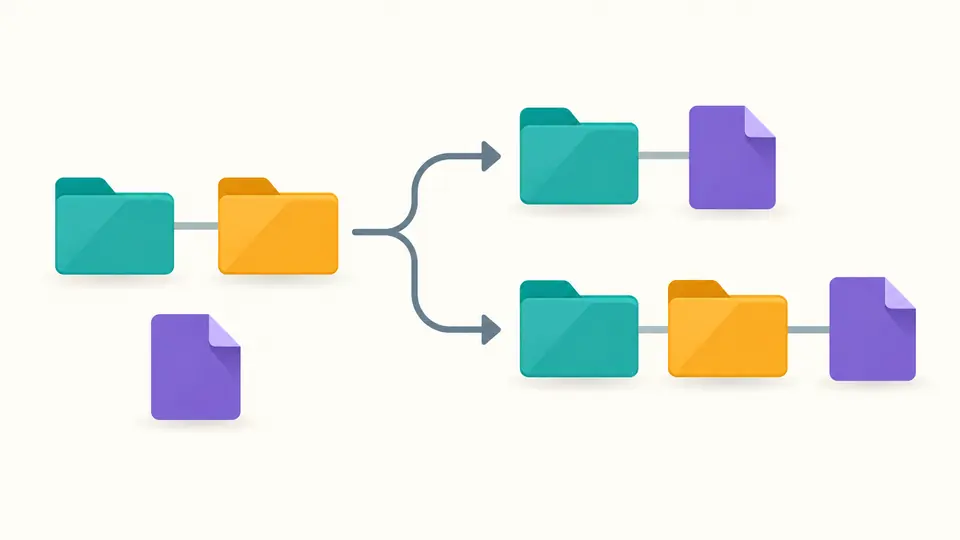
The URL normalizer makes a common endpoint mistake visible. With base https://example.com/api/v1, resolving users yields /api/users, while joining yields /api/v1/users. Switch modes to check which interpretation your application needs.

A base directory chain branches into replacing the last folder with a file and appending the same file after both folders.

Keep meaningful query structure

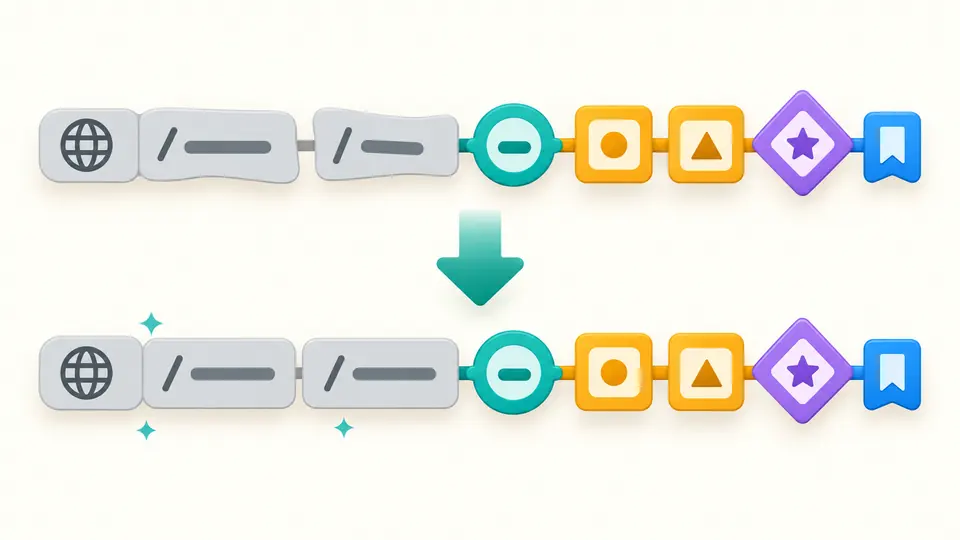
Repeated tag keys stay in their original order. A flag without = stays different from an empty value, and + is not rewritten as %20. Encoding choices are separate from deletion, so you can inspect an escape spelling without sorting the query.

A sequence of colored query tags keeps the same order and duplicate pair through an encoding adjustment.

Choose the right meaning for the base

01

Use normalization for complete addresses

Select Normalize for an explicit http:// or https:// URL. The base field is inactive in this mode. For relative references, select Resolve and supply the page address from which the link should be interpreted.

02

Compare the final base segment

Resolve treats a base without a trailing slash as a file location. Join appends to the complete base pathname and retains its query and fragment. Join accepts one path, including nested folders; references containing ? or # belong in Resolve.

03

Review changes before replacing the source

Automatic mode waits 350 ms after edits. Turn it off to run with Ctrl/Cmd + Enter. A changed input or option disables exports until the result is fresh. Preview replacement shows counts; applying it switches to Normalize and clears the base. Undo restores the previous state.

Control address structure and escape spelling

Browser-compatible structural cleanup

URL normalization uses the browser URL parser for lowercase scheme and host, default-port removal and dot-segment resolution. HTTP :80 and HTTPS :443 disappear; other ports remain. International domain names become ASCII/Punycode, while Unicode path characters receive percent encoding.

Three encoding policies

Keep the parsed escape spelling, uppercase hexadecimal pairs, or decode ASCII unreserved characters: letters, digits and -._~. In the last mode, remaining escapes are uppercased. Reserved %2F, %3F and %23 stay encoded, and %252F is never recursively decoded.

One base, two path operations

The URL path joiner appends a path after the whole base pathname and adjusts only the joining seam. Internal // segments remain. To resolve relative URLs, use the separate browser-style mode, which understands parent paths, root paths, query-only and fragment-only references.

What this transformation can and cannot prove

A result is not an SEO canonical decision
No redirects, page content or server configuration are checked. Protocol, www, path casing, internal double slashes and trailing slashes are not changed by optional policies. The browser still performs its own parsing. An equivalent-looking address can behave differently on your server.
Query preservation is not a byte-for-byte promise
The tool does not sort, deduplicate, filter tracking keys or merge queries. Choosing Remove deletes the whole query and reports its parameter count, including an empty ? marker separately. Native URL serialization and the selected percent policy can still alter spelling; signed links need application-level verification.
Only explicit HTTP(S) addresses
Normalization requires an absolute address. Resolve and Join require an absolute base, even when a reference is already absolute. Credentials, backslashes, control characters, malformed % escapes and lone surrogate code units are rejected. Surrounding whitespace is trimmed; valid encoded bytes are not validated as UTF-8.
Joining is not directory confinement
Leading single / is treated as a joining boundary. An initial //, a scheme, ? or # is rejected in Join. Dot segments can still move upward, so this operation must not be used as an access-control check. An empty joined path keeps the base unchanged before applying policies.
Single-address size limits
Input and active base each allow 100,000 UTF-16 code units; output allows 1,000,000. Limits reject the operation instead of truncating it. Long output is shown in 20,000-unit increments, while copy and TXT download contain the complete fresh result. Batch files and remote URL import are outside this page.

URL normalizer questions

How to join absolute and relative urls?

Use Resolve with the absolute page URL as the base and the relative reference as input. The URL constructor applies directory, parent and root rules. Use Join only when you intend to append a path after every segment of the base, regardless of its trailing slash.

Why is the last segment of the base URL removed when resolving a relative path?

A base ending in /a/b has current directory /a/. Resolving c therefore produces /a/c. Add a trailing slash to make /a/b/ the directory, or choose Join to get /a/b/c. The difference comes from reference resolution, not from a missing string concatenation step.

Is URL percent-encoding case sensitive?

The hexadecimal letters inside a percent escape are case-insensitive: %7e and %7E represent the same byte. This does not make the whole URL case-insensitive. A path segment named File can differ from file; the tool preserves path casing.

Is a slash equivalent to an encoded slash in the path portion of an HTTP URL?

Do not assume so. A literal / separates path segments, while %2F represents an encoded reserved character. Servers and routers can interpret these differently. Even Decode unreserved leaves %2F encoded, preventing an encoding cleanup from introducing a new path separator.

Does the order of querystring in url affects seo (duplicate content)?

A text transform cannot determine search-engine canonical selection or whether two pages have identical content. Query order can also affect signatures or application behavior. This tool preserves the sequence by default; decide a canonical policy using your site behavior and indexing configuration.

Something looks wrong?

Check another address

Use the URL normalizer to compare the current spelling with the result. Confirm the chosen operation and deletion counts before copying the link or applying it to the input.