01
Use raw values, not encoded snippets
Enter Summer Sale or a creative name directly. New values are trimmed and encoded once; an ampersand becomes data inside the value. A literal %20 is encoded as %2520, so do not pre-encode form fields.
URL / URI Tools
Build campaign links with explicit merge rules, one at a time or from CSV.
Processed in this browser; the destination address is never requested.
The final source, medium and campaign must be nonempty. Blank optional fields keep old tags. Enter ordinary text; lowercase affects only values actually added.
CSV: 1 MiB / 1,000 records. URL: 100,000 UTF-16 units / 1,000 existing query entries. Each new value: 2,000 units. Each export: 4 MiB.
Enter a destination and campaign values, or load an example.
A UTM builder is useful when the same landing page appears in a newsletter, an advert and several creative placements. Decide the names your reports should use before generating links, so one campaign does not become several accidental variants.
This campaign URL builder keeps the destination address visible beside the result. Switch to a CSV batch when each placement needs its own content or campaign value; each record is handled independently.
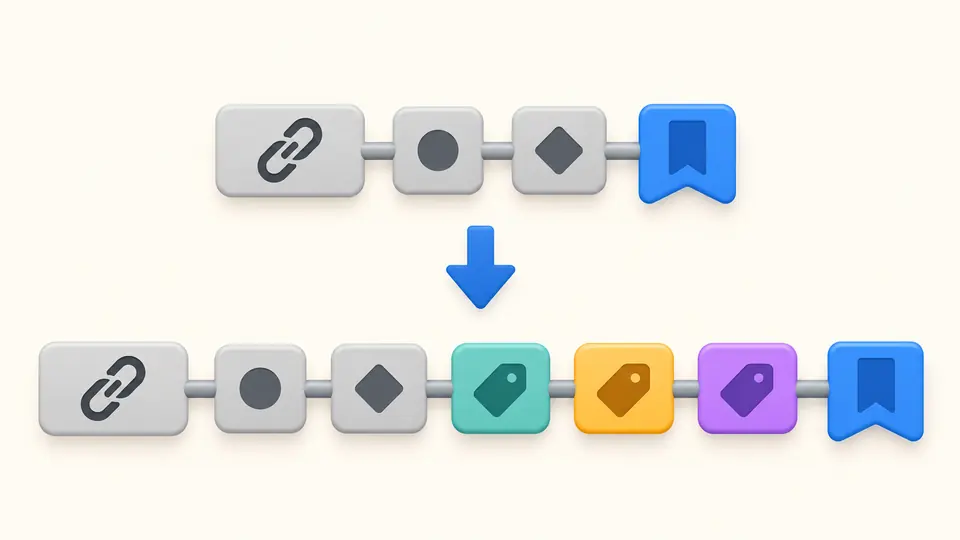
The UTM builder adds your campaign tags ahead of the fragment and retains untouched query segments. A product identifier, repeated filter or existing + stays as supplied. The summary shows the effective supported tags after merging.
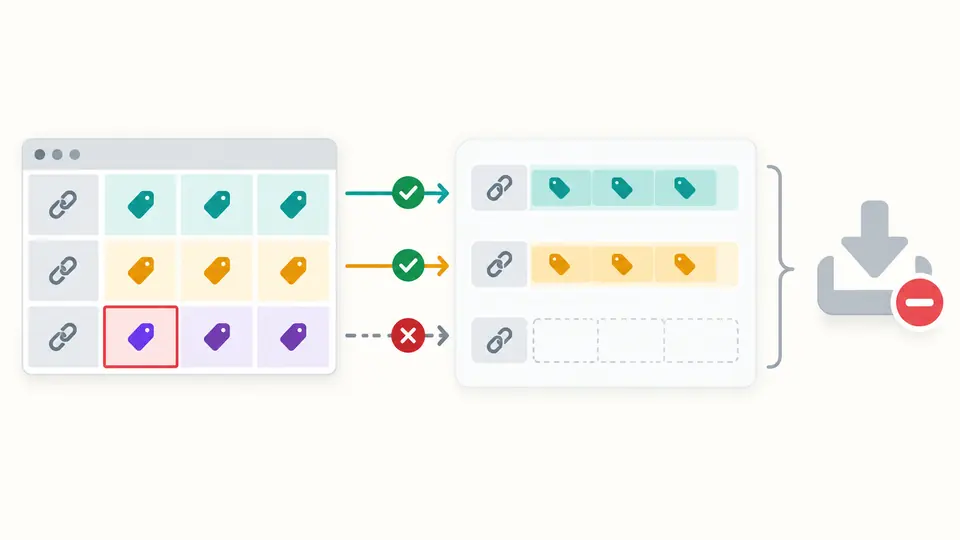
A UTM generator should make missing rows obvious. Each CSV record produces exactly one link, and a bad record blocks the complete export. Resolve the reported error before distributing the batch; the tool never silently skips a failed placement.
Enter Summer Sale or a creative name directly. New values are trimmed and encoded once; an ampersand becomes data inside the value. A literal %20 is encoded as %2520, so do not pre-encode form fields.
Replace changes only keys with a new nonempty value. Keep retains an existing value, even if it is empty. An untouched duplicate supported tag is an error; select Replace and enter that value to resolve it explicitly.
Use the exact url and utm_* headers shown in the example. Batch rows do not inherit the single-link form. Automatic generation waits 350 ms; turn it off to run with the button or Ctrl/Cmd + Enter.
Source, medium and campaign identify the referral. Term and content distinguish keywords and creatives; campaign ID and source platform support more detailed campaign naming. The final link must have the three core values.
Choose preserved case or lowercase for values you actually add. The lowercase option never changes the path, fragment, ordinary query values or an old value retained by Keep. Spaces remain spaces after decoding, rather than being replaced with underscores.
Non-UTM parameter order, repeated keys, flags, plus signs and escape spelling survive unchanged. Standard UTM names are case-sensitive: UTM_Source is not a replacement for utm_source.
Copy newline-separated links or download row,url CSV for a batch. Displaying the first 50 links does not shorten the export. Single-link downloads use plain text. Input changes disable both export actions until generation succeeds.
The resulting link needs nonempty utm_source, utm_medium and utm_campaign. A value already present in the destination can satisfy that requirement. Term, content, ID and source platform are optional; leave them blank when the campaign does not use them.
Untouched parameters retain their original text and order. Replace removes all old occurrences only for a nonempty field you supply, then appends one encoded value. Keep leaves an existing supported value alone. Unresolved duplicate supported tags stop generation.
Yes. Google Analytics treats differently capitalized values as distinct. The default preserves your spelling. Choose lowercase if that matches your team convention; it applies only to new values actually added to the output.
New field values use UTF-8 component encoding. Spaces become %20, a literal plus becomes %2B and an ampersand becomes %26. Existing untouched query text is not re-encoded. Enter ordinary text rather than an already encoded value.
These standard parameters can be read by GA4 when the destination has the appropriate measurement setup. Generating a link does not install Analytics, prove collection or guarantee attribution. Review the receiving property after a real campaign visit.
Something looks wrong?
Use the UTM builder with the example, review the effective tags and adopt consistent names before copying your final campaign links.