
Cron & Scheduling

AWS EventBridge cronBuild a schedule with the right context

Check a complete expression, or build a replacement and review it before applying.

AWS EventBridge cron

Expression

Your input is processed in this browser and is not sent to a server.

Schedule configuration fragment

Schedule properties only: add a name, target and permissions in AWS. Scheduler also needs its target execution role; this fragment does not create a resource.

Options

Field builder

These fields are a draft. Only Apply replaces the expression above; pasted input stays authoritative.

cron(0 9 ? * MON-FRI *)

Order: minute, hour, day of month, month, day of week, year. Sunday=1; exactly one day field must be ?. Use L, 15W, FRIL or MON#1 only as a standalone day field.

One expression, at most 256 characters. Year 1970–2199. No seconds, at(), LW or L-offsets. Only hours support descending ranges; calendar reachability is not checked.

Input or options changed. Refresh the results before exporting.

AWS EventBridge cron often looks familiar until a Unix expression fails: the sixth field is a year, Sunday is 1, and one day field needs a question mark. This workspace makes those differences visible before you copy a schedule into your infrastructure.

Use the EventBridge cron generator for calendar times and the EventBridge rate expression builder for regular intervals. Choose the service first: a local morning in Scheduler and a UTC morning in a scheduled rule need different configuration.

Why use this AWS EventBridge cron builder

Separate UTC rules from local schedules

AWS EventBridge cron uses the same field order in both services, but the timezone lives outside the expression. The output includes it for Scheduler cron and omits it for Rules, where UTC is fixed. You can see that distinction directly in the generated properties.

One clock routes to a fixed UTC clock and a globe-linked local clock on separate paths.

Choose a clock time or an elapsed interval

A weekday morning report belongs to cron; an action every five minutes belongs to rate. The builder keeps those choices separate and generates the appropriate wrapper, rather than putting calendar fields inside rate().

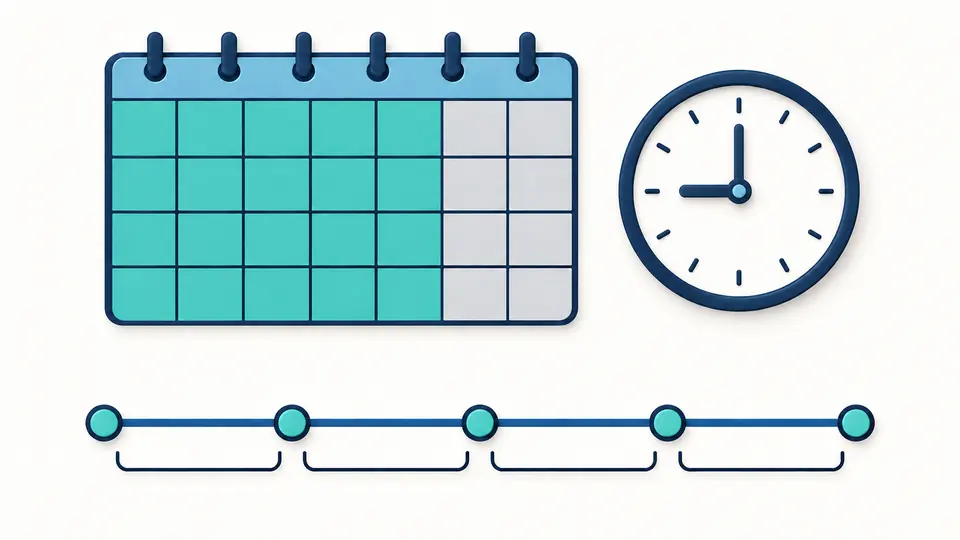
A calendar highlights selected weekday cells above a timeline with equally spaced interval markers.

Keep the service and schedule aligned

01

Select the service before the timezone

Scheduler is the initial context. Switching to Rules locks the effective timezone to UTC; returning to Scheduler restores your draft timezone. Changing either active setting makes the old export unavailable until validation completes.

  • The browser’s own timezone never silently replaces UTC.
02

Treat the builder as an editable draft

Presets fill the six fields below the original expression. Preview shows the replacement and its size; Apply commits it, and Undo restores the earlier input, options and result together.

  • Changing a draft does not overwrite a pasted expression.
03

Check the report before deployment

Automatic validation waits 350 ms after an edit. Turn it off to inspect changes before running; Ctrl/Cmd + Enter validates manually. Copy the expression alone or download the schedule properties as JSON.

  • A checked expression is not proof that a target will be invoked.

Inspect the parts that change the schedule

Six-field AWS checks

Minutes and hours are checked independently from the year. Numeric weekdays use 1–7, and JAN–DEC or SUN–SAT remain readable. Lists, ranges and positive steps work only in fields that support them; the error identifies the field and starting column.

Day selectors with explicit exclusions

The validator handles L, numeric W dates, weekday L and a single weekday#occurrence. It also checks that exactly one day field is ?. Multiple # selectors and unsupported Quartz combinations are reported instead of being passed through as valid.

Configuration for the chosen service

Scheduler cron exports ScheduleExpressionTimezone alongside ScheduleExpression and a flexible window explicitly set to OFF. Rules export only ScheduleExpression. Scheduler rate omits the timezone because an elapsed interval does not mean a particular local clock time.

One validator for both entry methods

Generated and pasted expressions use the same checks. Bare six-field input receives the cron wrapper in the result; case and whitespace are normalized without silently replacing the source. The rate builder selects singular or plural units from its value.

Supported syntax and deployment boundaries

A declared syntax subset
Accept L or nW in the date field, and L, weekdayL or weekday#1–5 in the weekday field. No LW, L-offset, C, H, mixed special-selector lists or weekday steps. Only hour ranges may descend across midnight; split other descending ranges into explicit lists.
Syntax does not prove an occurrence exists
February 31 and a fifth weekday that is absent in a particular month can still pass field syntax. Past years also remain valid syntax. This tool does not enumerate future runs, check calendar reachability or promise second-level delivery.
Rate uses canonical units
Use positive integers up to JavaScript’s maximum safe integer. This tool requires rate(1 minute) and rate(5 minutes), consistently across both service contexts. That local normalization rule is not a claim about every form accepted by the Scheduler API.
A fragment, not a deployment file
No AWS requests are made. Names, targets, ARN values, execution roles and target permissions must be configured separately. Start/end dates, retry policies, dead-letter queues and flexible-window editing are outside the form; OFF is an explicit choice in the fragment.
Recurring AWS schedules only
The complete expression is limited to 256 characters and years to 1970–2199. Unix five-field input, Quartz seven-field input, at() schedules, file imports and other cloud dialects are outside this page. IANA availability follows the browser’s timezone data.

AWS EventBridge cron questions

Why is my EventBridge cron expression invalid?

Start with six fields in minute-to-year order. Then check day-of-month and day-of-week: exactly one must be ?. Sunday is 1, not Unix 0. AWS EventBridge cron reports the field and column for supported syntax errors; it also distinguishes unsupported combinations from out-of-range values.

How do I use a timezone other than UTC?

Select Scheduler and enter an IANA name such as America/New_York. The expression keeps its local clock fields; the JSON carries a separate timezone property. A scheduled rule remains UTC, so a display timezone cannot change when that rule runs.

How does daylight saving time affect the schedule?

Scheduler cron follows the selected zone: a skipped local time is not invoked, and a repeated time is invoked once. A rate of one day instead measures 24 hours. Choose cron for a stable local appointment and rate for an elapsed interval.

What is the difference between scheduled rules and Scheduler?

Scheduled rules are the legacy EventBridge mechanism and use UTC. Scheduler adds named timezones and separate invocation configuration. This workspace shows the schedule-property difference; it does not migrate targets, validate IAM or reproduce the AWS creation workflow.

How do I use the expression in Terraform?

Choose cron(...) for calendar fields and rate(...) for a count plus unit. Put the expression in the resource’s schedule_expression property and, for Scheduler cron, set schedule_expression_timezone separately. The JSON download is a reference fragment, not HCL or a complete Terraform resource.

Unexpected schedule?

Review your schedule

Use AWS EventBridge cron to review the field conditions, then copy the expression and service-specific schedule properties into your own configuration. Confirm target permissions and actual invocation behavior in AWS.

No schedule is created or activated by this page.