
Cron & Scheduling

systemd timer generator · Calendar and boot-relative schedules

Create one timer unit, see what its trigger means, then run the supplied checks on the target Linux host.

systemd timer generator

Trigger input

Timer configuration and checks

Your input is processed in this browser and is not sent to a server.

Options

Enter a service base name to generate a timer.

A systemd timer generator helps when a job must run every weekday or after a machine boots, but the two schedules need different directives. Start with an OnCalendar expression for wall-clock time; choose relative mode for a monotonic timer.

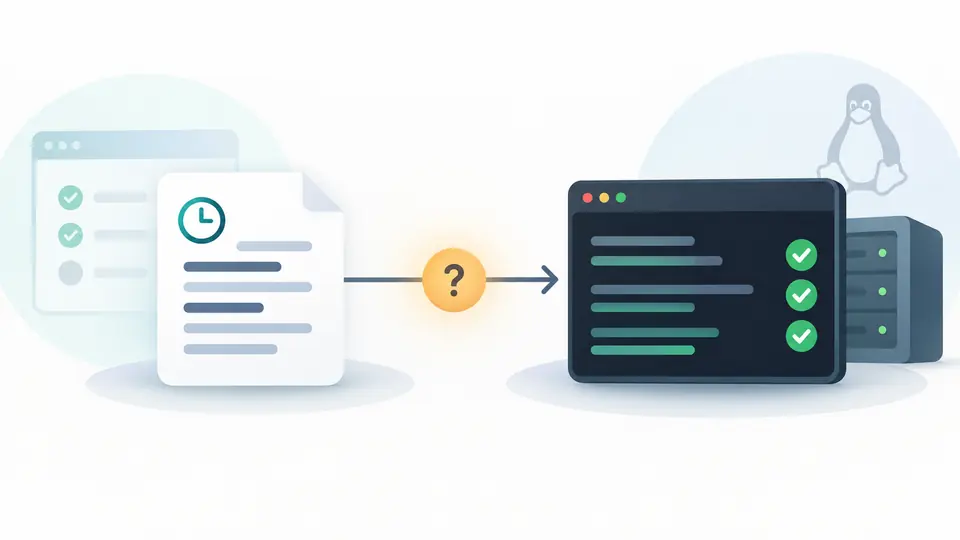
This systemd timer builder writes only a .timer for an existing service. It keeps the trigger, the generated unit and the systemd-analyze calendar command together so you can check the schedule before enabling it.

Why use this systemd timer generator

Keep the trigger type visible before copying the unit.

See which clock controls the job

The calendar path uses OnCalendar; relative mode uses OnBootSec and optionally OnUnitActiveSec. The systemd timer generator shows the two models separately, so a reboot interval is not mistaken for a daily time.

Two parallel timelines show a fixed wall-clock event and a boot-relative activation.

Carry the Linux check with the file

A browser cannot run the systemd parser on your server. The result includes systemd-analyze calendar or timespan plus unit verification commands, and marks unfamiliar syntax as unverified rather than valid.

A timer configuration is paired with a local-check badge and a terminal verification command.

From trigger choice to a checked unit

01

Choose the clock first

Calendar mode starts with daily; relative mode starts five minutes after boot. OnUnitActiveSec measures from the service’s previous activation, not its completion.

  • The modes are alternatives in this workbench; one timer can use more triggers on Linux.
02

Name the existing service

Enter the base name without .timer or .service. A preset changes the expression only after a preview, and the change can be undone once.

  • The unit remains unavailable for export until a service name and valid inputs are present.
03

Verify on the target host

A local check covers common aliases and simple date/time forms. Run systemd-analyze calendar for full OnCalendar syntax, then verify the saved unit and inspect systemctl status.

  • Turn off automatic generation to use Ctrl/Cmd + Enter; a changed field disables exports until regeneration.

What the generated timer contains

Calendar activation

Use daily, hourly or a weekday preset, or enter a single OnCalendar expression. Persistent can catch up a missed calendar run after downtime.

Relative activation

OnBootSec sets the first boot-relative trigger. Optional OnUnitActiveSec repeats relative to the last service activation, without pretending the times are clock dates.

Deployable timer snippet

The .timer includes a matching Unit=.service reference, optional random delay and timers.target installation. Copy or download it separately from the test commands.

Semantics and limits to check

A service must already exist
This generator does not create ExecStart or a .service file. The timer points at a same-named service; systemd-analyze verify and the service status on Linux are still necessary.
Local syntax check is bounded
Common aliases and simple date/time forms are checked. Lists, steps, month-end rules and timezones remain unverified here; the target system’s systemd-analyze calendar decides their meaning.
Calendar is not cron
A five-field cron line is rejected as input. Persistent applies only to calendar timers; relative timers do not get catch-up runs. The system default AccuracySec of one minute can shift activation.
One system timer per result
The modes do not mix OnCalendar with monotonic triggers, and the input accepts only one calendar line. This page creates system units; it does not model user units or OnStartupSec.
Commands are instructions, not actions
The page does not run systemctl, write a unit file on the host, or predict an exact next run. Test the saved timer and its existing service on the target Linux system.

Questions about this systemd timer generator

Why are a .timer and a .service both needed?

The timer schedules activation; the service defines the command and environment. This page generates the timer and assumes a matching service already exists.

What does Persistent=true do?

For an OnCalendar timer, systemd can start the service after the timer is reactivated if a scheduled run was missed while it was inactive. It does not make OnBootSec repeat.

How can I check that an OnCalendar expression means what I expect?

Copy the systemd-analyze calendar command and run it on the target Linux host. It prints the normalized rule and the next matching times, including the host timezone.

Why does a command work in my shell but fail from a timer?

The job runs in a service with its own environment. Check the paired service, use absolute executable paths and read its journal; this page does not generate ExecStart.

Why did starting a timer start the service before the calendar time?

An OnBootSec trigger can already be due when a timer is activated, and Persistent may catch up a missed calendar run. This workbench keeps the two trigger modes separate.

Unexpected schedule?

Build with the systemd timer generator

Enter a service name, choose the trigger type and verify the generated .timer on Linux.

Generation happens in this browser; no unit content is uploaded.