01
Try a package name or hash alias
A request such as sample-kit/feature is normalized from the manifest name to ./feature. A #config request switches to imports and is valid only inside that package.
Versioning & Packages
Paste a manifest, choose an entry and see which condition wins in the current Node resolution preview.
Your manifest stays in this browser; no registry or file upload is used.
Enter a package.json manifest to begin.
Separate extra conditions with spaces or commas. Browser and bundler behavior is only a selected-condition preview.
Input or options changed. Resolve again before exporting.
When a package works through import but fails through require, the same package.json exports map can select a different file. The ordering of condition keys is often the missing clue.
This package.json exports view follows one requested entry through the branch order. It also tests internal # imports aliases without pretending to read the package's actual files.
In conditional exports, an object is tested in JSON key order, not the order of your selected conditions. The branch view marks inactive keys and the target that won, including a default key that can shadow later import branches.
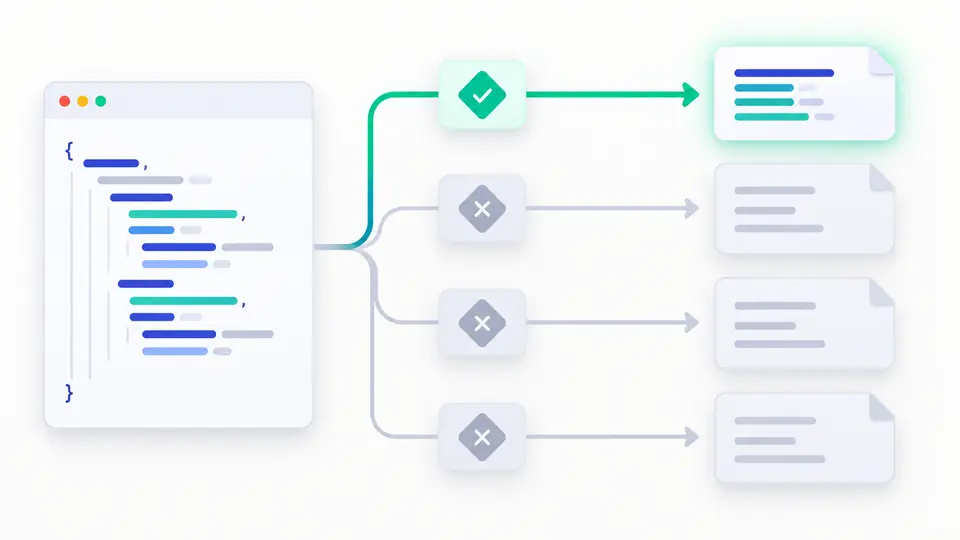
Use package.json exports for public . and ./feature requests, then test a #config imports alias in the same manifest. A null target appears as an explicit block rather than a missing file claim.
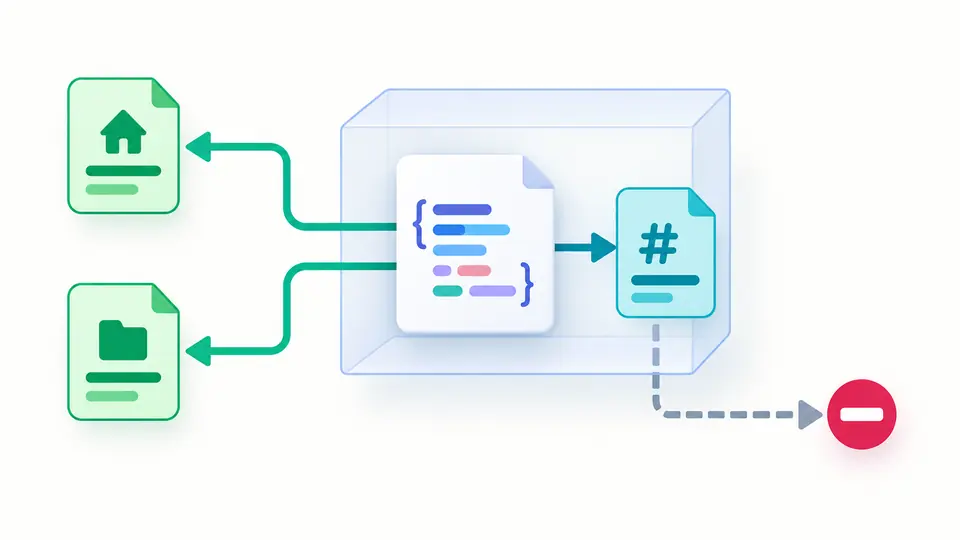
A request such as sample-kit/feature is normalized from the manifest name to ./feature. A #config request switches to imports and is valid only inside that package.
Node.js with import is the default. Change to require or add a custom condition to see which earlier key wins. Auto resolve waits 350 ms; turning it off reveals a button and Ctrl or Cmd plus Enter.
The result lists the matched key, condition order and target. A path diagnostic checks syntax only; it cannot prove that a target file exists. Any edit disables copying an older report.
Test root, exact subpath and * pattern requests. Exact keys take precedence over patterns; more specific patterns win before broad ones, and null can reserve a private subpath.
Compare import and require under Node.js defaults. Add development, browser or types as explicit conditions when exploring a possible toolchain context; the view does not emulate that toolchain.
The map checker rejects traversal and node_modules segments in local targets, and accepts external package targets only for imports aliases. It reports map errors without executing code.
Yes. Conditions are checked in object key order; the first active branch with a target wins. Placing default early can hide import or require branches below it. The trace keeps the original order visible.
A key such as ./features/* matches a request suffix, then substitutes that suffix into the target. An exact key has priority, while a more specific pattern beats a broad one. A null mapping can block a private area.
Once exports is present, an unlisted package subpath is not publicly available. Enter the full package name or ./subpath to see whether an exact key or pattern matches; a null match is an intentional block.
Switch the module call option. Under Node.js, import and require activate different built-in conditions, while key order in the mapping remains fixed. The branch trace shows the resulting target.
No. Local exports targets must start with ./ and cannot traverse upward or enter node_modules. This tool reports such path syntax; a syntactically valid path still needs a real package file.
Enter a # alias and the view uses the manifest's imports map. These aliases are private to the package and may point to another package; the page shows the selected string without resolving that dependency.
Another mapping problem?
Use the package.json exports visualizer to compare import and require on the same entry, then export the branch report for review.