Developer tools

PEP 440 version checkerUnderstand Python release ordering

One version per line. Inspect normalization, sort precedence, or test a comma-separated constraint.

PEP 440 version checker

Versions (one per line)

Report

Enter input or choose an example to begin.

Your input is processed in this browser and is not sent to a server.

Options

Commas mean AND. Empty constraints have no bounds. Supported: ~= == != <= >= < > ===; use .* only with == or != release prefixes.

Limits: 1,000 nonempty rows; 256 UTF-16 units per row; 2,048 per constraint; 100,000 in the list. Blank rows are skipped; input is never rewritten.

Checking the current candidates…

Use this PEP 440 version checker when a Python release looks newer but disappears from your dependency candidates. A version can be valid, have higher precedence, and still fail a constraint; the report keeps those questions separate.

Python version comparison treats 1.0 and 1.0.0 as equal and understands epochs, development releases and local labels. Checking the parts explicitly is more reliable than sorting version strings alphabetically or reusing an npm range.

Why use a PEP 440 version checker?

See the value behind the spelling

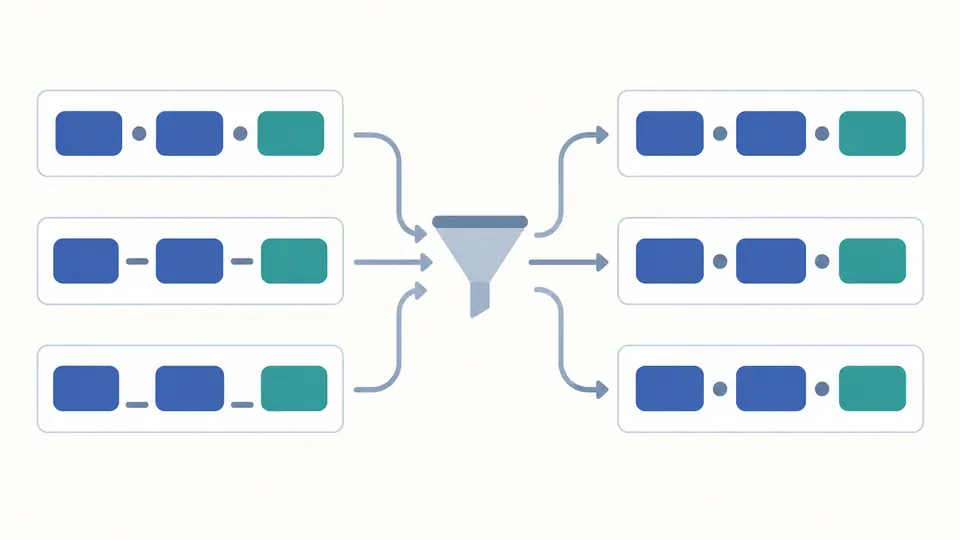
The PEP 440 version checker keeps v01.1 and its normalized value 1.1 side by side. Expand a row to inspect its epoch, release, pre, post, dev and local parts without replacing your source list.

Different version spellings pass through a normalization step into aligned segment cards while source cards remain.

Explain a missing release candidate

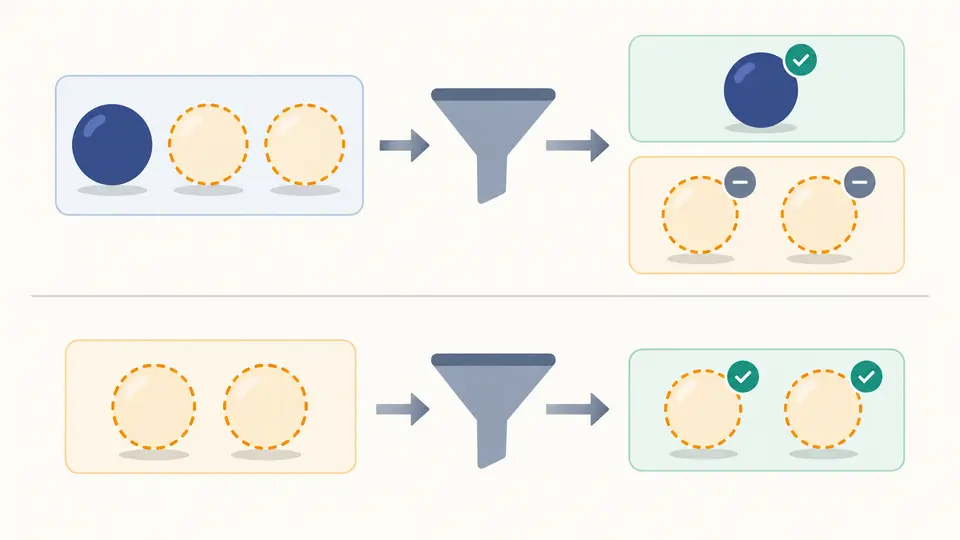
Automatic policy first checks the complete candidate set. If a final or post release satisfies every condition, other eligible prereleases are held back; without such a candidate, they can be admitted.

Two candidate filters show prerelease cards set aside beside a stable match and admitted when no stable match remains.

Three details that change the answer

01

Choose the operation before interpreting the badges

Normalize validates each row without filtering. Sort uses Python precedence and keeps equal values in input order. Match leaves the list in its original order and distinguishes constraint failures from prerelease exclusions.

02

Test the candidate set, not only one row

Remove a matching stable version to observe automatic prerelease fallback. Include and Exclude override this policy, but neither changes the numerical bounds: 1.0rc1 still fails >=1.0.

03

Check freshness before exporting

Automatic calculation waits 350 ms. Turn it off for Ctrl/Cmd+Enter or the Run button. Edits immediately disable old exports. Example and Clear require a preview; Undo restores the previous input and report.

Normalization, precedence and eligibility

Normalize versions without losing evidence

Accepted v prefixes, zero-padded numbers, alpha/beta/preview aliases and local separators are normalized. The release segment retains its number of parts, so 1.0.0 stays 1.0.0 even though comparison considers it equal to 1.0.

Sort every Python version segment

Epoch is compared before the release numbers. Development, alpha, beta, release candidate, final and post-release ordering follows PEP rules. Local numeric components compare as integers, not alphabetically; large numbers are kept exact.

Evaluate version specifiers together

Use ~=, ==, !=, <=, >=, <, > or ===. Commas mean AND. Equality and exclusion accept release prefixes such as ==1.4.*. Each result keeps the original physical line number, including when blank lines are skipped.

Keep invalid rows in the report

A malformed version affects its own row; a malformed constraint blocks the calculation. Sorting puts invalid rows last. The view adds 50 rows at a time, while the JSON report always includes every processed row and its error code.

What the result does and does not mean

Pure versions and conditions only
Package names, extras, environment markers, requirements files and direct URLs are outside this input format. No package index lookup, dependency resolution, installation, project editing or release increment takes place. A match does not establish API compatibility.
Python syntax rather than npm shortcuts
Caret, bare tilde, OR groups and hyphen ranges are rejected. Write ~=1.4 for a compatible-release condition. Empty constraints impose no version bounds; the prerelease policy still applies. Empty comma clauses are ignored.
Local labels have operator-specific rules
Local labels affect ordering. Public == and != conditions ignore a candidate local label, but an explicit local equality compares it. Ordered and compatible conditions cannot contain a local label; >=1.0+linux is invalid.
Arbitrary equality has a deliberate limit
=== compares the normalized candidate spelling without zero-padding equivalence. Candidate rows must still be valid PEP versions: legacy labels are reported invalid even if an arbitrary equality condition names them. This is not a legacy installer emulator.
Automatic policy is based on this list
Development releases count as prereleases. In Auto, a positive prerelease condition can admit them; otherwise fallback depends on whether any non-prerelease satisfies all conditions. The tool has no knowledge of installed packages or other releases on PyPI.
Input budgets and unchanged source
At most 1,000 nonempty rows, 256 UTF-16 units per row, 2,048 per constraint and 100,000 in the list are accepted. These are tool limits. Blank rows are skipped, duplicates retained, and no normalization or sort rewrites the original input.

PEP 440 version checker questions

What does ~= mean in a Python version requirement?

It combines a lower bound with a release prefix. ~=1.4 permits versions from 1.4 within the 1.* series; ~=1.4.0 stays within 1.4.*. A single-part operand such as ~=1 is invalid. Prerelease selection is a separate decision.

Why does a prerelease match alone but disappear in a list?

Automatic filtering can use prereleases when no matching non-prerelease exists. Adding a qualifying stable or post release changes that set-level decision. Choose Include to inspect all numerically eligible candidates, or Exclude to reject prereleases even during fallback.

How are public and local versions ordered?

For the same public version, a local label sorts after the public release: 1.0 < 1.0+abc. Numeric local segments sort after text segments, and equal normalized versions retain input order. Local metadata is therefore different from SemVer build metadata.

Can I put a local version label in a specifier?

Use it with == or !=, for example ==1.0+linux.1. >=1.0+linux.1 and ~=1.0+linux.1 are invalid. A public ==1.0 condition can match 1.0+linux.1 because it does not request a particular local build.

How should I compare version numbers in Python?

Use packaging.version.Version for PEP-compatible ordering. The browser engine here is checked against packaging 26.0. A plain string comparison gets cases such as 1.10 versus 1.9 wrong, and SemVer cannot substitute for Python epoch and post-release rules.

Can a prefix wildcard follow a pre-release or post-release?

No. ==1.0.* is a release-prefix condition, but ==1.0rc1.* and ==1.0.post1.* are invalid. Use ordinary bounds or exact equality for those suffixes. The prefix itself does not bypass the selected prerelease policy.

Unexpected version result?

Inspect your release candidates

Return to the PEP 440 version checker with the exact candidate list and constraint from your investigation. Review invalid rows and the prerelease explanation before saving the report.