Regex & pattern matching

Regex testerwith visible captures

Enter the pattern body without / delimiters. Spaces and line breaks are preserved; an empty pattern is valid.

Regex tester

Pattern

Use the pattern body, such as (cat), rather than /cat/g. Put g in the separate flags field. The tool does not trim your text; editor or clipboard handling can normalize line endings, so it is not a byte-preserving file test.

Test text

Result

Ready for input or a manual test.

All matching runs locally in a browser Worker; no pattern or test text is uploaded.

Options

Use supported flags once each. u and v cannot be combined. Without g, match, replace and extract stop at the first match.

Supported by this browser: Detecting browser…
  • d — Include capture indices.
  • g — Find all matches; split is independent of this flag.
  • i — Ignore case using JavaScript rules.
  • m — Let ^ and $ match line boundaries.
  • s — Let . include line terminators.
  • u — Unicode-aware syntax and code-point matching.
  • v — Unicode sets mode; cannot be combined with u.
  • y — Sticky: match at lastIndex, starting at 0 for each run.

Browser identity: Detecting browser…. This is the reported user agent, not an exact engine version.

Limits in UTF-16 units: text 100000, pattern 2000, replacement 10000, replacement output 1000000, full report 4000000. At most 10000 result rows; exceeding a limit fails the whole run. Timeout: 2 seconds.

Ready for input or a manual test.

Only a current replacement with valid Unicode and at most 100000 UTF-16 units can become input. Preview and apply first; undo restores the previous input, options and result.

A passing validation can hide a wrongly captured field. The Regex tester places the matched text, its numbered captures and named groups together so you can check exactly which value a later replacement will use.

Use this regular expression tester as a regex debugger for a small, realistic sample before changing application code. The regex capture groups and regex replace previews expose differences between a complete match and the fragment you intend to keep.

Why use this Regex tester

Keep syntax and output aligned

Check the part you meant to capture

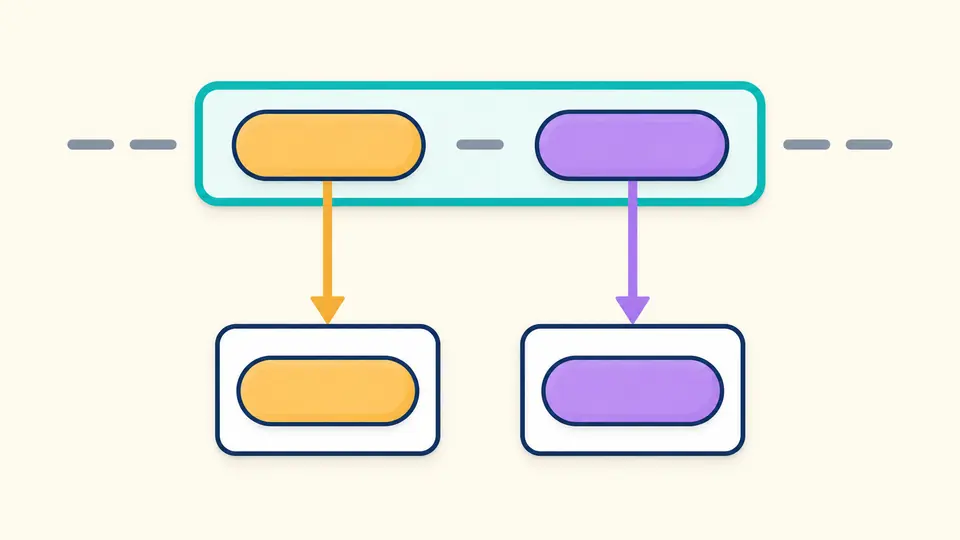
The Regex tester shows a complete match around its captured parts. Inspect names, numbers and UTF-16 positions instead of assuming that every parenthesis returns the field you wanted.

A whole match enclosing two colored captures, with arrows leading to their separate detail cards.

Compare one replacement with all

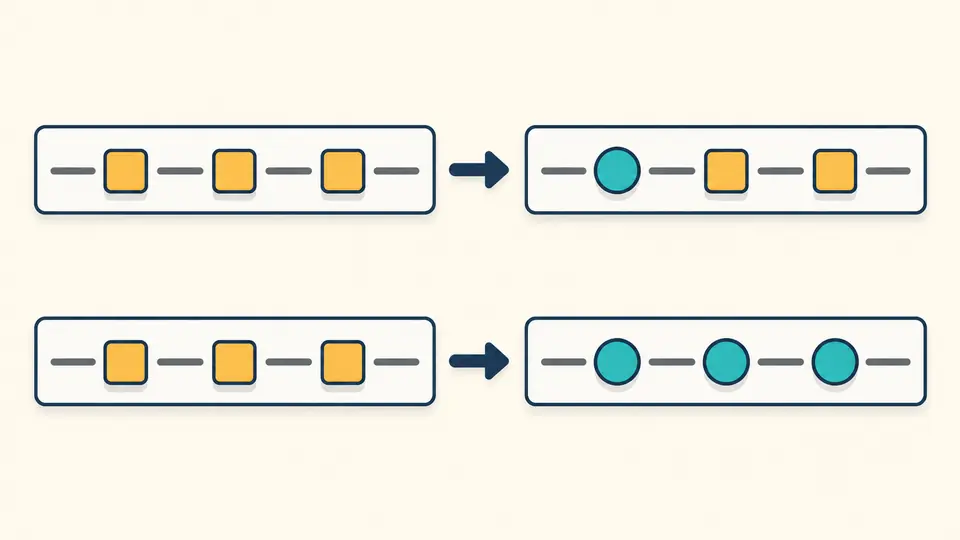
Replacing the first occurrence and replacing every occurrence are different changes. Toggle g to compare them on the same input; the original text changes only after a separate preview and apply action.

Two replacement rows: the first changes one occurrence, the second changes all three.

Keep syntax and output aligned

01

Enter the actual pattern body

Use the pattern body, such as (cat), rather than /cat/g. Put g in the separate flags field. The tool does not trim your text; editor or clipboard handling can normalize line endings, so it is not a byte-preserving file test.

  • Select the example first, then review and apply its input changes.
02

Choose the execution behavior

Test cat against cat cat and switch g off: the match list falls from two entries to one. Automatic mode waits 350 ms after edits; turn it off to use Ctrl/Cmd+Enter. split does not follow the first-match rule.

  • Use supported flags once each. u and v cannot be combined. Without g, match, replace and extract stop at the first match.
03

Review the complete export

Compare null with "" in group details before exporting. The former means a group did not participate; the latter is a captured empty string. The list grows by 50, but the JSON report contains every accepted result.

  • Only a current replacement with valid Unicode and at most 100000 UTF-16 units can become input. Preview and apply first; undo restores the previous input, options and result.

Four ways to inspect text

Match and capture

For (Ada) (Lovelace), the full match is Ada Lovelace while groups 1 and 2 hold separate fields. With d, their ranges are included; a lookbehind capture can sit outside the full-match range.

Preview replacement

With (?<year>\d{4})-(?<month>\d{2}), $<month>/$<year> turns 2026-09 into 09/2026. Compare g with the first-only behavior before applying the preview to your input.

Extract a chosen group

For ID:(\d+), select group 1 to extract 42 from ID:42; select 0 to keep ID:42. A nonexistent selection fails when a match is present. With no matches, there is no group-existence check.

Split with captured separators

Splitting a,b with (,) yields ["a", ",", "b"]. Captured separators are retained. Alternatives such as (,)|(;), including their unmatched captures, can add null entries; empty strings are not filtered out.

Engine behavior and limits

Only the browser’s JavaScript
Only the current browser’s native JavaScript RegExp runs here. PCRE and Python patterns need their own runtime checks. Supported flags are detected, and the report records the browser user agent, not an exact engine version.
Empty matches and Unicode
Empty text and patterns are valid. The initial page and Clear remain idle. Global zero-width searches advance by code point with u/v, otherwise by UTF-16 unit. Indices start at 0 and count UTF-16 units; the end is excluded. Capture indices require d; lookbehind captures can lie outside the full match.
Bounded work, complete results
Limits in UTF-16 units: text 100000, pattern 2000, replacement 10000, replacement output 1000000, full report 4000000. At most 10000 result rows; exceeding a limit fails the whole run. Timeout: 2 seconds.
Exports preserve strings
The complete JSON report escapes strings, preserving lone surrogates. TXT is offered only for replacement output with well-formed Unicode. A quoted preview may stop at 20000 UTF-16 units; successful exports retain the full output.
Limited notes and reversible changes
These are limited token notes, not a complete parser, AI explanation or performance analysis. A character class, unfamiliar escape or complex structure makes the remaining suffix opaque. Only a current replacement with valid Unicode and at most 100000 UTF-16 units can become input. Preview and apply first; undo restores the previous input, options and result.

Questions about Regex tester

How can I test a regex in a browser?

Enter a pattern body and test text. The Regex tester starts in match mode with g enabled, then runs 350 ms after edits. Disable automatic mode to use the test button or Ctrl/Cmd+Enter; even an empty pattern can be tested.

What changes when I enable g or m?

g searches all occurrences for match, replace and extract; without it, only the first is used. m changes ^ and $ to line anchors, while s lets the dot include line breaks. split processes the whole input independently of g.

How do greedy and lazy patterns differ?

A greedy quantifier first tries more text; a lazy form such as +? tries less while allowing the rest of the pattern to succeed. Compare both on realistic samples: the limited token notes do not prove what a complex expression means.

How can captured text be reused?

Put the desired text in parentheses, then reference it with $1 or $<name> in replacement mode. Extraction also accepts 0 for the full match or a group number/name. Groups that did not participate remain distinct from empty captures.

Why does a regex take so long?

Backtracking can keep an apparently short expression busy. Every operation runs in a separate Worker that is terminated after 2 seconds; a stopped or timed-out run cannot be exported. A successful test does not certify performance on other inputs.

Still have a question?

Try the Regex tester

Try the Regex tester with a date or Unicode sample, then adjust the pattern to your own text.

Check the full JSON report before taking a replacement back into your code.

Edits run after 350 ms by default. Disable automatic mode for the button or Ctrl/Cmd+Enter. Each change immediately disables stale exports.