
Text and Strings

Pattern extractorturn mixed text into a usable list

Choose a preset or custom expression, then inspect the values and their source lines.

Pattern extractor

Input text

Extracted values

Enter text or apply an example.

Text and patterns stay in this browser; they are not uploaded.

Extraction options

100,000 UTF-16 input units · 2,000 pattern units · 10,000 candidates · 2-second timeout. Limits reject the entire result.

Enter text or apply an example.

Exports include every result. TXT uses LF between values. CSV prefixes formula-like cells with an apostrophe; JSON keeps exact values and multiline boundaries.

A pattern extractor helps when a support ticket mixes contacts with links, or a log buries addresses among messages. Instead of copying each match by hand, scan one type at a time and keep the original text available for checking.

Why use this pattern extractor?

One source, several useful lists

The pattern extractor keeps your mixed input while you switch from email addresses to URLs, IP addresses or numbers. Use a custom expression for an order identifier. Each mode creates its own list, so digits inside a URL do not get mixed with your address results.

A mixed source document feeds separate lists marked by envelope, link, network and number symbols.

Keep the first source location

Repeated values collapse into one row with their first line number and occurrence count. Turning deduplication off restores every occurrence in source order. Case, URL spelling and IPv6 notation are preserved, so the list stays traceable to the text you supplied.

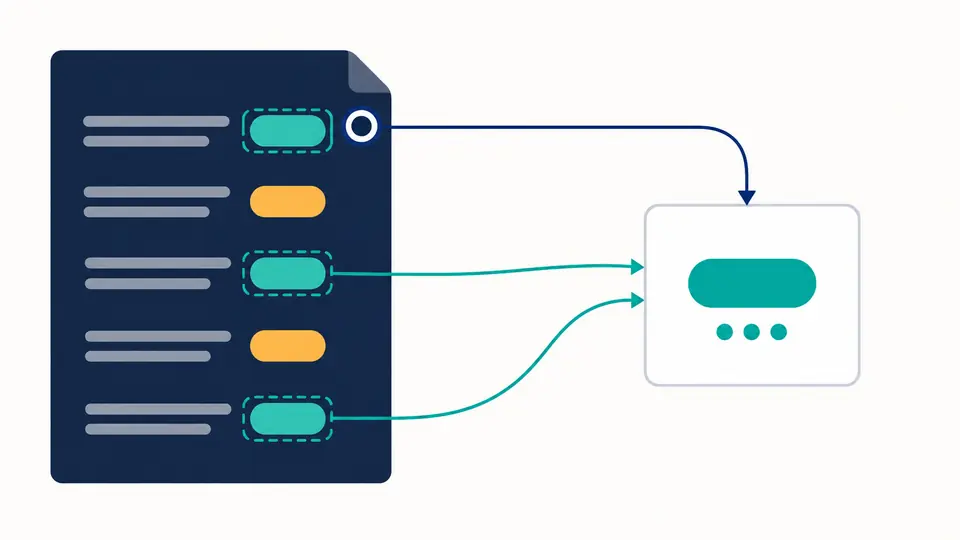
Repeated highlighted entries merge into one result while a connector retains the first source line and dots show repeated occurrences.

Check the scope before exporting

01

Use the mode that matches your task

The opening mode extracts emails. Changing modes keeps the text and invalidates the previous result immediately. Example and Clear first show a replacement preview with character counts; applying resets the extraction options, and Undo restores the previous input and result.

02

Choose the piece you actually need

In Custom mode, enter ORD-(\d+) and set the group to 1 to extract only the order number. Group 0 returns the whole match; named groups work too. Flags i, m, s and u are optional. All occurrences are searched automatically.

03

Wait for a current result

Automatic mode waits 350 ms after an edit. Turn it off to use Extract or Ctrl/Cmd+Enter. Copy and download stay disabled until the current run finishes. The first 50 rows are a preview; Show more expands the list without changing the exported data.

Presets and captures in one workspace

Extract emails and links

Use the email preset for common ASCII addresses, including plus tags. The URL preset finds HTTP(S) links, retains queries and fragments, and removes surrounding sentence punctuation. Balanced parentheses survive, which matters for documentation links containing names such as Topic_(part).

Extract numbers and network addresses

The IP mode recognizes IPv4 and IPv6, rejecting an IPv4 candidate whose octet exceeds 255. Number mode returns strings such as -12.50, .75 and 6.02e23. Large integers keep every original digit because extraction never converts the values into floating-point numbers.

A regex extractor with an audit trail

Custom JavaScript patterns can return a complete match, a numbered capture or a named capture. Rows report the starting line of the full match, even for captures spanning multiple lines. TXT gives a simple list; CSV and JSON can include the source line and occurrence count.

What counts as a match

Extraction does not verify existence
The email preset covers unquoted ASCII addresses with a dotted domain; it does not implement every RFC mailbox form or internationalized mailbox. HTTP(S) links are recognized as text, without opening them. No SMTP, DNS, reachability or ownership checks run.
Original spelling defines equality
Deduplication compares exact strings without sorting, lowercasing or normalization. Equivalent IPv6 spellings remain separate. IPv4 with leading zeros is rejected; CIDR and zone identifiers are not interpreted. Numbers use ASCII digits, a dot and optional exponent: 1,234 produces two pieces, not a localized number.
Only JavaScript matching semantics
The engine searches non-overlapping full matches with global matching always on. Enter the expression body without / delimiters. PCRE, replacement and whole-line filtering are outside this tool. Empty extracted values and unused optional groups are skipped and counted; CRLF, CR, LF and Unicode line separators determine source lines.
Limits fail the whole run
Input allows 100,000 UTF-16 units, patterns 2,000 and candidate matches 10,000 before deduplication. Stored values allow 1,000,000 units and each export 4,000,000. A Worker is stopped after 2 seconds. Invalid surrogate text is rejected; cancelled, failed and stale results cannot be exported.
Choose a format for the next application
TXT joins values with LF, so a multiline capture can span several output lines. JSON preserves record boundaries and exact strings. CSV quotes every cell and prefixes formula-like values with an apostrophe for spreadsheet import; use JSON when that added character is unwanted. No file parsing or input history is provided.

Pattern extractor questions

How do I extract all URLs from a block of text?

Choose URLs and paste the text. Links must begin with http:// or https://. A final period or unmatched closing bracket is removed, while balanced parentheses remain. Bare domains, www-only links and mailto addresses are not included by this preset.

How can I extract emails from a long document or log?

Copy its text into the input and choose Emails. Common ASCII addresses become result rows, with first source lines enabled by default. This extracts matching substrings, not entire matching lines, and does not tell you whether a mailbox accepts messages.

Are duplicate links and emails removed?

Deduplication starts enabled. The first identical value keeps its position and line number, and its count increases. A@b.co and a@b.co stay separate. Disable the option to inspect every occurrence and its own line; changing it requires a fresh result before export.

Can I extract several types at once?

Run one mode at a time. Your source stays in place while you switch presets; each run replaces the result list. Use a custom alternation when you intentionally want several patterns in one list, then check the matches before exporting.

How much text can I process?

Paste up to 100,000 UTF-16 units; there is no file upload. The 10,000-match ceiling applies before deduplication, so a single value repeated too often still exceeds it. Split large logs into smaller sections when a limit or the 2-second time budget is reached.

Did a step behave unexpectedly?

Return to the pattern extractor

Use the pattern extractor on a small sample first, compare the source lines, then save the complete list in the format your next task needs.