
Text and strings

Lorem Ipsum generatorrepeatable filler for layout tests

Choose a content language, quantity and seed. Generate once, then export the complete result.

Lorem Ipsum generator

Generated source

Showing 3 of 3 items. Export includes all items.

Generated in this browser; settings and output are not uploaded.

Generation settings

Original Latin-style, English or Chinese filler. Chinese words count vocabulary entries, not characters. HTML is source; Markdown is a list.

1–100 paragraphs · 1–500 sentences · 1–10,000 words. Each paragraph has 3 sentences of 8–14 vocabulary entries.

Generated 3 paragraphs · 653 UTF-8 bytes

A Lorem Ipsum generator helps you compare layouts before the final copy is ready. Keep the same filler while changing column widths, spacing or card styles, so a different paragraph does not distract from the design change you are trying to inspect.

This dummy text generator also prepares small test fixtures. A sentence can fill a notification, a paragraph can fill a card, and individual words can populate short labels. The page language and the language of the generated content are separate choices.

Why use this Lorem Ipsum generator?

Compare two designs with matching content

The Lorem Ipsum generator repeats the same ordered items when you reuse the seed, content language, unit and count. Save those settings with your design notes to reproduce a test instead of keeping an unexplained block of random text.

Two documents display matching paragraph lines, connected to the same seed marker.

Carry one sample between different formats

Use the same filler in a prototype, a JSON fixture and a spreadsheet import. Changing the output format changes its wrapping, not its words. You can compare how your application handles one sample without introducing a different text length at each step.

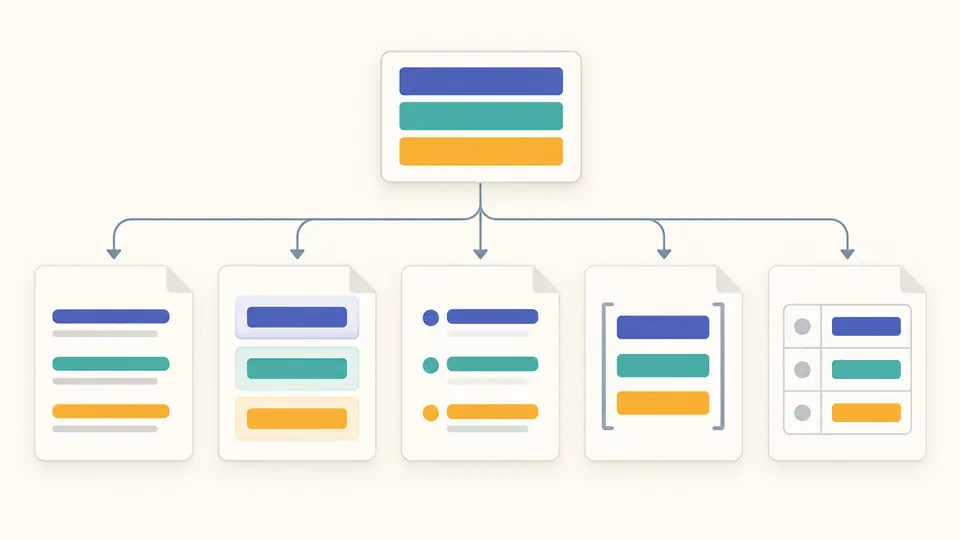
One set of three colored content blocks branches into five differently structured document containers.

Keep content stable while testing a layout

01

Choose what the number measures

Paragraph mode creates three sentences per item; sentence mode creates one sentence per item. Word mode picks exactly the requested number of vocabulary entries. Chinese entries contain multiple characters, so use character measurements in the destination when a field has a character limit.

02

Save the whole recipe

The seed alone is not the whole fixture: keep the content language, unit and count too. Seed spaces and letter case matter. New seed changes the visible value and marks the old result stale; press Generate when you are ready to replace it.

03

Regenerate before exporting a new format

A format change disables export until you generate again, even though the underlying words will stay the same. Ctrl or Cmd plus Enter runs the current settings. Longer results show an initial 50 items; Copy and Download include every generated item.

Three quantities, five useful representations

Match the size of your component

Choose up to 100 paragraphs, 500 sentences or 10,000 words. Each sentence contains 8–14 entries from the selected vocabulary. A fixed three-sentence paragraph gives cards a repeatable structure while the variable sentence lengths exercise ordinary text wrapping.

Build repeatable test fixtures

A visible text seed controls the sequence. Repeating the same settings yields the same output without saving a history. The default three-paragraph example is also fixed, so Example restores both its settings and its matching result in one action.

Export text with an explicit structure

Lorem Ipsum HTML uses paragraph tags. Markdown placeholder content is an unordered list, JSON is an indented string array, and CSV has id and text columns with numbered records. Plain text separates paragraphs with blank lines, sentences with newlines and words with spaces.

Know what this filler represents

Original vocabulary, three content languages
Choose Latin-style, English or Chinese vocabulary. The combinations are intentionally fictional filler, not classical Latin passages, translations or grammatical articles. No names, phone numbers, addresses or other personal profiles are generated. Other page languages do not add more vocabularies.
Counts are not character or byte targets
The quantity must be an integer within the selected unit limit. Chinese word mode counts dictionary entries, not individual Han characters or a linguistic tokenizer’s output. Line wrapping depends on your font and container; the tool cannot promise a fixed number of screen lines.
Fixed formats, no document designer
HTML is escaped source with p tags and is never executed here. Markdown contains list items rather than headings, code fences or a complete article. JSON has no custom schema and CSV always uses id,text. Use a schema generator for business-shaped records.
Repeatability does not imply uniqueness
A finite vocabulary can repeat words and phrases. Seeds are case-sensitive, preserve spaces and accept 1–128 UTF-16 units with at least one non-whitespace character. The generator is not a source of passwords or secure random tokens; vocabulary changes in a future release can change fixtures.
Configuration only, bounded output
There is no file upload, URL import, custom corpus, hosted API or editable result. Clear removes the generated preview and keeps the settings. Output is capped at 1 MiB; copy and download remain unavailable after a validation error or a settings change until generation succeeds.

Lorem Ipsum generator questions

Can I generate an exact number of words?

Yes. Select Words and enter an integer from 1 to 10,000. The result contains exactly that many vocabulary entries. Paragraph and sentence modes instead control their own unit counts; they do not solve for an exact total word count across a chosen number of paragraphs.

Can I generate Markdown placeholder content?

Yes. Select Markdown to get one unordered list item per generated item. A paragraph becomes one longer bullet; word mode produces one word per bullet. This format is useful for list components and fixtures, but it does not generate headings, code blocks or a complete Markdown document.

Can I generate the same placeholder text again?

Yes. Keep the exact seed together with the content language, quantity unit and count. Changing only the export format preserves the item sequence. Keep exported fixture files if you need a permanent reference across future vocabulary or generator revisions.

Can I generate Lorem Ipsum with HTML tags?

Yes. HTML wraps each paragraph or sentence in a p element. Word mode groups all selected words inside one p element. The result is shown as escaped source rather than a live preview, ready for you to inspect and place in your own template.

Should Lorem Ipsum be used in final published content?

Use it for drafts and test fixtures, then replace it with reviewed copy before publishing a real page. Placeholder text does not test whether a message makes sense, and its word lengths may differ from your final language. Review the final copy at the actual font size and width.

Found a generation or export case we should check?

Prepare the next fixture

Use the Lorem Ipsum generator with a saved seed, inspect the chosen format and keep the complete export with your test files.