Linux & Shell

Shell escapekeep every argument intact

Choose a shell and quote raw argument values. Add a command name to preview the complete call.

Shell escape

Raw argument values

Quoted arguments / command preview

Processed in this browser. No command is executed and no input is uploaded.

Quoting options

Enter one executable name or path, without flags; leave blank for arguments only.

Array mode accepts strings only. Empty strings and embedded newlines are preserved.

Limit: 65,536 input + command characters; 1,000 arguments.

One shell layer only. CMD, nested commands and native Windows argument parsing are outside this preview.

Generated 1 argument(s). The preview has not been executed.

Use Shell escape when a file path contains spaces, a name contains an apostrophe, or a copied value contains dollar signs. A value that looks harmless in a text field can become several arguments when pasted into a terminal.

Decide where each argument begins before adding shell syntax. Single mode treats the entire editor as one value; a JSON array gives every value its own boundary, including empty strings and embedded newlines.

Why use Shell escape?

Preserve the boundaries you intended

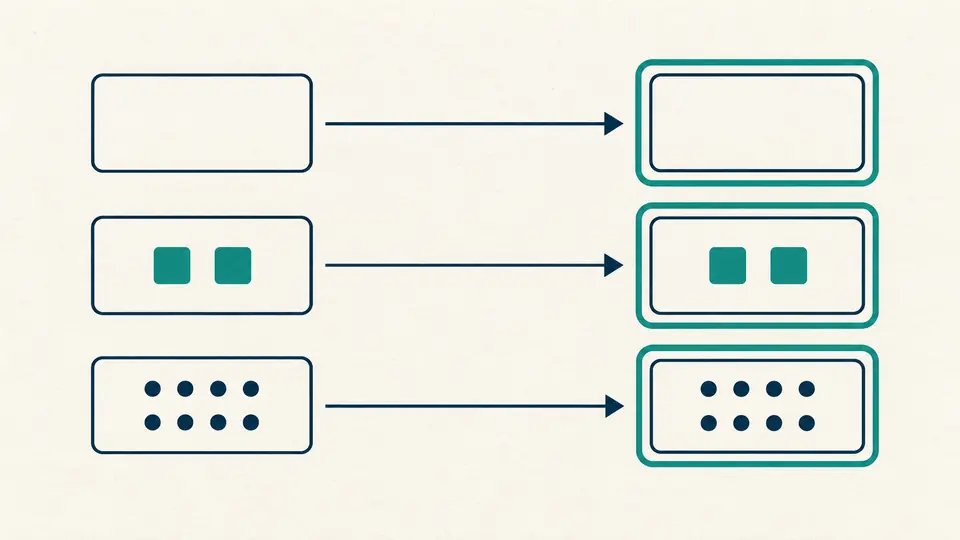
Shell escape treats ["", "two words"] as two arguments. The first stays empty, while the space inside the second stays part of that value. Nothing is trimmed, split on whitespace, sorted, or deduplicated.

Three separate value cards, including an empty card, keep their order and boundaries after quoting.

Change the quoting rule, keep the value

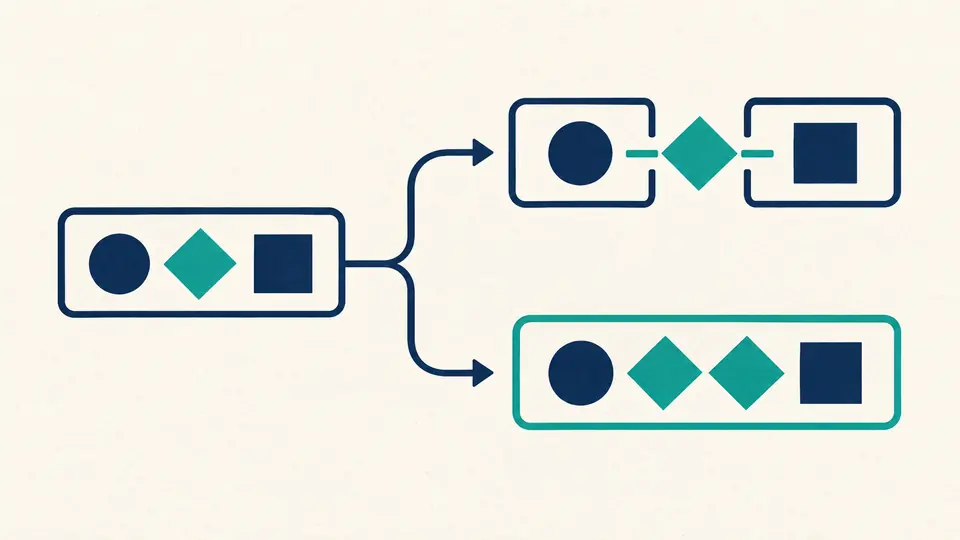
POSIX closes the surrounding quotes before inserting a literal apostrophe; PowerShell doubles the quote. Switching the target rewrites the syntax while leaving your raw input untouched, including typographic apostrophes.

One input card branches into two different enclosing structures for two shell dialects.

Choose the boundary before the syntax

01

Distinguish no argument from an empty one

Choose a JSON string array for multiple values. [] means zero arguments; [""] means one empty argument. In single mode, an empty editor can produce an empty quoted argument when you run manually.

  • Use JSON \n inside an array string for a newline within one argument.
02

Keep the command name separate

The optional command field is one executable name or path. Put flags and values in the argument array. In PowerShell, a quoted command path needs the & call operator, which is added to the preview.

  • A command field containing spaces is still one path, never a command plus flags.
03

Check the count before copying

Automatic conversion waits 350 ms after an edit. Turn it off to reveal the generation button or press Ctrl/Cmd + Enter. Any input or option change immediately disables export until a fresh result exists.

  • Clear and example replacement have a preview; undo restores both input and output.

Literal values, explicit argument lists

POSIX and Bash escaping

Every argument uses a single-quoted form. Dollar signs, wildcard characters, semicolons, backticks and command-substitution text stay literal. The result is one shell quoting layer, intended for direct use in the selected shell.

PowerShell string quoting

ASCII apostrophes and the four single-quote characters U+2018 through U+201B are doubled individually. Backslashes stay backslashes. A Windows path does not need JSON escaping in single mode; array mode follows JSON syntax.

Inspect and export the complete preview

The result joins independently quoted arguments with spaces and reports their count. Add an optional executable path, copy the full result, or download plain text. An empty list with no command has no text to export.

What quoting cannot decide for you

One shell language layer
No CMD, batch-file, fish, .env or nested SSH quoting is generated. PowerShell output is a language-level literal; Windows PowerShell 5.1, Legacy mode and native programs can apply another argument parser.
Raw values only
Do not paste an already quoted command and expect it to be parsed or unescaped. There is no variable expansion, unquote operation, file upload or URL import. Array input generates an argument sequence, not a Bash array variable declaration.
Quoting is not command validation
This tool never runs the preview, checks executable availability, or judges an option such as --delete. A leading hyphen remains an option if the receiving program treats it that way. No -- terminator is inserted automatically.
Explicit input limits
Input plus command may contain at most 65,536 UTF-16 code units, and arrays at most 1,000 strings. Numbers, booleans, null, objects and nested arrays are rejected instead of being silently converted.
No invisible data loss
NUL and unpaired Unicode surrogates are rejected. Spaces, tabs and line breaks are preserved; generated output may span physical lines. For invalid array members, the error points to the member start and reports its number.

Shell escape questions

How can I escape a single quote in a single-quote string in Bash?

A POSIX single-quoted region cannot contain an apostrophe directly. Close it, insert an escaped apostrophe outside it, then reopen it: O'Brien becomes 'O'\''Brien'. The POSIX option generates this form for every occurrence.

Difference between single and double quotes in Bash

Single quotes keep the enclosed value literal. Double quotes still allow expansions such as $HOME and $(...). This page deliberately generates literal quoting; use the original shell syntax yourself when expansion is actually intended.

Passing arguments to a command in Bash script with spaces

Quote each argument separately, not the whole command line. For two values containing spaces, select array mode and enter two JSON strings. Check that the result reports two arguments before copying it into your script.

bash string split by delimiter breaks on empty value

Whitespace or delimiter splitting can discard empty fields. Here, ["a", "", "b"] keeps all three arguments. [] has none, while [""] has exactly one. The distinction is explicit rather than guessed from blank lines.

Can I use a single quote in a PowerShell string?

Yes. PowerShell represents an embedded apostrophe by doubling it: 'don''t'. Its parser also recognizes curly single quotes, which this tool doubles without changing their character. This is separate from CMD quoting and native-program argument passing.

Unexpected permission result?

Review the values before the next call

Use Shell escape with the shell you will actually paste into. Compare the argument count, inspect the preview, and copy only the current result.