Git & Version Control

Conventional Commit Builder

Compose fields or validate one complete message. Custom types are welcome; Git is never executed.

Conventional Commit Builder

Message input

Suggestions are common types. You can enter a custom type.

Start with Refs: #42 or Closes #42. Plain following lines continue the preceding value.

Message result

Messages stay in this browser. No repository or network request is used.

Output options

Conventional Commits 1.0.0 structure; no project rules or 50/72-character limit. Maximum 20,000 UTF-16 units.

Enter a description or a complete message.

A Conventional Commit Builder helps when you know what changed but want to review the exact text before committing. The form keeps the description, body and trailers separate; the validator accepts an existing message without overwriting the form. Both paths show the message and its declared release impact, so a misplaced breaking marker is visible before the text reaches your repository.

Why use this Conventional Commit Builder

Assemble a complete message

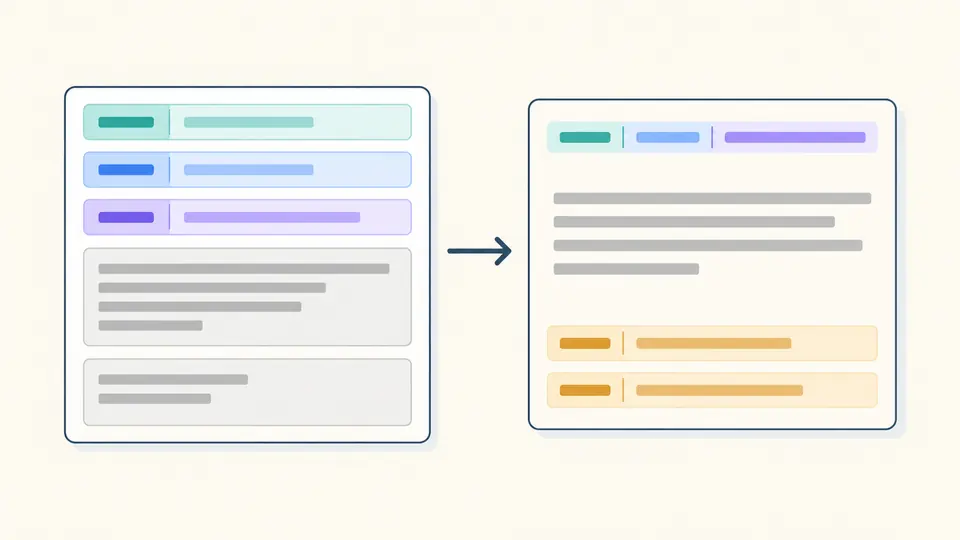
The Conventional Commit Builder inserts the header punctuation and blank lines between sections. An optional scope stays in parentheses, the description stays on the first line, and paragraphs keep their internal line breaks. Switch to validation to inspect an existing message while retaining your unfinished form.

Colored type, scope and description fields assemble into a header, with separate body and footer blocks.

See the declared compatibility change

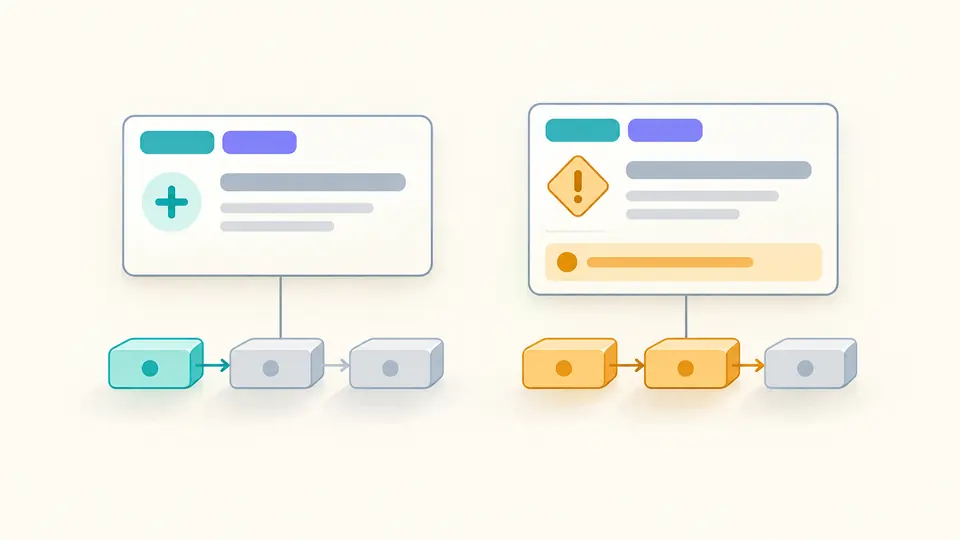
A feature normally indicates a minor release. Adding ! before the colon or a valid breaking change footer changes the declaration to major, regardless of the type. The summary makes that difference explicit without pretending to inspect the code or choose your next version number.

Two commit cards show a small compatible change and an amber breaking marker associated with a larger version step.

Check the details that change meaning

01

Choose meaning before a type

The suggestions are common names, not a whitelist. Enter your own noun if the team uses another type. Check whether the change is a feature, a fix or an incompatibility; the checker cannot infer that from the description.

02

Separate prose from trailers

Body paragraphs need an empty line after the header. In the dedicated footer field, start with a token such as Refs: #42; a following plain line continues that value. Another token starts another trailer. The form supplies section gaps.

03

Control when a result is reusable

Automatic processing waits 350 ms. Turn it off to use the action button or Ctrl/Cmd + Enter. Editing a field, the raw message or the breaking option immediately disables export until the current input has been checked again.

Headers, paragraphs and trailers

A Conventional Commit Generator with custom types

Compose type, scope and a one-line description, then add optional paragraphs and trailers. FEAT and feat are treated alike for release intent, while the output preserves your spelling. Custom types and descriptions in other languages are accepted; subject length is counted but never capped at 50 or 72.

A Conventional Commit Validator for existing text

Paste one full message to check the header, required separator and recognizable trailers. Errors retain their source line and column, and the raw editor highlights the line. A line with a colon inside ordinary prose is not automatically invalid. The two modes keep separate drafts.

A commit message builder with explicit breaking syntax

Use ! with or without a footer, or use BREAKING CHANGE: followed by an explanation. BREAKING-CHANGE is accepted as an equivalent token. Trailer values may continue on following lines; the next valid token ends the preceding value. Copy and download contain only the message.

What this checker can and cannot establish

Structure is not project policy
A passing result does not guarantee that your repository hooks accept it. This page does not load commitlint configuration, enforce a type list, require lowercase or judge imperative wording. It also cannot tell whether a declared fix really fixes a bug.
One message, bounded input
The limit is 20,000 UTF-16 units, including the assembled punctuation and section separators. Larger input is rejected without truncation. CRLF and CR are normalized to LF; the builder removes only boundary newlines from body and footer fields. Internal paragraphs and spaces are retained.
Trailer detection has a visible boundary
In raw text, a valid token at the start of a paragraph begins the footer section. Thus Note: text can be a trailer, while an arbitrary sentence with a colon remains prose. In the explicit footer field, the first line must have a token and a value; malformed lines are not silently repaired.
No repository or release automation
There is no shell command generation, Git execution, diff import, AI drafting, history storage or sharing URL. Major, minor and patch describe the message declaration, not a calculated release. Other types have no implicit version effect, and revert cancellation is outside the checker.
Replacement is reviewable
Examples and Clear affect only the active mode. When content exists, review the replacement and its UTF-16 counts before applying it. Undo restores the previous input, breaking option and result together. The tool never rewrites a raw message to make it pass.

Conventional Commit Builder questions

Are the types in the commit title uppercase or lowercase?

The specification allows either case and asks implementors to treat types without case sensitivity. Choose a consistent team style. This checker preserves the type you wrote; FEAT still declares a feature. BREAKING CHANGE and BREAKING-CHANGE are the uppercase exceptions.

What do I do if the commit conforms to more than one of the commit types?

When practical, split unrelated changes into separate commits. One message has one type field here. Selecting feat for a mixed change does not prove that its fixes or compatibility effects are correctly described; review the body and breaking declaration yourself.

How does this relate to SemVer?

fix declares a patch, feat a minor change, and ! or a valid breaking footer a major change. The summary applies those priorities without calculating a version. Your release process may use additional rules, prerelease handling or repository history.

What do I do if I accidentally use the wrong commit type?

If the message is still a draft, correct the type and check it again. A typo such as feet can be structurally valid because custom types are allowed. Editing an existing commit is a separate repository operation; this page cannot perform an amend or rebase.

How does Conventional Commits handle revert commits?

The specification leaves revert behavior to tooling authors. You may use revert and a Refs footer to describe the commits being undone. This checker accepts that structure but does not subtract earlier changes or infer the resulting release version.

Have a message structure we should check?

Review the message before committing

Return to the Conventional Commit Builder, review the declared impact and export the current message only after the input passes its structural checks.