Git & Version Control

GitHub URL converter

Inspect one repository or file link. Check the ref and path before copying the generated addresses.

GitHub URL converter

GitHub URL input

Parsed fields and links

The URL stays in this browser. No request is sent to GitHub.

Reference boundary

Enter the decoded branch, tag or commit already present in the URL. This sets its boundary; it does not switch branches. Leave empty for repository URLs.

One URL up to 8192 UTF-16 units; ref up to 1024. HTTPS only, with no credentials or explicit port.

Converting…

A file link copied from a code review often points to the GitHub interface when a script expects raw bytes. The GitHub URL converter separates the owner, repository, reference and file path so you can see which part identifies the revision before using either address.

Why use the GitHub URL converter

Compare the file page with Raw

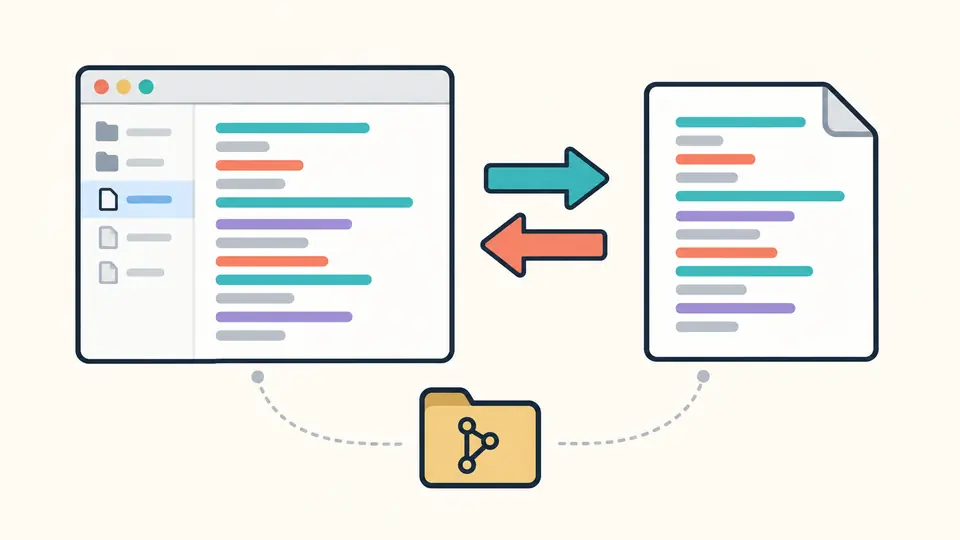
The GitHub URL converter shows the repository address beside the file page and raw-content URL. Start with either file form and recover the other without manually replacing host names or losing encoded filename characters. Repository roots remain roots; no README or default branch is invented.

A browser file view and a plain document connected by two arrows, representing two addresses for the same file.

Make slash refs visible

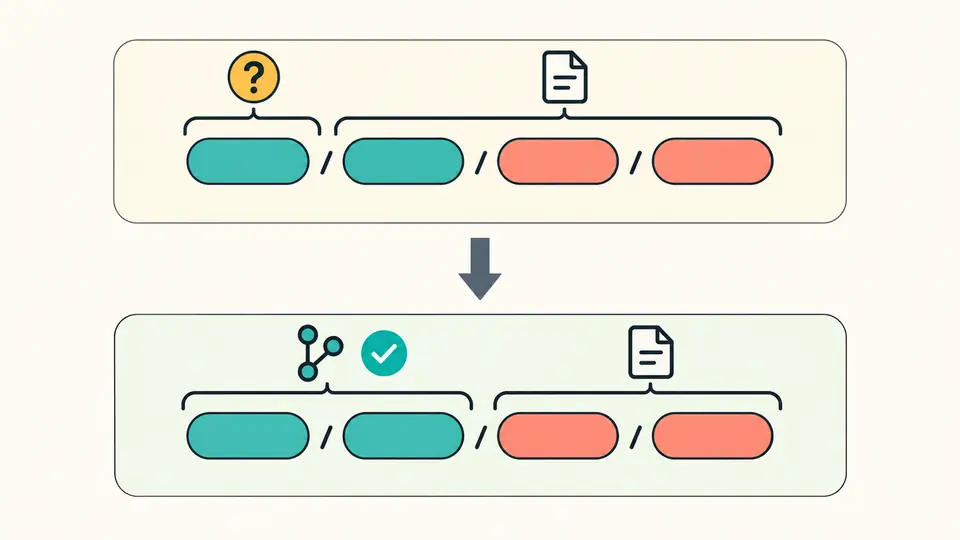
A URL containing feature/docs/guide.md can mean more than one ref boundary. The default shows feature as an assumption. Supply feature/docs to identify guide.md as the file; a mismatching hint fails instead of silently changing the branch.

Colored path segments grouped in two different ways, with a selected branch group separated from the file path.

Check the boundary before sharing

01

Use a file address, not a folder

Blob pages and raw.githubusercontent.com links are supported. A repository root produces only its repository address; a tree folder cannot become a raw file.

  • The example with a slash ref fills both inputs through a preview.
02

State the reference you already know

An explicit ref must match the beginning of the URL tail and leave at least one file segment. For refs/heads or refs/tags, enter the name after that namespace.

  • Enter decoded text such as feature/docs, not feature%2Fdocs.
03

Review freshness and export purpose

Changing either input disables all exports until the next conversion. Turn off automatic mode to inspect changes before running; Ctrl/Cmd + Enter performs the conversion.

  • Download JSON saves the parsed report, not the remote file.

One file, several useful views

A focused GitHub URL parser

Inspect owner, repository, ref, file path and the source of the boundary decision. A full 40-character commit ID is recognized syntactically, while a short hash remains an unverified ref. This distinction helps when reviewing a GitHub permalink.

Two-way file conversion

Use the GitHub Raw URL converter with a blob page, a github.com/raw address or an existing Raw host URL. It returns both file forms and preserves an explicit heads or tags namespace; it never turns a directory into content.

Encoding without double escaping

Each path segment is decoded once and encoded separately for output. A filename containing a space becomes %20; a literal percent sign becomes %25. Encoded question marks remain filename characters rather than becoming query parameters.

What a converted address does not prove

Offline means no existence check
This GitHub raw link generator does not resolve branches, tags, commits, permissions or the default branch. Success means the address fits the accepted structure. A moved file or a private repository can still return 404, and a branch link can change after a push.
Generated links omit query and fragment
Tracking parameters, raw=true, private access tokens and #L10-style selections are not copied into either output URL. The original input remains visible and a removal notice appears. The tool cannot issue replacement credentials or retain a line selection in raw content.
Strict input scope
Only one HTTPS URL on the two official hosts is accepted, without credentials or an explicit port. SSH, Gist, Enterprise, tree, release and archive links are rejected. Dot segments, empty segments, malformed escapes and encoded file-path slashes must be corrected at their source; no normalization silently changes the target.

GitHub URL converter FAQ

How can I create a Raw link for a GitHub file?

On GitHub, open the file and choose Raw. Here, paste its blob URL to generate the raw.githubusercontent.com form. For a repository root alone there is not enough information: the converter will not choose a branch or filename on your behalf.

Can I keep a Raw link fixed to one file version?

A branch or tag can move. For a fixed version, obtain the full commit ID from GitHub and use a URL that already contains it. On a file page, GitHub’s Y shortcut creates a permalink. This tool keeps a supplied ID but cannot look up the current commit.

Can I share a Raw link from a private repository?

Converting an address does not grant access to a private repository. Raw URLs may depend on temporary authorization. This tool drops query tokens from generated links and rejects credentials in the authority, so the resulting address is not an authenticated sharing mechanism.

Why does Raw download a CSV instead of displaying it?

That behavior depends on GitHub’s response headers and the browser. Rewriting the address cannot force a MIME type or make CSV render inline. The JSON download button here downloads a local report; it does not fetch the CSV or alter remote headers.

Why does a branch name containing slashes cause parsing problems?

Git refs may include slashes, so a URL alone does not reveal the correct ref/path split. Check the displayed assumption and supply the complete decoded ref when you know it. The prefix must match the existing address; it cannot be used to choose a different branch.

Have another GitHub link to discuss?

Inspect another file link

Use the GitHub URL converter to inspect the decoded fields, confirm the reference boundary and copy the appropriate file address. Keep the JSON report if you need to review the same interpretation later.