01
Try the fast-forward example
When main is an ancestor of feature, merge moves the main pointer to the existing tip. The preview adds no merge commit, unlike the diverged sample.
Git & Version Control
Choose an example and preview a history operation; no repository is connected.
A–D and primed labels are teaching IDs, not Git object hashes.
Choose an example and preview an operation to see the result.
Only the fixed teaching graph is processed in this browser; no repository is read or contacted.
Target branch: main · Source branch: feature
Ctrl/Cmd + Enter previews the chosen operation.
Choose an operation to preview.
This graph models fixed one-line files, not your real repository or Git merge strategy.
A Git simulator is useful when a branch graph makes the effect of merge, rebase or cherry-pick hard to picture. The sample starts with a shared commit, a main update and two feature commits.
Switch to the fast-forward or same-line example to see why a diagram alone cannot promise a conflict-free run. The command draft uses example branch names and needs review against your own repository.
The Git simulator keeps the same commit graph while you compare merge, rebase and cherry-pick. A Git branching visualizer shows ancestry; this preview also names the branch pointer that moves and the commits that are copied.
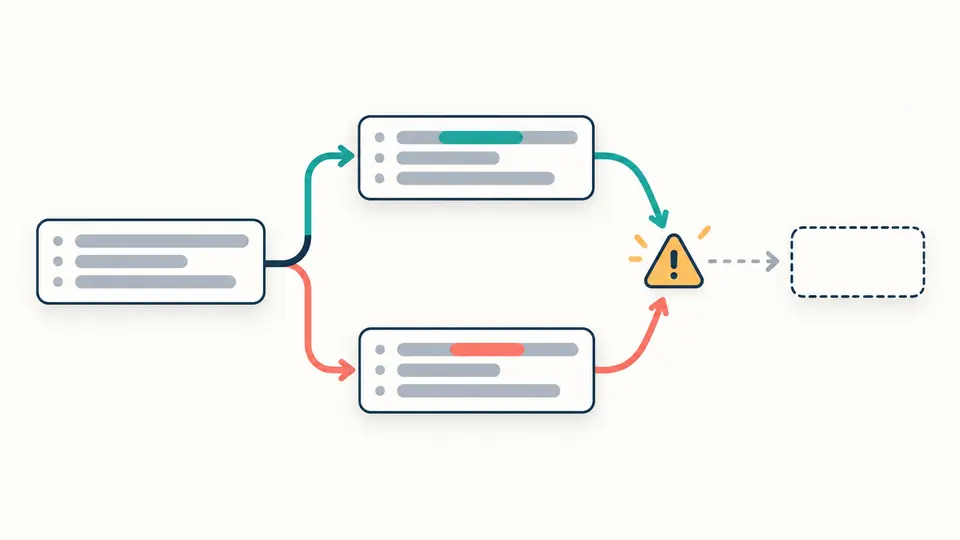
The fixed conflict example shows two edits to the same one-line app.js snapshot. A cherry-pick conflict or rebase stop is explained from that example only; your own files, index and merge options are unknown.
When main is an ancestor of feature, merge moves the main pointer to the existing tip. The preview adds no merge commit, unlike the diverged sample.
Rebase replays C and D onto main as C′ and D′. Cherry-pick copies only the selected C or D onto main; the feature branch keeps its original tip.
Ctrl/Cmd + Enter previews the selected action. A changed option makes the old result stale, so copying waits for another preview. Replace the example commit placeholder before using any draft.
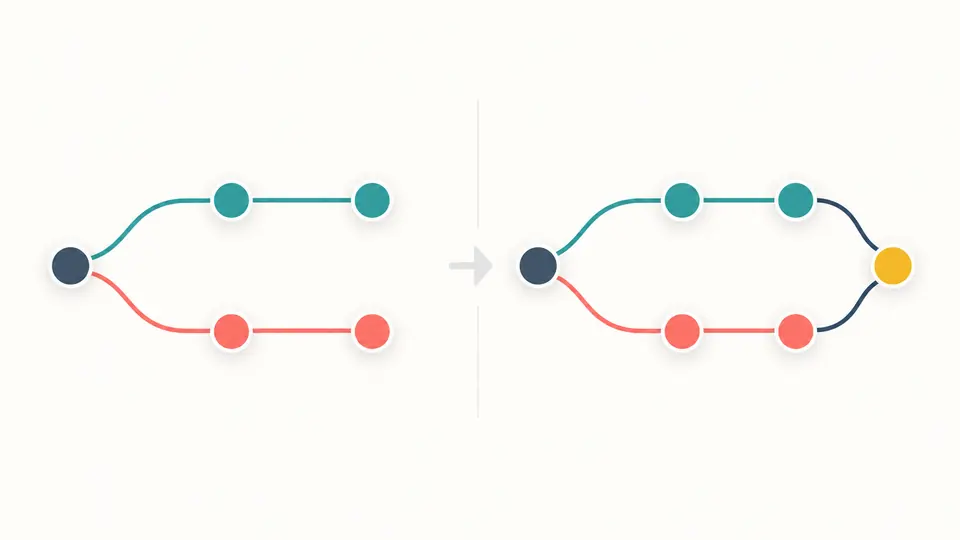
A diverged merge creates one node with two parents; the original commit graph remains. A fast-forward moves a pointer instead, so “merge commit” is not a universal result.
Rebase vs merge is visible as a different ancestry shape. Rebase copies the feature sequence; cherry-pick selects a single commit. Symbolic primed IDs are not real object hashes.
The same-line example compares three known file snapshots and marks where replay or merge stops. It cannot scan your repository or infer a real conflict probability.
Rebase can place your own unpublished feature commits on a new base for a linear view; merge keeps the branch ancestry and may create a two-parent commit. This Git simulator shows both shapes, but the right choice also depends on whether others share the branch.
Rebase moves the feature tip in the example; main stays where it was. To integrate feature into main later, a merge or another integration step is still needed. After a clean rebase, that later merge may fast-forward.
Git replays each feature change onto the chosen base. If that change cannot apply cleanly to the updated content, replay stops for manual resolution. Here only the preset one-line app.js edits are checked, not your repository.
It does not always conflict. Selecting D in the clean example copies its independent test file; selecting C in the conflicting example encounters two different changes to app.js. Real results depend on the patch and target tree.
Cherry-pick selects one commit and copies its change onto main; rebase replays the feature sequence onto main and moves feature. The original source history remains in the teaching graph, but real Git object IDs differ after replay.
Does a preview differ from your device’s documented syntax?
Compare one graph across three operations, inspect a fixed conflict, then check every drafted command against your real branches before running it.