01
Search without losing selections
Filtering the template list only changes visibility. The selected count still includes hidden choices, and output follows the fixed catalog order rather than your click order.
Git / version control
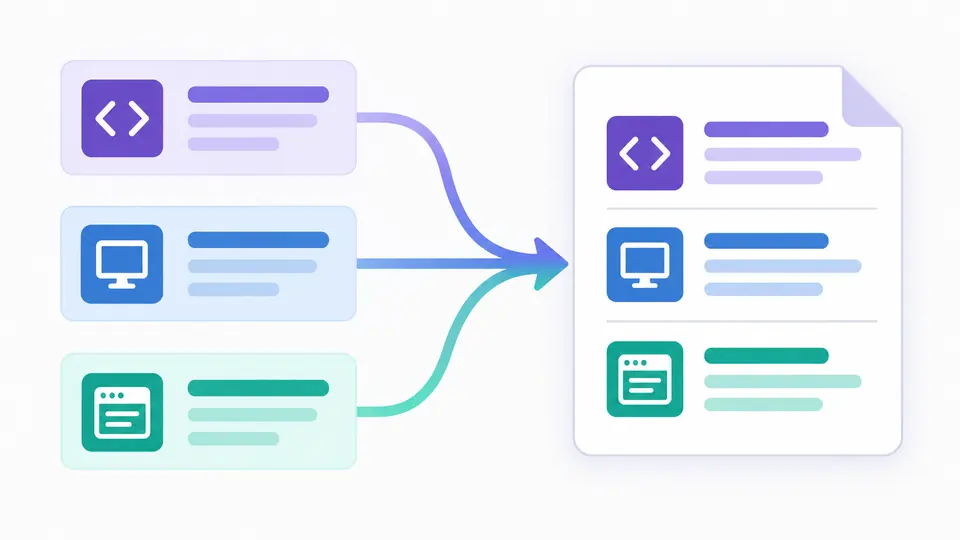
Choose your stack, append project rules, and review the combined file before downloading.
Selected: 0.
Templates and rules are processed in this browser. No project files are read or uploaded.
Only identical ordinary rules between negations are deduplicated. Every ! rule and the original order are kept.
18 templates from github/gitignore, CC0-1.0. Snapshot commit 356fd7baab4c, dated 2026-09-11; checked 2026-09-16. Source comments stay in their original language.
Select a template or enter at least one rule.
A new repository often needs more than a language template: an operating system leaves metadata, an editor writes caches, and a project has its own local files. This Gitignore generator brings those sources together without assuming which environment you use.
Start with only the environments relevant to your project. Broad exclusions can hide files your team meant to share, so review both ordinary patterns and the exceptions before putting the result into a repository.
The Gitignore generator packages 18 GitHub templates with a pinned revision, source paths and a CC0 license record. Optional section comments show where each group came from. You can review a repeatable snapshot rather than relying on an API response that changes between visits.
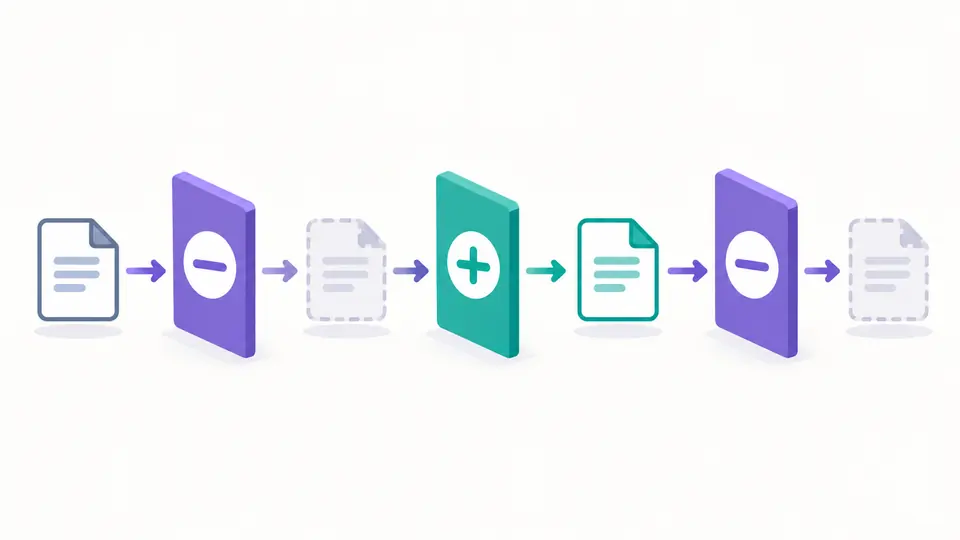
In *.log, !important.log, *.log, the final rule excludes the file again. Removing that last line would change the outcome. Deduplication restarts at every negation and keeps all negations, so repeated rules on opposite sides of an exception survive.
Filtering the template list only changes visibility. The selected count still includes hidden choices, and output follows the fixed catalog order rather than your click order.
Custom ignore rules are appended after all templates. A later match can override an earlier match, but a file exception cannot reopen an excluded parent directory. Use cache/* rather than cache/ when an individual child needs to remain visible.
Changes immediately disable old exports until generation finishes. To inspect matching, explicitly select custom input or the current result and send a compatible fragment to the tester. Large results remain available for full download.
Combine templates for Node.js, Python, Java, Go, Rust and other bundled stacks with macOS, Linux, Windows or editor rules. Unselected environments contribute no patterns.
Paste an existing file as custom rules to generate .gitignore content with its lines at the end. LF, CRLF and CR inputs become LF; an initial BOM is removed. Meaningful leading and escaped trailing spaces remain.
Safe deduplication reports the number of removed ordinary rules. Disabling it preserves repeated patterns. Opposing exact pattern pairs are counted but retained; this is not a solver for overlapping wildcards.
The gitignore templates are bundled from github/gitignore at commit 356fd7baab4c, dated 2026-09-11 and checked on 2026-09-16. Source links identify each original file, including its upstream comments.
Yes. Select the language, operating system and editor templates that apply. They are combined in a stable catalog order. Search does not remove selections, and custom rules are appended afterward.
Yes. Enter one pattern per line in the custom area. It also works with no template selected. You can keep comments, escaped leading # or ! characters, and project-specific exceptions.
Use one when the project may accumulate that operating system’s metadata. For a team-wide file, consider the systems used by teammates. Personal editor or OS exclusions can instead live in a global Git ignore file.
Adding a pattern does not stop tracking a file that is already in the index. Review whether it should be untracked, back up anything important and handle that change in Git. This tool only generates text.
A later rule can re-include a file only when Git can still traverse its parent directories. build/ blocks !build/keep.txt. Excluding build/* instead can leave the parent traversable, but always test representative paths.
Have a rule combination that needs explaining?
Use the Gitignore generator to assemble a reviewable starting point, inspect exceptions, and save the complete result as .gitignore. Put it in the intended directory only after checking what your team wants to track.