01
Start from a known refusal
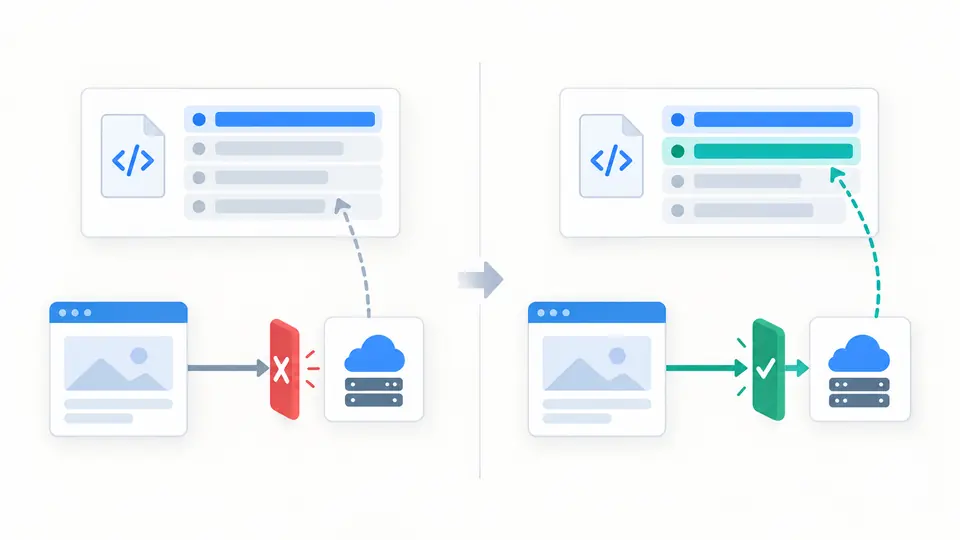
The example page is example.com and its script is on cdn.example.com. The tool refuses it under script-src 'self', so you can see the effective directive and fallback indicator before substituting your own URLs.
Web Security
Edit a policy or its directives, then inspect the generated header and one example resource request.
Source did not match in this static example
None of the modeled sources matches this resource URL.
Effective directive: script-src · fallback used
No modeled findings. This is not a deployment approval.
Showing 6 of 6 directives
default-src 'self'script-src 'self'img-src 'self' data:object-src 'none'base-uri 'self'frame-ancestors 'none'Policy text, domains and sample URLs stay in this browser; no request is sent.
Report-Only observes possible violations without blocking. Reports need a configured endpoint; this page does not receive or send them.
6 directives · 0 findings
A CSP generator is useful when a third-party script stops loading and you need to know which directive applies. The supplied example tests a CDN script against script-src 'self', so the initial result is a deliberate refusal rather than a production recommendation.
This Content Security Policy generator keeps the policy text and directive editor together. It exposes the effective source list and individual findings instead of collapsing a complex deployment decision into a security score.
The CSP generator checks one resource URL against the effective fetch directive, including a default-src fallback when appropriate. In the example, a CDN script is refused by script-src 'self'; adding an exact CDN source changes that one static result without pretending to run a browser.
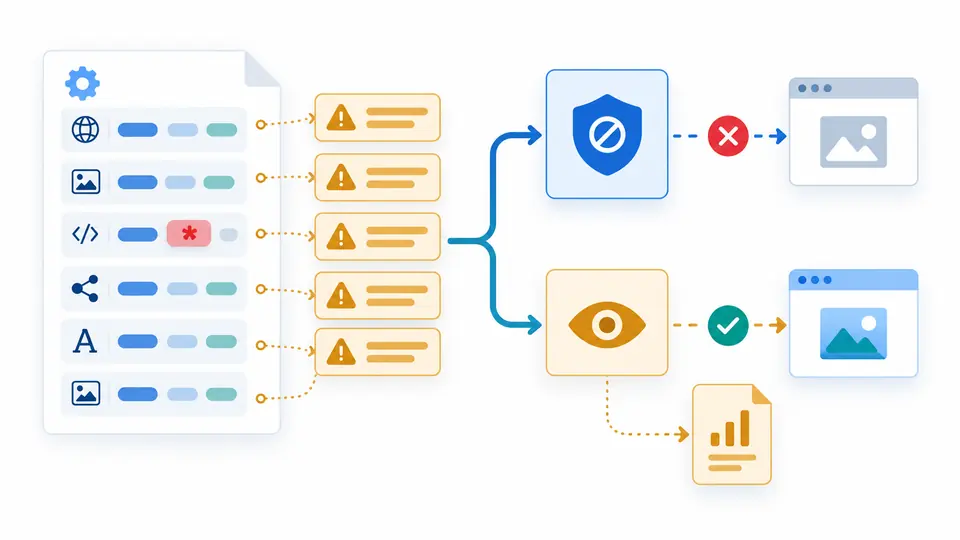
A CSP validator should show why 'none' mixed with another source is ineffective and why a repeated directive leaves the first one active. This page lists the exact finding beside the generated header, then explains why Report-Only observes rather than blocks.
The example page is example.com and its script is on cdn.example.com. The tool refuses it under script-src 'self', so you can see the effective directive and fallback indicator before substituting your own URLs.
Report-Only changes the HTTP header name but cannot block requests. Without report-to or report-uri, there is no report destination in this text. A generated nonce is only a one-time illustration, never a reusable production token.
Automatic analysis waits 350 ms after changes. Turn it off to use Check / build or Ctrl/Cmd + Enter. Editing any policy or request field immediately disables export until the current result is ready; Clear and Load example first show a preview and support one undo.
The CSP generator accepts a bare value or a single full CSP header. It keeps unknown directives and duplicate order visible while the editable view updates the same draft. Malformed text remains available for correction rather than being silently discarded.
A CSP analyzer flags unsafe-inline, unsafe-eval, wildcard and broad scheme sources, missing baseline directives, and the special 'none' mixture. It does not remove a source automatically, because changing a live allowlist can break scripts or styles.
The Content-Security-Policy checker compares an absolute HTTP(S) resource URL with the document origin. It reports the first effective directive, including script/style/child fallback, and returns an indeterminate result for path sources, strict-dynamic or nonce context.
The result formats directives without reordering them and uses either Content-Security-Policy or Content-Security-Policy-Report-Only. Copy and text download are disabled as soon as the draft or example request changes, so an outdated header cannot leave unnoticed.
It can allow injected inline scripts or styles. If a nonce or hash is present, browsers can ignore unsafe-inline for that source list. Review the actual browser behavior and migrate to per-response nonces or hashes where possible; this static warning is not a complete exploit assessment.
Use a response header for this policy. A meta element cannot deliver Report-Only or directives such as frame-ancestors and reporting, so it is not an equivalent copy of the generated header.
It is a separate response header that observes potential violations without blocking. To receive remote reports, configure an appropriate reporting endpoint as well. The switch here only changes the generated header and local explanation.
No. CSP can reduce the impact of some injection paths, but policy quality, browser support and application code matter. This CSP generator inspects a single pasted policy and cannot prove that a deployed application is free of XSS.
Inspect the response in browser developer tools or a separate HTTP header checker. This page makes no request to your site and cannot verify which header the server currently sends.
Need a closer check?
Compare one resource URL, review the effective source list and copy the current header only after you have read each finding.