SMALL RESOURCES, COMPLETE BYTES

Data URI converter

Generate a complete data: URL or recover its bytes. Compare Base64 and percent encoding before embedding a small resource.

Data URI converter

Input

Result

Text, files and URI contents stay in this browser; nothing is sent or saved in a URL.

Options and metadata

Enter type/subtype without parameters. Text uses UTF-8; file bytes stay unchanged. MIME is a declaration, not format detection.

Maximum: 600,000 source or decoded bytes; 1,900,000 URI characters; 1,024 header characters.

MIME: text/plain;charset=utf-8 · Charset: utf-8 · Encoding: Base64

Full URI lengths: Base64 65 · Percent 80

20 bytes · 65 URI characters

A broken inline icon may come from one unescaped hash, a missing comma or the wrong encoding marker. The Data URI converter makes these parts visible so you can inspect the wrapper separately from the resource it contains.

Why use this Data URI converter

Choose an encoding using actual lengths

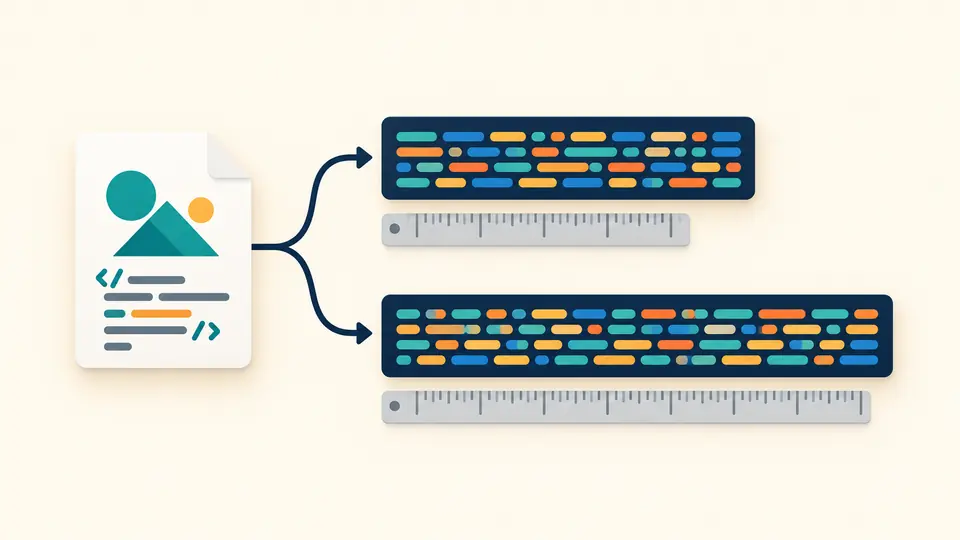
The Data URI converter shows both URI lengths for the same bytes. A small SVG often benefits from percent encoding, but punctuation and non-ASCII text can change that balance. Compare the numbers instead of assuming one method always wins.

One SVG source branches into two differently encoded URI strips, with a measuring bar under each.

Recover bytes without opening the resource

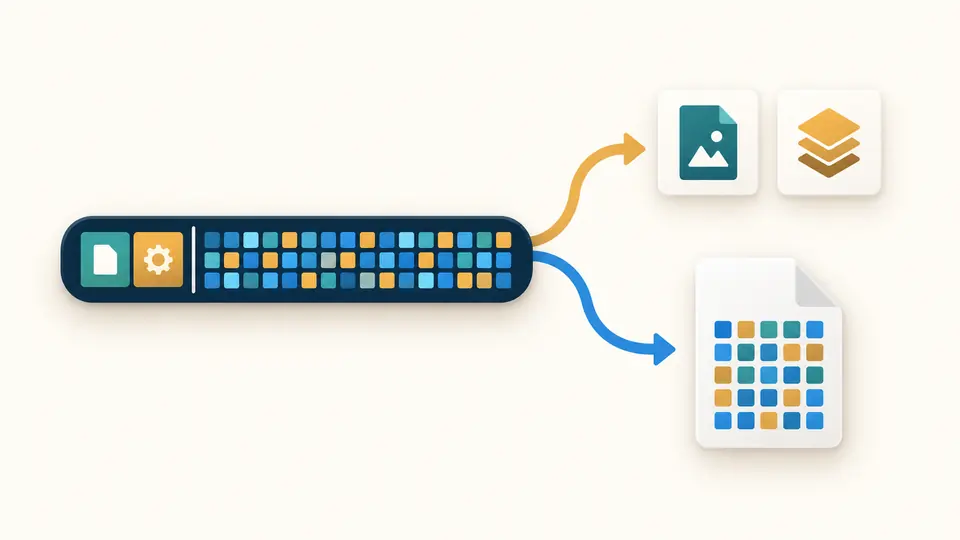
A Data URI decoder should distinguish readable text from a binary file. Inspect the type and encoding, review literal text or hexadecimal bytes, then download the complete resource. HTML and SVG remain source text throughout the inspection.

A URI strip separates into metadata tokens and a file containing the original colored byte blocks.

Check the wrapper before embedding

01

The SVG preset changes encoding, not artwork

The SVG entry starts with percent encoding and fixes the MIME type to image/svg+xml. Switch to Base64 to compare full lengths. The preset does not validate the drawing, remove scripts, change colors or compress the XML.

02

Know when the result is ready

Automatic conversion waits 350 ms after a change. Disable it to use Convert or Ctrl/Cmd + Enter. Editing content, MIME or encoding immediately disables export until that input has been converted; changing modes preserves each input.

03

Inspect the representation before copying

In parse mode, the result may be text or hex. The caption tells you which one Copy result will return. Download bytes always saves the entire decoded resource. Example, Clear and file replacement require review and allow one undo.

What the converter preserves

A complete Data URI generator

Generate from UTF-8 text or one local file. The header carries MIME and the encoding marker. Text includes charset=utf-8; files use their supplied MIME or application/octet-stream when the browser has no type, with a manual override.

Byte-based percent encoding

Percent encoding operates on bytes, so %FF can represent a byte even though it is not valid UTF-8 text. A plus sign remains a plus. Generated URIs escape quotes, parentheses, hashes, whitespace and non-ASCII bytes for a portable value.

Explicit header inspection

Parsing recognizes an omitted type, charset and other non-repeated parameters, plus a final base64 marker. The first comma separates metadata from content. Percent-escaped parameter values are accepted; malformed escapes and ambiguous parameters are reported.

Counts for the whole resource

Read the original or recovered byte count and the complete URI character count. The editor initially shows 20,000 characters and can reveal more. Copying and downloads use the full current result, regardless of how much is visible.

Accepted input and deliberate limits

Strict input, without browser repair
Parsing requires data: and a comma. Standard Base64 accepts correct padding or no padding, but rejects partial padding, nonzero unused bits and Base64URL. Raw whitespace, damaged percent escapes and raw # are rejected; use %23 for a data hash.
Metadata has a bounded grammar
Generation accepts a bare MIME type of up to 127 ASCII characters; SVG fixes its type. Parsing accepts headers up to 1,024 characters, unique token parameter names and escaped ASCII values. No duplicate charset or misplaced base64 marker is repaired.
Text preview is selective
UTF-8 and ASCII declarations are supported; with an explicit MIME but no charset, preview tries UTF-8. An omitted MIME defaults to US-ASCII. Other charsets, invalid text bytes and binary control bytes appear as hex; downloads do not transcode them.
Small resources only
Source files and decoded resources are limited to 600,000 bytes; input URIs to 1,900,000 characters. The 32,768-character reminder is an embedding review point, not a browser limit. This tool does not batch files, compress them or fetch remote URLs.
Source is never executed
No HTML, SVG, image or iframe preview is created. SVG mode only encodes the supplied source; it does not sanitize, optimize or convert image formats. MIME is metadata, not proof of the actual format or that a resource is safe to open.
The target environment still matters
Output is a URI, without CSS, HTML or Markdown wrappers. The tool does not test a target site’s content policy, email client or caching behavior. Data URIs contain the content itself; they do not encrypt it or provide an independently cached resource.

Data URI converter questions

What is the default MIME type when none is present?

With data:, the media type defaults to text/plain;charset=US-ASCII. A shorthand such as data:;charset=utf-8, supplies the character set explicitly. The parser reports the effective type and charset; it does not guess them from a filename.

Which encoding should I choose?

Base64 is a predictable choice for binary resources; its payload length is four times the ceiling of bytes divided by three. Percent encoding can be shorter for mostly plain ASCII, including some SVG sources. Compare the two complete URI lengths for your actual content.

Can Data URIs be very large?

Browsers and consuming applications have their own limits, but this tool accepts at most 600,000 resource bytes and 1,900,000 URI characters. Large embedded assets also enlarge their containing document. A separate file is often easier to update and cache.

Does this support Unicode text?

Yes. Text and SVG generation use UTF-8 and preserve line endings and a leading BOM. Unpaired UTF-16 surrogates are rejected rather than replaced. Decoding displays valid supported text; other byte sequences remain available as hex and a byte download.

Will files be uploaded to a server?

No. File selection reads bytes in the browser. The workbench does not upload input, create a share URL or persist a draft. A downloaded URI still contains the complete data, so share that file only when you intend to share its contents.

Have a URI that needs another case?

Inspect your next inline resource

Use the Data URI converter to compare the two encodings, check metadata and verify recovered bytes before placing an asset in your project.