Check wrappers and quote style
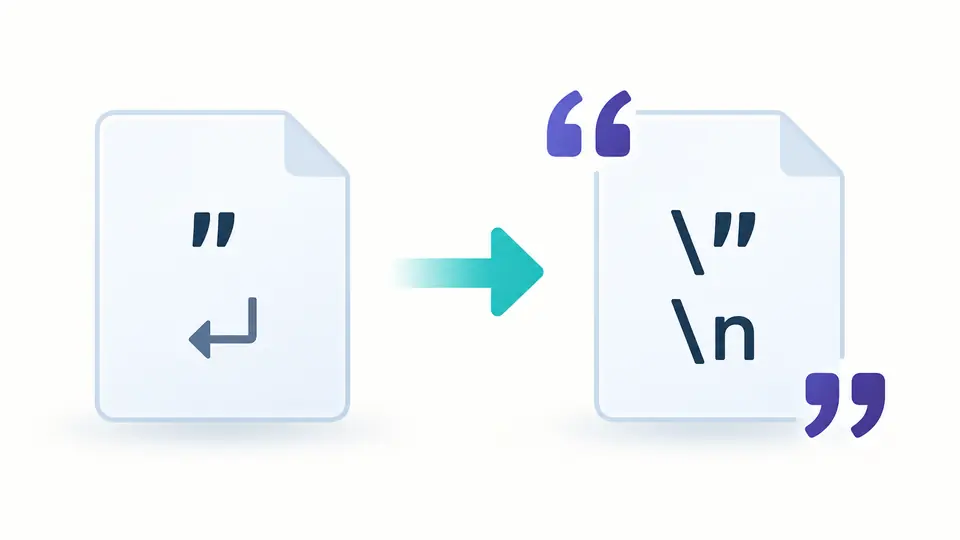
The default produces a complete JSON literal with double quotes. Select Body only for a string without its outer quotes. For JavaScript, match the selected quote to the literal you are reading; the tool does not guess.
Encoding and escaping
Choose a string context before escaping quotes or restoring a value.
Encoding inspects the source value; decoding inspects the restored value. Rows follow code points, with isolated surrogate units marked separately.
Conversion stays in this browser; input is not uploaded.
Choose a context explicitly. JSON uses strict string syntax; JavaScript accepts a documented subset. Unicode accepts only the selected escape form. One layer is decoded per run.
Input: 1,048,576 UTF-16 units; output: 4,194,304 units. Pasting may normalize line endings.
Enter text or load an example.
Preview the current result as the next input, then apply to change direction. One Undo restores the previous state. Reverse is unavailable when the result exceeds the 1,048,576-unit input limit.
String escape helps when a value copied from a log must become a JSON string, or a JavaScript literal needs to become readable text. A visible backslash followed by n differs from an actual newline: selecting the destination syntax makes that distinction explicit.
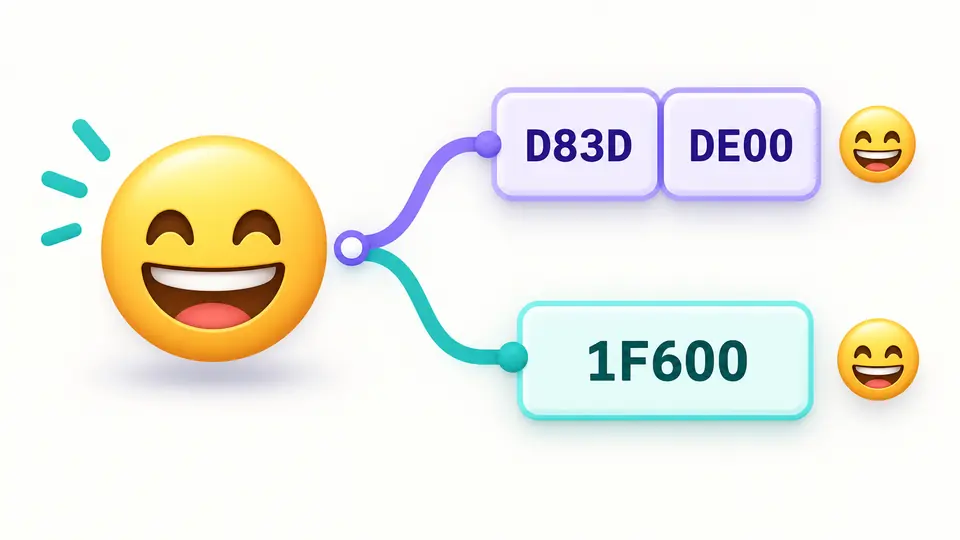
Use string unescape for one encoded layer at a time. The character table shows what the value contains, including invisible controls, supplementary emoji and isolated UTF-16 units that a normal text editor may conceal.
String escape keeps JSON escape and JavaScript escape separate. JSON uses double quotes and a narrower escape set; JavaScript offers a selected single- or double-quoted form. Body mode removes only the wrapper convention, not the syntax checks.
An emoji can be one code point and two UTF-16 units. Inspect the underlying value before exporting; isolated surrogate units remain identifiable instead of being silently replaced.
The default produces a complete JSON literal with double quotes. Select Body only for a string without its outer quotes. For JavaScript, match the selected quote to the literal you are reading; the tool does not guess.
Automatic conversion runs 350 ms after edits. Turn it off to show Convert, or use Ctrl/Cmd+Enter. An input or option change makes the old result stale and disables export until conversion succeeds.
Example, Clear and Reverse open a replacement preview. Apply confirms it; Undo restores one snapshot. The result preview stops at 20,000 UTF-16 units, and character inspection starts at 50 entries with up to 100 available.
In JSON and JavaScript, enable non-ASCII escaping when the destination requires it. Otherwise readable Unicode remains readable. The tool can escape quotes and backslashes without normalizing the underlying text.
Unicode escape mode encodes every character, including ASCII. Choose one \uXXXX per UTF-16 unit or \u{…} per code point; the decoder accepts only that selected notation and retains ordinary text.
Malformed sequences report a line and column where available. A rejected conversion does not return a repaired or partial string, so the next edit can target the offending input.
The JSON report includes input, output, the underlying value, options and up to 100 character rows. Its escaped strings preserve isolated surrogates that a UTF-8 text export cannot retain unchanged.
JSON allows a small fixed set, including \n and \uXXXX, inside double-quoted strings. JavaScript also supports forms such as \xHH and single-quoted literals. This String escape tool deliberately rejects some valid JavaScript forms, including identity escapes, so its accepted subset stays explicit.
A single newline becomes the two visible characters \n. Unicode output can represent one UTF-16 unit with six characters such as \u0041. These are longer written representations, not extra characters added to the restored value.
Yes, when the same context and form are used, the conversion preserves the UTF-16 value without normalization. Clipboard pasting may alter line endings. Use the JSON report if the restored result contains isolated surrogate units.
Complete literal includes the selected outer quotes; Body only does not. JSON always uses double quotes. Standalone Unicode mode has no surrounding quotes. Choose the matching form explicitly when decoding.
Choose Unescape string and the syntax that produced it. A successful conversion removes one layer. For nested escaping, inspect the result before intentionally processing it again; automatic recursive decoding is not provided.
Found a string edge case?
Use String escape with a quote, a newline and an emoji, then inspect the underlying characters before exporting.