01
Paste the host, including any root dot
Use www.bücher.de or an existing xn-- name. Remove the scheme, path, port and email local part yourself. A single final dot is preserved; two final dots or an empty middle label produce an error.
DOMAIN NAMES, CHARACTER BY CHARACTER
Compare both spellings of one domain. Check each label before copying an ASCII name into a configuration file.
Domain conversion stays in this browser; no DNS lookup or domain visit is made.
UTS #46 nontransitional · STD3 · NFC · Bidi and joiner checks.
Input: 4096 UTF-16 units. Encoded label: 63 bytes; domain body: 253 ASCII characters.
Result is out of date. Convert before exporting.
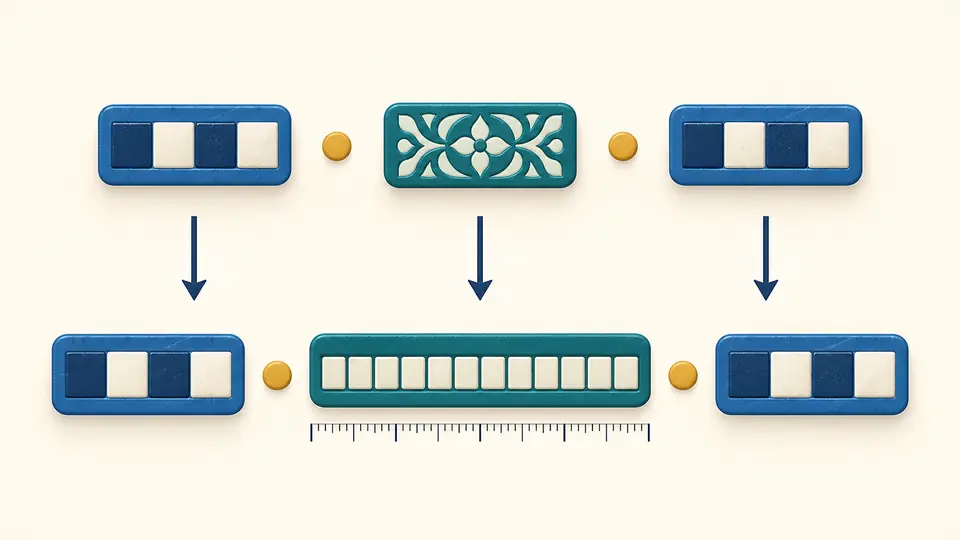
A domain copied from a browser can look quite different in a certificate request or DNS configuration. The Punycode converter puts the readable name beside its ASCII spelling, so you can check exactly which labels changed and which stayed the same.
The Punycode converter keeps www separate from bücher and de. Only the label that needs encoding becomes xn--bcher-kva. Each row shows its ASCII byte count, so a short-looking Unicode name cannot hide an oversized encoded label.
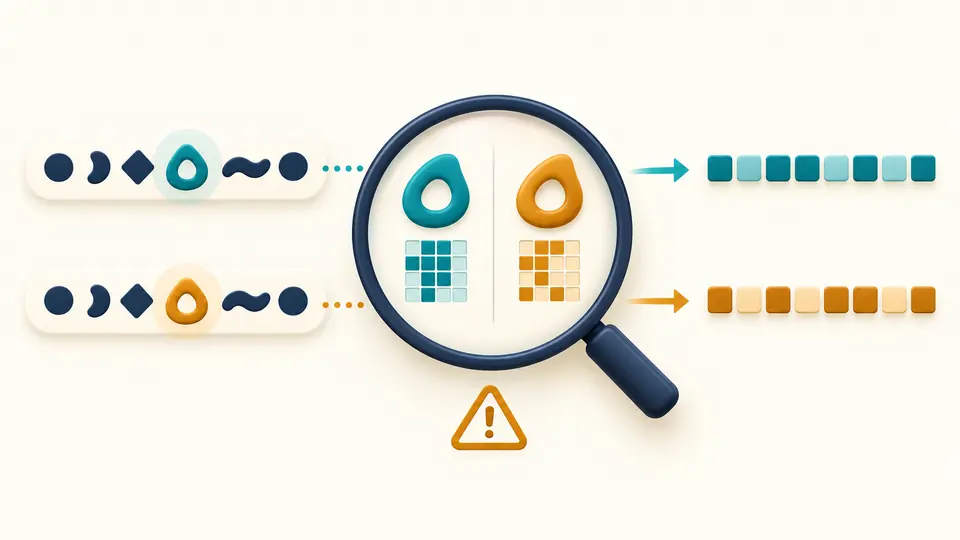
A Cyrillic а can resemble a Latin a while naming a different host. Compare the actual character, its code point and the ASCII spelling. Syntax checks and character reminders appear separately: a valid conversion does not establish who owns the domain.
Use www.bücher.de or an existing xn-- name. Remove the scheme, path, port and email local part yourself. A single final dot is preserved; two final dots or an empty middle label produce an error.
Both Unicode to Punycode and Punycode to Unicode work with the same input. The direction selects the emphasized result and TXT download; the two copy buttons always identify their own format. Changing direction makes the old result unavailable until conversion finishes.
Automatic conversion waits 350 ms. Turn it off to use Convert or Ctrl/Cmd + Enter. All three examples and Clear show a replacement preview with character counts. Apply saves one undo snapshot, including the previous result and its validity state.
UTS #46 nontransitional processing maps case and compatibility forms, normalizes to NFC, and preserves ß instead of replacing it with ss. Existing xn-- labels are decoded and validated too. This is more than running the Punycode algorithm on arbitrary text.
The same checks cover both directions: STD3 ASCII rules, hyphen positions, bidirectional text, joiner context and DNS lengths. A Punycode decoder that only decodes bytes would miss these constraints. An invalid name produces no fresh export.
Each label may use at most 63 ASCII bytes; the name without its optional root dot may use at most 253 characters. Counts refer to the encoded spelling, not to the number of Unicode characters you can see.
A label combining Latin, Cyrillic or Greek scripts is flagged. A small explicit table also catches selected lookalikes within a single script. Repeated characters are listed once per label with their U+ code point. Scripts in separate labels are not treated as one mixed label.
It is the ACE prefix used on a label containing an encoded internationalized name. For example, bücher becomes xn--bcher-kva. The prefix belongs to that label rather than the whole domain; ordinary ASCII labels such as www and de keep their usual spelling.
Punycode represents internationalized host labels using ASCII. Percent encoding represents bytes with sequences such as %C3%BC and is used in URL components such as paths or queries. This tool accepts a host name, so it rejects percent-encoded input instead of guessing a URL-decoding step.
No. A successful result only establishes that the supplied name passes this conversion profile. It does not tell you whether a DNS record exists or an address can be reached. Verify those separately when configuring a service.
Punycode itself is an encoding. It can represent legitimate international names as well as deceptive lookalikes. Inspect the ASCII spelling and the source of a link; the character hints here are limited and cannot establish trust or detect every phishing domain.
Browsers may keep the ASCII spelling when their display policies judge a name unsuitable for Unicode display. Policies differ across versions, languages and scripts. The Unicode result here shows the decoded name; it does not predict what an address bar will display.
Have another domain case to check?
Use the Punycode converter to compare both forms and review label lengths before exporting the name your service expects.