TXT saves the result as UTF-8 text. BIN saves the actual encoded or parsed bytes.
A packet trace, a text field and a hexadecimal dump can contain the same message in different forms. The Text to binary converter lets you inspect the bytes behind a character before using them in a test fixture. Select the encoding used by the source: a sequence that decodes without an error can still be the wrong text.
Why use this Text to binary converter
Follow a character into its bytes
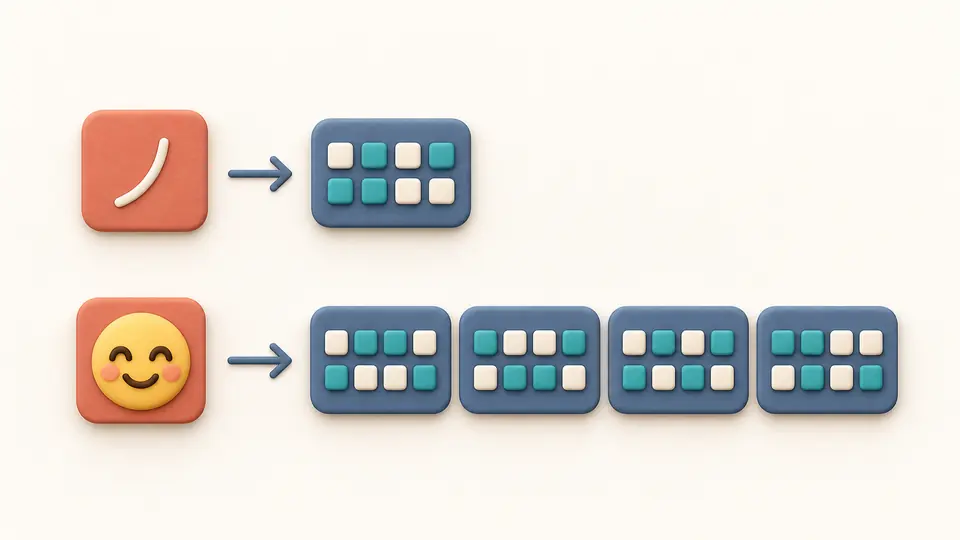
The Text to binary converter handles accents, CJK characters and emoji as Unicode text. A uses one UTF-8 byte, é uses two, 中 uses three and 😀 uses four. UTF-16 LE and BE instead serialize 16-bit units in opposite byte orders; an emoji still needs a surrogate pair.
Keep a broken byte visible
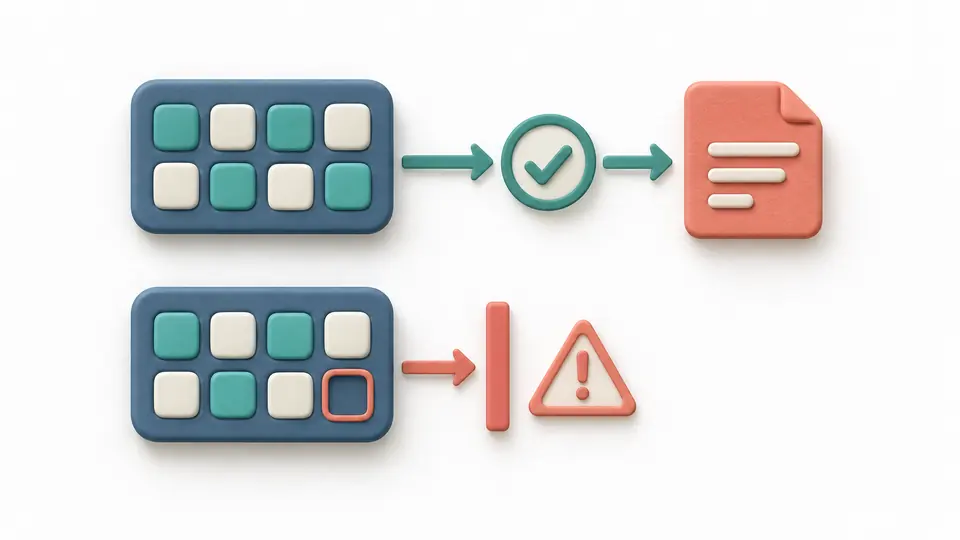
A seven-bit group is an error, not a request to add a zero. An invalid UTF sequence also stops the whole conversion. The original input stays in place and the diagnostic points back to its line and column, so a copied result cannot quietly omit the problematic character.
Choose the right interpretation before exporting
01
Match the source encoding
For binary to text or hex to text, choose the byte format first and then the encoding that produced the data. UTF-16 requires an explicit LE or BE choice. Changing the direction alone keeps your input; Reverse result previews replacing it with the last valid output.
02
Control when the result changes
Automatic conversion waits 350 ms after editing. Turn it off for Convert or Ctrl/Cmd + Enter. Input or option changes immediately disable exports until conversion succeeds. Separator and uppercase controls apply only to text-to-byte output.
03
Check the download type
Read the byte and code-point counts before exporting. TXT contains the displayed representation in UTF-8; BIN contains the actual bytes. Reverse result, Example and Clear show replacement counts before Apply, with one Undo that restores input and output together.
What the byte representation preserves
Unicode instead of one-byte assumptions
Text to hex encodes the full string before formatting each byte. A combining accent stays separate from its base letter, and no NFC normalization is performed. Counting code points does not count visual grapheme clusters: an emoji sequence can contain several code points.
Fixed width, including leading zeros
Binary uses eight digits per byte and Hex uses two. The four output separators change the presentation only. Decoding accepts either case for Hex and permits continuous complete-byte groups separated by ASCII spaces, tabs, CR, LF or commas.
Strict decoding with useful locations
Invalid digits, incomplete groups, overlong UTF-8, invalid continuation bytes and broken UTF-16 surrogate pairs produce errors. The byte position is mapped back to the pasted input. Correctly encoded U+FFFD is preserved; the decoder never inserts that character to hide an error.
A bounded preview of the complete result
Encoding previews start with 100 bytes; decoding previews start with 100 Unicode code points. Show more adds another 100 without splitting a byte or surrogate pair. Copy, TXT and BIN always use the full current result, even when only the first part is visible.
Input rules and scope
Whole bytes only
Do not paste 0x or 0b prefixes, backslash escapes, brackets, hexdump addresses or an ASCII side column. A space inside 0100 0001 does not merge the halves into 01000001. Remove wrappers yourself; the parser does not discard unknown characters.
Three explicit Unicode encodings
UTF-8, UTF-16LE and UTF-16BE are supported. There is no automatic encoding detection, generic UTF-16, ASCII-only mode, GBK, Shift_JIS or EUC-KR. A valid decode does not prove that you selected the original encoding.
Content remains content
Whitespace in text, NUL, line endings, combining marks and U+FEFF are retained. No BOM is inserted or stripped, and the selected byte order is not overridden by a signature. Clipboard or operating-system changes made before input reaches this page cannot be recovered.
Limits reject rather than truncate
Text input and decoded text are limited to 65,536 UTF-16 units. Byte notation allows 2,097,152 characters and at most 196,608 parsed bytes; output allows 2,097,152 characters. Exceeding a limit stops conversion. No file import, URL fetch or batch processing is included.
Text export and byte export differ
TXT is always UTF-8, even when the chosen byte encoding is UTF-16. Use BIN when you need those exact UTF-16 bytes. The output is a byte sequence, not a parsed image, archive or executable; no original file is modified.
Text is not an integer or a secret
Typing 42 encodes the characters 4 and 2, rather than computing the binary form of integer 42. Decimal, octal, two’s complement, floating point, Base64 and code-point escapes belong to other tasks. Binary and Hex provide no encryption.
Text to binary converter FAQ
Can it convert both directions?
Yes. Select Text → bytes or Bytes → text. Binary and Hex both work in either direction. To round-trip the current result, use Reverse result, check the replacement preview and apply it; simply changing direction does not move data between panels.
Does it handle emoji and accents correctly?
Yes, with the correct UTF encoding. In UTF-8, é is C3 A9 and 😀 is F0 9F 98 80. Combining accents are kept as entered. An unpaired UTF-16 surrogate is rejected rather than replaced, so valid text can be converted back without silent changes.
What counts as valid binary or hex input?
Binary groups must have a multiple of eight 0/1 digits. Hex groups must have a multiple of two digits from 0–9 and A–F. Whitespace and commas may separate complete groups. Prefixes and decorative dump columns are not accepted, and the resulting bytes must form valid text in the selected encoding.
Can I decode binary without spaces?
Yes. 0100000101000010 is two complete bytes and decodes to AB in UTF-8. Spacing is optional between complete bytes, but incomplete groups are errors. The output separator setting affects encoding only; you do not have to match that setting when decoding.
How do I convert a number to binary?
Use a number-base converter for integer conversion. Here the text 42 becomes UTF-8 bytes 34 32 in Hex, or 00110100 00110010 in binary. The numeric value 42 is 101010 in binary, which is a different operation.
Still have a question?
Other encoding tasks
Continue with Base64, string escapes or file-oriented encoding tools.
Use the Text to binary converter to compare the same text in UTF-8 and both UTF-16 byte orders. Check the byte count, then choose the export your next task expects.