OAuth development

PKCE generatorGenerate a pair or check a match

Derive S256 from an exact verifier, with an optional challenge comparison.

PKCE generator

Code verifier

Use 43–128 ASCII characters: A–Z, a–z, 0–9, -, ., _, ~. Spaces and line breaks are not removed.

Expected code challenge (optional)

Leave completely empty to skip comparison. Otherwise use exactly 43 canonical Base64URL characters, without = padding.

S256 result

Valid syntax does not prove that a supplied verifier is random or unpredictable.

Values are processed in this page; they are not uploaded or saved by the tool.

Options

This choice affects the next explicit generation only. Random bytes become unpadded Base64URL; the SHA-256 output stays 256 bits.

Paste a verifier or preview a generated value to begin.

Use this PKCE generator when a token exchange fails or an OAuth test needs a fresh verifier. Paste the original value to reproduce its S256 challenge, or explicitly generate random bytes for a new pair.

The verifier and challenge have different jobs: keep the verifier for the token request and send the challenge during authorization. A matching pair confirms this calculation; it does not test your login flow, redirect URI or provider configuration.

Why use this PKCE generator?

Reproduce the challenge from the original verifier

A code verifier generator helps create a new pair; a code challenge generator must also accept the value you already have. This PKCE generator handles both without silently replacing an ongoing transaction's verifier.

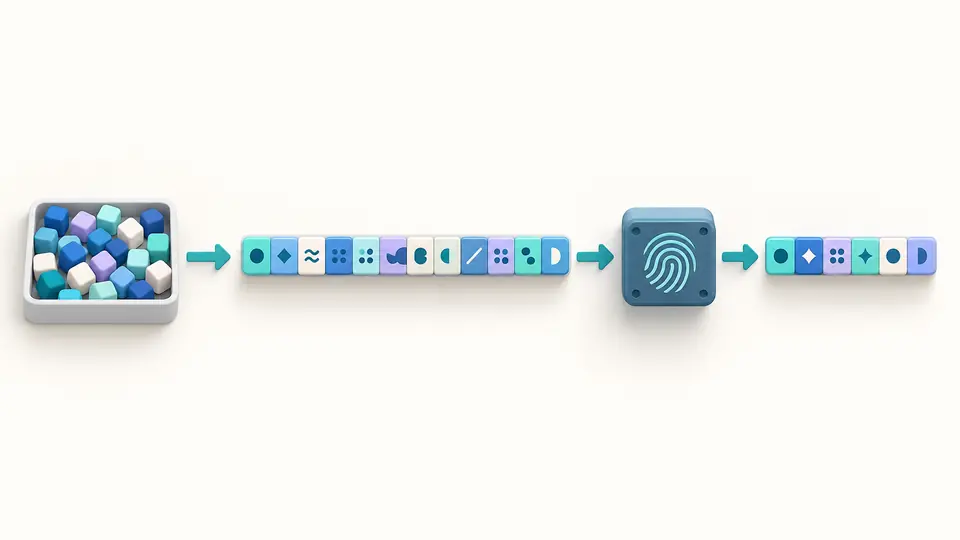
Random bytes become a verifier, which passes through a hash step to a fixed-length challenge.

Separate an invalid value from a mismatched pair

A space, a noncanonical final character and a valid but different challenge are separate problems. Exact validation and an explicit match result help identify which part to check in your client.

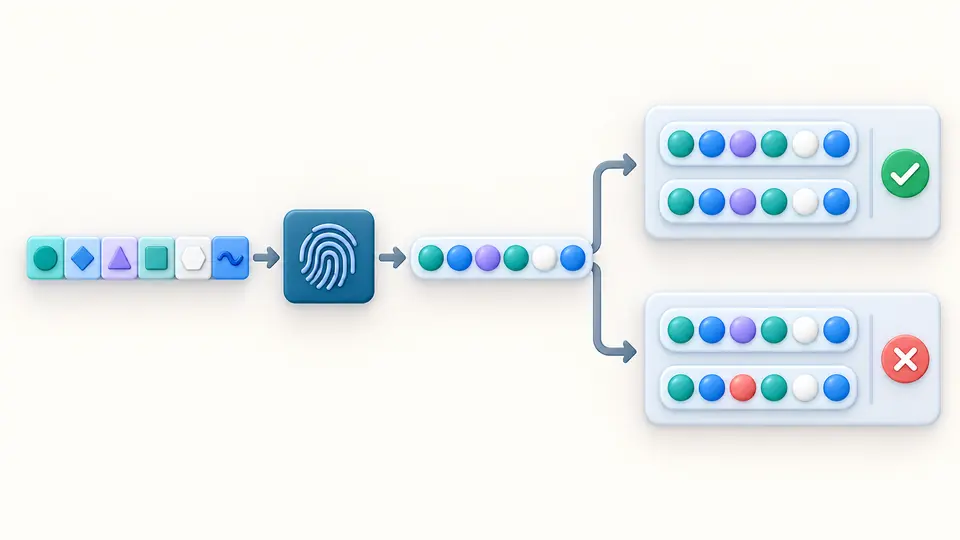
One verifier is compared with two candidate challenges, producing a match and a mismatch.

Keep each pair tied to one attempt

01

Choose existing input or fresh randomness

The page starts empty. Paste the verifier from the transaction under investigation, or preview a generated one. The default 32 random bytes become 43 characters; changing the size does not generate anything.

  • A fresh authorization attempt needs a fresh, unpredictable verifier.
02

Check the value you actually sent

Optionally paste the challenge from your authorization request. An empty field skips comparison; whitespace is an error. Automatic calculation runs 350 ms after editing. Turn it off to use Calculate or Ctrl/Cmd+Enter.

  • Do not paste the hexadecimal SHA-256 digest in place of the original verifier.
03

Review before exporting

Inspect the match state and source information, then copy a value or download the complete JSON report. Generated values, the example and Clear all use a replacement preview; Apply commits it and Undo restores the previous snapshot.

  • Exports are unavailable while results are stale or a replacement preview is open.

Random generation and exact comparison

Cryptographic random bytes

Choose 32, 48, 64 or 96 bytes to obtain 43, 64, 86 or 128 Base64URL characters. Generation uses the browser's secure random source and requires an explicit action.

S256 derivation

The PKCE verifier is hashed as ASCII text. Its 32-byte SHA-256 digest is encoded as an unpadded, 43-character S256 challenge.

Optional pair verification

Compare the freshly derived challenge with the supplied value. The report distinguishes a match, a mismatch and a calculation without comparison.

Complete JSON output

Copy the verifier or challenge separately, or export the report with method, length, syntax result, expected challenge, comparison and random-source information.

What the result establishes

Exact verifier syntax
Accept 43–128 ASCII unreserved characters only. Quotes, whitespace, Unicode and Base64 padding are rejected without trimming or repair.
Canonical challenge
A supplied S256 challenge must contain exactly 43 Base64URL characters. The final two padding bits must be zero; a differently spelled encoding of the same bytes is rejected.
S256 only
The tool does not implement plain, reverse a hash, perform a login or exchange tokens. It makes no request to an authorization server.
Entropy has a source
Generated input contains 256, 384, 512 or 768 random-source bits. These are not security-strength claims: SHA-256 still outputs 256 bits. A valid manually entered string may be predictable.
One transaction at a time
Do not reuse a pair across new authorization attempts. The public RFC example is for calculation tests only. A match does not validate provider settings.

PKCE generator questions

Why is my code_verifier rejected as invalid?

Check the 43–128 character range and the exact ASCII alphabet. Ordinary Base64 may contain +, / or =, which are not allowed. This PKCE generator reports the offending position and does not remove spaces automatically.

Can I reuse a verifier across logins?

Generate a new unpredictable verifier for each new authorization attempt. Keep the original verifier associated with its one in-progress exchange; regenerating midway will break the match.

Should I use S256 or plain?

Use S256 when the client can calculate SHA-256. This page only supports S256 and never falls back to plain, which exposes the verifier as the challenge.

Does this tool send my verifier anywhere?

The tool generates and hashes values in your browser without uploading or persisting them. Copying and downloading are explicit exports under your control.

How are the verifier and challenge related?

The S256 challenge is Base64URL of the SHA-256 digest of the exact verifier, without padding. Hash the verifier's ASCII bytes and encode the binary digest, not its hexadecimal representation.

Found a calculation or validation issue?

Check your next pair

Use the PKCE generator with your original verifier, inspect the comparison, and export the current result when it matches your intended test.