Authentication key formats

JWK converterInspect a set, export one key

Paste a JWK, a JWKS document or one SPKI / PKCS8 PEM block.

JWK converter

JWK, JWKS or PEM input

Keys are processed in this page only; the tool does not upload or store your input.

Result

Key options

Public JWK retains public parameters and existing kid/alg/use only. PEM loses metadata; private JWK contains key material only.

100,000 characters / 50 keys. RSA 2048–8192; P-256/384/521; Ed25519/X25519 if supported. One SPKI or unencrypted PKCS8 PEM.

Import checks and thumbprints do not establish issuer trust, certificate validity or JWT verification.

Paste a key or load the public example.

A JWK converter helps when an identity provider gives you a set of JSON keys but your gateway expects a PUBLIC KEY block. Start with the inspection report: a key that parses is not necessarily the key your application should trust. Select the entry you intended, then choose its output format.

Why use this JWK converter?

Select the right entry during rotation

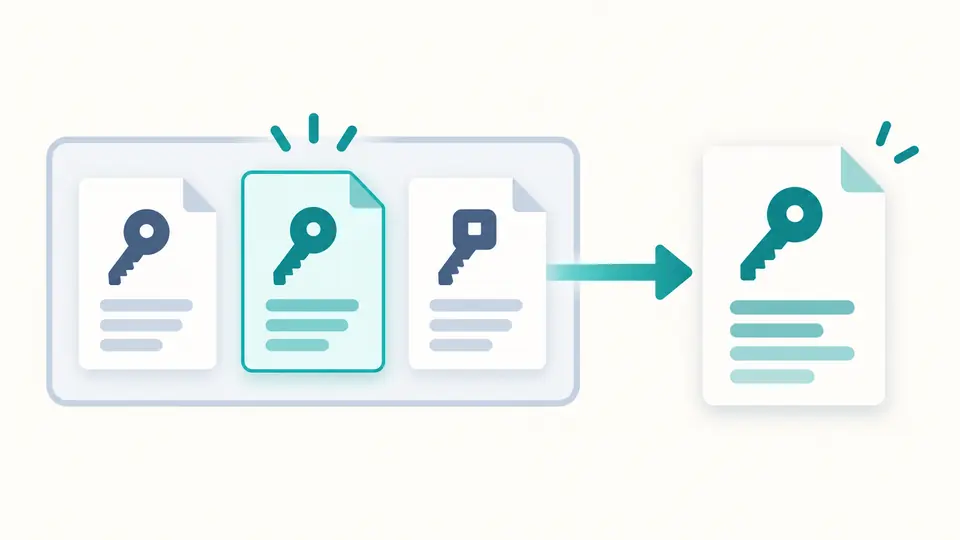
This JWK converter keeps the original JWKS intact. The selection includes an index and key identifier, so two entries with the same kid remain distinguishable. Inspection reports problems across the set; conversion operates on the selected entry only.

A set of three key cards with one highlighted card leading to a single PEM document.

Compare identity across formats

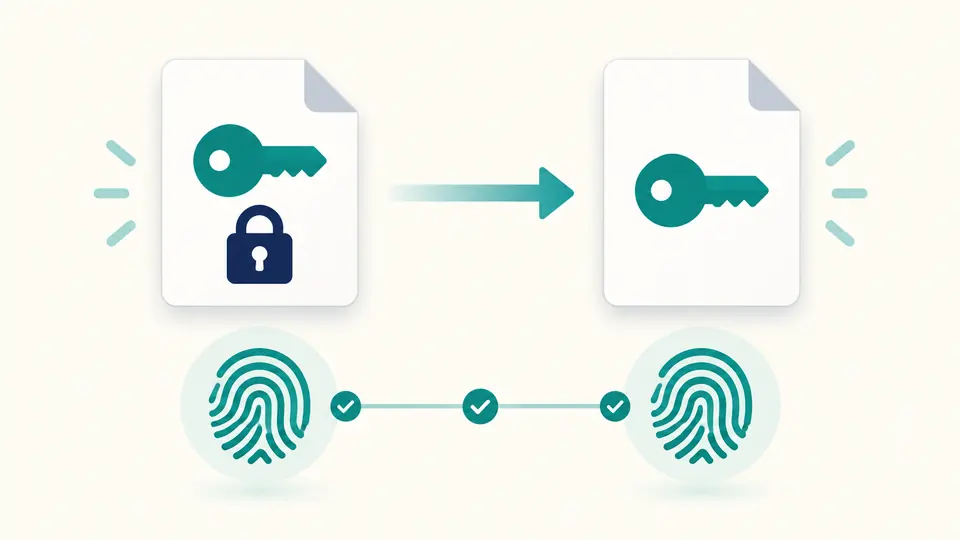
A JWK thumbprint uses the required key members in a defined order. Changing a label or extracting the public part of an asymmetric key leaves that identifier unchanged. Use it to compare copies before replacing a key in a configuration file.

A private key yields a public key, with matching fingerprint symbols under both representations.

Three checks before exporting

01

Read the report before choosing a format

The JWKS validator checks each entry, including required fields and browser import compatibility. Any failed entry blocks report export. You can still explicitly select a different valid entry and export that key.

02

Choose the public or private result deliberately

JWK to PEM produces SPKI for public output and unencrypted PKCS8 for private output. Sensitive input needs the permission checkbox; editing the input resets it. Public extraction writes a separate result and never overwrites your source.

03

Watch the result freshness

Automatic mode waits 350 ms after a change. Turn it off for manual work and use Ctrl/Cmd+Enter to run. Editing the key, operation or selected index immediately disables copying and downloading until the result is recalculated.

Key inspection and format interoperability

A report for the whole set

See the input key identifier, declared algorithm and use, curve or RSA modulus size, sensitivity, and per-entry import errors. Duplicate identifiers produce a warning rather than silently collapsing keys. No JWT is selected or verified.

Two PEM containers

PEM to JWK accepts PUBLIC KEY (SPKI) and unencrypted PRIVATE KEY (PKCS8). The key family is detected during import. RSA, three NIST curves, Ed25519 and X25519 use the browser’s actual cryptographic implementation.

An explicit public-field allowlist

Public JWK output contains the mathematical public members and existing kid, alg and use values. Private members, key_ops, ext and unknown extensions are excluded. This prevents a nested extension from accidentally accompanying a public export.

One reproducible fingerprint recipe

SHA-256 hashes the canonical required members, then returns unpadded Base64URL. An asymmetric private key uses its public members. For an oct key the secret k participates in the hash; the inspection report never prints k.

Supported keys and boundaries

Supported sizes and curves
RSA is limited to 2048–8192 bits; EC supports P-256, P-384 and P-521. OKP accepts Ed25519 and X25519 where the browser supports them. secp256k1, Ed448, X448 and multiprime RSA are rejected.
Legacy and encrypted containers
Only one PEM block is accepted. PKCS1 RSA, SEC1 EC, OpenSSH keys, certificates, encrypted PKCS8 and raw DER are rejected. Rewrap a legacy key using a trusted local tool before pasting its supported container.
Metadata is not a trust policy
PEM cannot preserve kid, alg or use. A round trip does not recreate those fields or infer the intended signing algorithm. An import check and a matching fingerprint do not establish ownership, issuer trust or certificate validity.
Sets have a finite inspection budget
The page accepts at most 100,000 input characters and 50 JWKS entries. It does not fetch remote URLs or export an entire converted set. A symmetric oct key supports inspection and thumbprints only; it has no public half or PEM output.
Private exports remain secret
Private JWK and PEM outputs require sensitive-input permission and a private-output operation. They are unencrypted. Private pair consistency is checked where supported, but the tool does not generate new keys or certify every mathematical property of a pasted key.

Questions about key conversion

How do I convert JWK to PEM?

Paste the key or its JWKS container and select the intended entry. Choose public PEM to get an SPKI block. Choose private PEM only when the input contains a complete private key and you have enabled sensitive-input processing. A public key cannot reconstruct its private part.

How do I turn a PEM public key into a JWK?

Paste one BEGIN PUBLIC KEY block and choose public JWK. The output contains the key parameters exported by the browser. Labels and usage metadata must come from your own configuration because they are absent from the PEM key.

Can I paste a complete JWKS response?

Yes. The keys array can contain up to 50 entries. Inspection visits every entry, while conversion and the standalone thumbprint operation use the selected index. A matching kid is a label, not proof that you selected a trusted key.

Why is a PKCS1 key rejected?

BEGIN RSA PRIVATE KEY and BEGIN RSA PUBLIC KEY identify containers outside this tool’s scope. Convert them locally to unencrypted PKCS8 or SPKI first. Renaming the header alone does not change the binary structure inside.

What happens to alg when I convert to PEM?

PEM stores key material without the JWK alg field. Import uses an internal algorithm suitable for the key family; that choice is not written back as metadata. Keep your application’s expected algorithm policy separately and reapply it deliberately.

Something unexpected in the report?

Use the JWK converter

Open the JWK converter with the public example, inspect both entries, and compare the selected key’s PEM and JWK forms before exporting your own result.