Identity provider configuration

OIDC discovery validatorInspect and compare

Paste a discovery JSON document. Enable comparison to inspect a second configuration and see exact differences.

OIDC discovery validator

Discovery JSON A

Analysis stays in this tab. Nothing is uploaded, fetched or saved.

Field report

Paste a discovery document or load the example.

Options

Applied to both documents, exactly as typed. Leave empty to skip expected-issuer matching.

Paste a discovery document or load the example.

Checks cover metadata only. They do not verify server identity, endpoint availability or token signatures.

When an application cannot load provider metadata, compare what it expects with what the document actually advertises. The OIDC discovery validator keeps field values beside targeted diagnostics, so a missing token endpoint and an issuer mismatch do not disappear into one generic configuration error.

This OpenID configuration validator accepts a discovery document copied from a provider or a deployment artifact. OpenID Connect metadata describes advertised capabilities; a readable document is only one part of a working authentication setup.

Why use this OIDC discovery validator?

Read declarations in context

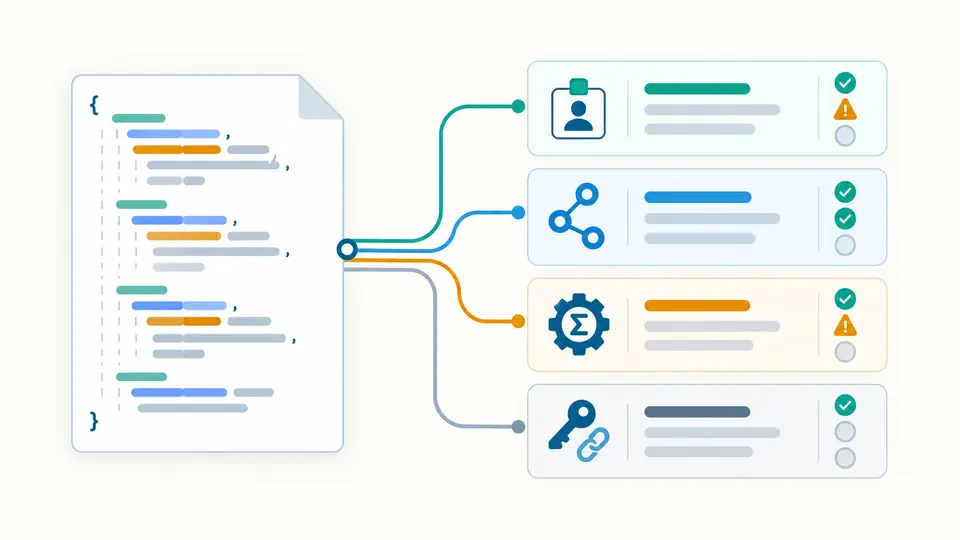
The OIDC discovery validator separates issuer, endpoints, algorithms and capabilities. Missing required fields remain visible, and unsupported extensions receive an unchecked label. You can locate a field in the input without guessing whether a green result also means its remote URL was contacted.

A configuration document branching into issuer, endpoint, algorithm and key-address report cards

Review a deployment change

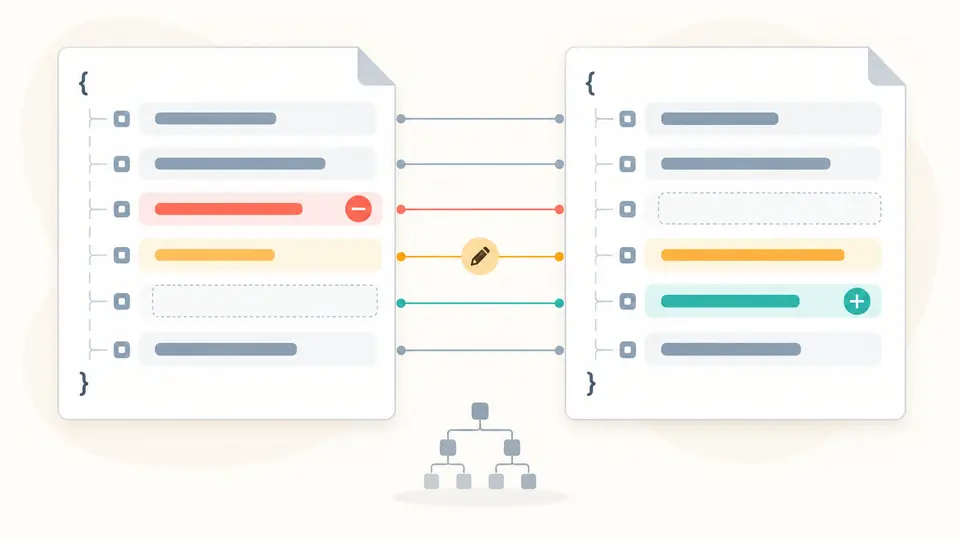
Paste the previous configuration as A and the candidate as B. Both receive their own diagnostics, while the difference view shows added, removed and changed values with JSON Pointer paths. A key rotation address or signing-list change stays easy to find among unchanged declarations.

Two configuration documents with corresponding rows marked as added, removed and changed

Read the report without losing context

01

Supply an independent expectation

The expected issuer applies to both inputs. Paste the exact configured identifier; a trailing slash, explicit port or different letter case still counts as a mismatch. Keep this option empty when comparing environments with intentionally different issuers.

02

Choose when analysis runs

Automatic analysis waits 350 ms after an edit. Turn it off for deliberate changes and use Analyze or Ctrl/Cmd + Enter. Editing either document or the expectation immediately disables export of the previous result.

03

Use paths and document tabs

Select A or B for its field report, or Differences for the A-to-B change list. Field locations jump to the corresponding input. Lists show 50 entries at a time, while copied and downloaded reports include all entries.

Checks that help diagnose metadata

Required and conditional fields

Check issuer, authorization endpoint, JWKS URI, response types, subject types and ID Token signing algorithms. A token endpoint is also required unless both response and explicit grant types establish implicit-only use. Optional declarations remain absent instead of being silently inserted.

URL syntax and issuer identity

Endpoint checks require absolute HTTPS addresses without credentials or fragments. Issuer additionally forbids a query. No URL normalization is used for the optional exact comparison, and endpoints on another host are allowed because shared hosting is not a Discovery requirement.

Algorithm and capability declarations

Read signing and encryption lists, response and grant types, scope declarations and boolean capabilities. RS256 must appear in the ID Token signing list. Advertising none produces a warning there, but it is an error in token-endpoint authentication signing algorithms.

Lossless structural comparison

Nested differences use escaped JSON Pointer paths. Object key order is ignored and arrays compare by position. The shared parser preserves large integer and decimal tokens, so two close extension values are not made equal by floating-point rounding.

What the result can establish

No network or login test
The tool does not fetch discovery metadata, open endpoints, request user information, exchange authorization codes or register clients. It cannot diagnose a live TLS certificate, CORS policy, HTTP response or service outage from a pasted document.
Key address is not key verification
JWKS URI is a published location, not a loaded key set. Copying it does not validate its keys or any JWT signature. Token decoding, signature verification and issuer trust require their own checks outside this metadata report.
A bounded set of metadata checks
Covered fields are checked for the listed types and constraints. Documentation and policy URL fields receive only a nonempty-string check. Other extensions are kept and marked unchecked. Unknown algorithm names are displayed without a claim of implementation support. A missing openid scope declaration triggers a reminder, not proof that the scope is unsupported.
Strict input and explicit limits
Each document accepts up to 100,000 characters and 500 top-level fields, with 100 nesting levels and 50,000 nodes. Duplicate keys, comments and trailing commas are rejected. Comparison is capped at 5,000 differences; expected issuer at 4,096 characters.
Comparison never rewrites configuration
Array reordering is a change even when a provider treats a list as a set. Equal numeric values such as 100 and 1e2 compare equal. Missing and null differ. Reports retain the pasted source; no defaults, repairs or merge results are written back.

OIDC discovery validator: common questions

Where is the discovery document located?

For OpenID Connect Discovery, the provider normally publishes it beneath the issuer path at /.well-known/openid-configuration. Consult your provider for the exact address, obtain the JSON through your normal workflow and paste it here. This page does not fetch a URL.

Why can a discovery tool fail with a CORS error?

A browser that fetches a remote discovery endpoint needs the appropriate cross-origin response headers. This page analyzes pasted text, so it does not make that request or test those headers. A local report cannot show whether your client can retrieve metadata in production.

Why does the issuer differ from the expected value?

An HTTP/HTTPS mismatch, reverse-proxy configuration, tenant path or trailing slash can change the identifier. Check the exact issuer expected by the client against the document value. The comparison intentionally preserves these differences; changing the expectation just to obtain a match does not fix the provider.

Is JWKS always hosted at /.well-known/jwks.json?

No. Read jwks_uri from the discovery document rather than guessing a key-set path. Providers can advertise a different path or host. The tool checks this address as text and offers copying; it does not download keys or certify their contents.

Which key file is needed for a Keycloak OIDC login?

A discovery document and a JWK Set serve different purposes. Keycloak advertises its public key-set address through jwks_uri; the relying-party library obtains the appropriate public signing key according to its configuration. This tool shows the declaration and does not create a key file or perform a login.

Found a calculation or validation issue?

Review the provider declaration

Use the OIDC discovery validator to separate metadata mistakes from changes that need a live protocol test. Keep the report with the configuration version you inspected.