01
Use the prefix to choose the base
Bare 10 means decimal ten; 0b10 means binary two. Hexadecimal letters require 0x, and leading zeros never select octal.
- Uppercase prefixes work too; 0X0012 and 18 produce the same result.
IP & Subnet Tools
Enter a decimal value, 0x hex or 0b binary. Toggle the eight low control bits to build a different mask.
Bit edits write 0xHH. Correct invalid or empty input before using the checkboxes.
SYN + ACK
0x02 | 0x10 = 0x12
SYN + ACK: commonly a handshake response.
Values stay in this browser. No packet capture, upload or network probe is performed.
No prefix: decimal. Use 0x for hex or 0b for binary. Maximum 64 characters.
Low eight bits only: 0–255. AE (historically NS) is outside this field.
Patterns are common contexts, not connection states. ECE/CWR explanations assume conventional ECN.
Set bits: 2; decimal value: 18.
A TCP flag decoder is useful when a packet viewer gives you 0x12 while a log stores 18. Both represent the same two bits; neither is an acknowledgment number.
Check which field the value came from before interpreting it. Some flow logs combine flags from several packets, so their mask need not describe a single segment.
Keep the numeric field and its individual weights in view.
The TCP flag decoder links one numeric field to eight editable checkboxes. Starting at 0x12, turn off SYN and the input becomes 0x10: ACK remains selected, so the change is easy to verify.
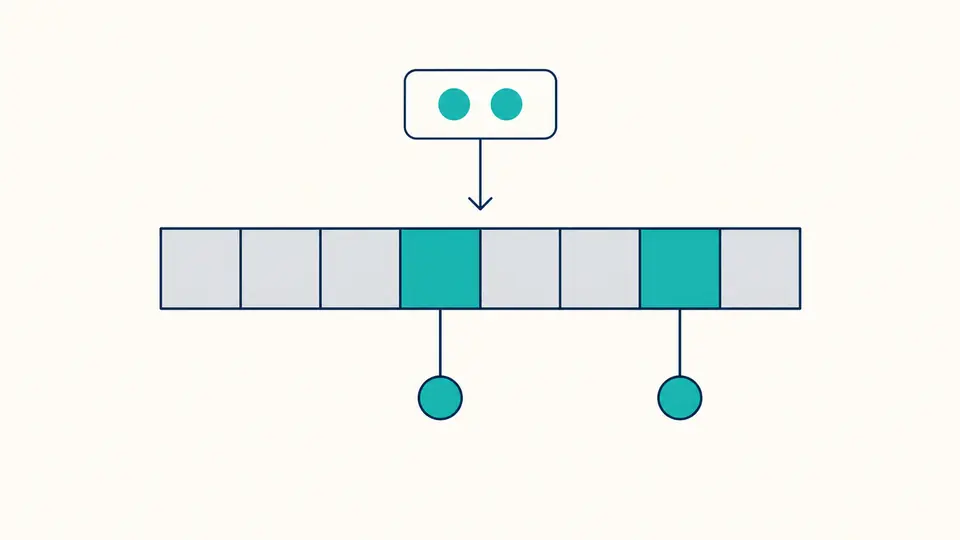
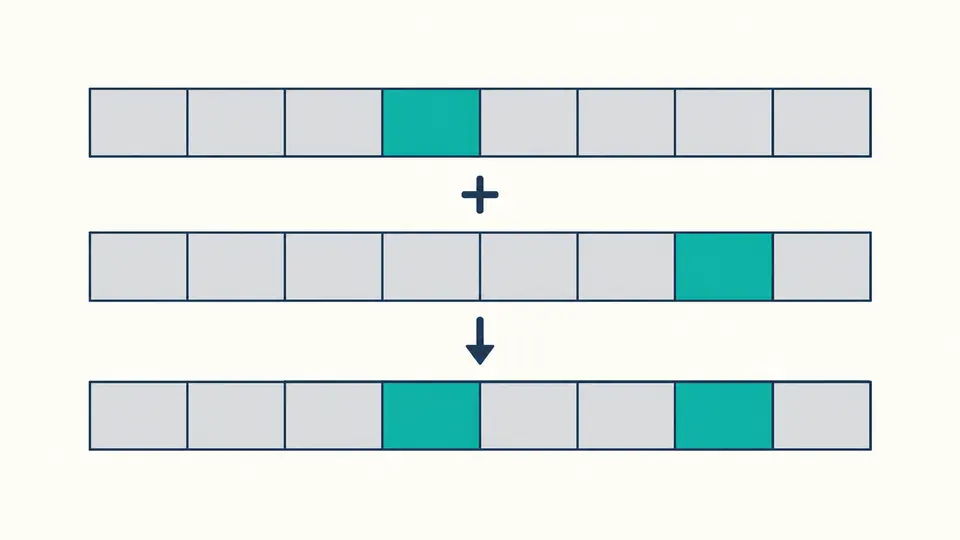
Start from zero and select the flags you need. SYN contributes 2 and ACK contributes 16; OR combines them into 18. The second diagram shows how separate set bits occupy their own positions in one mask.
Bare 10 means decimal ten; 0b10 means binary two. Hexadecimal letters require 0x, and leading zeros never select octal.
Turning a checkbox changes the input to two-digit hexadecimal. Auto mode waits 350 ms before refreshing; manual mode reveals the decode button.
The report includes all eight flags, even the unset ones, plus their weights and the OR expression. Compare those fields with the original log format.
This TCP flags calculator accepts decimal, hexadecimal and prefixed binary. Results always show two hex digits and eight binary digits, including leading zeros. TCP flags numbers are interpreted as a mask, not as a byte offset or a port.
TCP flag values run from FIN=1 to CWR=128. The enabled weights combine with bitwise OR. The full list shows both set and unset bits; it never hides a flag merely because its value is zero.
Six examples cover SYN, SYN+ACK, ACK, PSH+ACK, FIN+ACK and RST+ACK. SYN with FIN or RST remains decodable and receives a context note; arbitrary masks are preserved rather than “corrected”.
Hexadecimal 0x12 is decimal 18: SYN contributes 2 and ACK contributes 16. This combination commonly appears in a handshake response. The tool displays that context without claiming that the handshake completed.
Decimal 2 sets SYN only. SYN synchronizes sequence numbers. It does not tell you the initial sequence number itself; that is another field in the segment.
A flow-log value may be the OR of flags seen during an aggregation interval, and the provider may omit some flags. Decode the mask as recorded, then consult that log format; do not treat it as proof that all flags appeared in one packet.
No. Text such as [S.] is a display convention, not a number. For SYN+ACK use 18, 0x12 or the two checkboxes. This page does not parse tcpdump output or generate capture filters.
Yes. Each flag occupies its own bit, so SYN and ACK can coexist as 2 | 16 = 18. Some combinations need packet context, but the calculator still shows every bit accurately instead of rejecting an unusual combination.
Still have a question?
Use the TCP flag decoder to check the mask, review the individual weights and keep the JSON record with your investigation notes.