01
Give the prefix only once
Paste a complete CIDR, or enter a bare IP and a separate prefix or dotted IPv4 netmask. If you fill both forms, their prefix lengths must match.
- A bare address never silently becomes a /24, /64 or classful network.
IP & Subnet Tools
Enter an IP with a CIDR prefix, or supply a separate prefix or IPv4 netmask. Compare the complete range with the selected host convention.
Leave the second field empty with CIDR, or enter an equivalent prefix. For a bare IP, supply 24, /24 or 255.255.255.0.
Conventional IPv4: exclude the network and directed broadcast for prefixes /0–/30. This is an arithmetic host count, not an availability check.
Host bits were cleared in the network result. Your input has not been rewritten.
All calculations stay in this browser; input addresses are not queried or uploaded.
IPv6 always shows the complete range and total count; the IPv4 convention does not apply.
192.168.1.0/24 · 256 total addresses
The subnet calculator helps you turn an interface address into the network it belongs to. An address ending in .130 can identify a host while the corresponding /26 network begins at .128.
When reviewing a route or access list, compare all covered addresses with the host range before copying the result. A number of addresses is not a count of online devices.
Keep the network boundary and the address-counting convention visible.
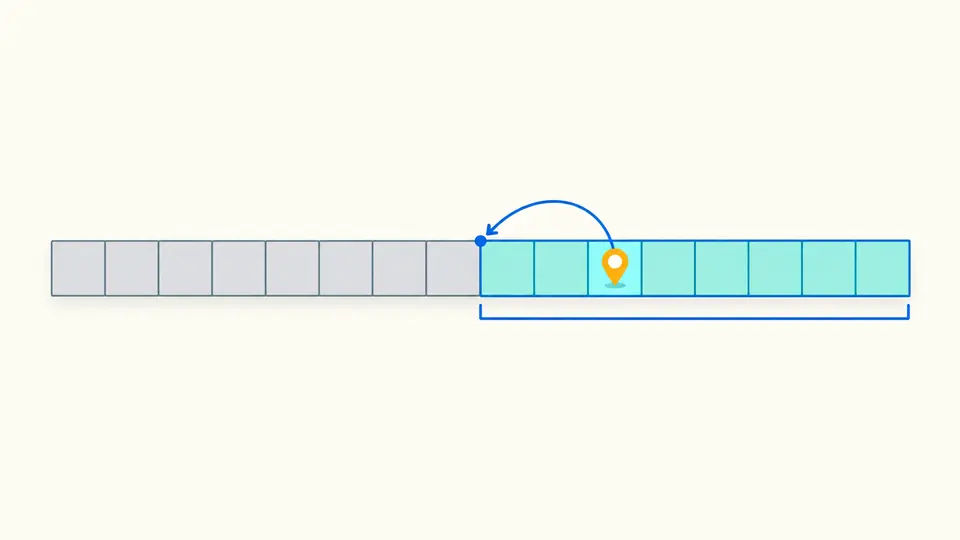
The subnet calculator preserves the address you entered and derives the containing block. For 192.168.1.130/26, the result begins at .128 and ends at .191; it does not start the range at .130.
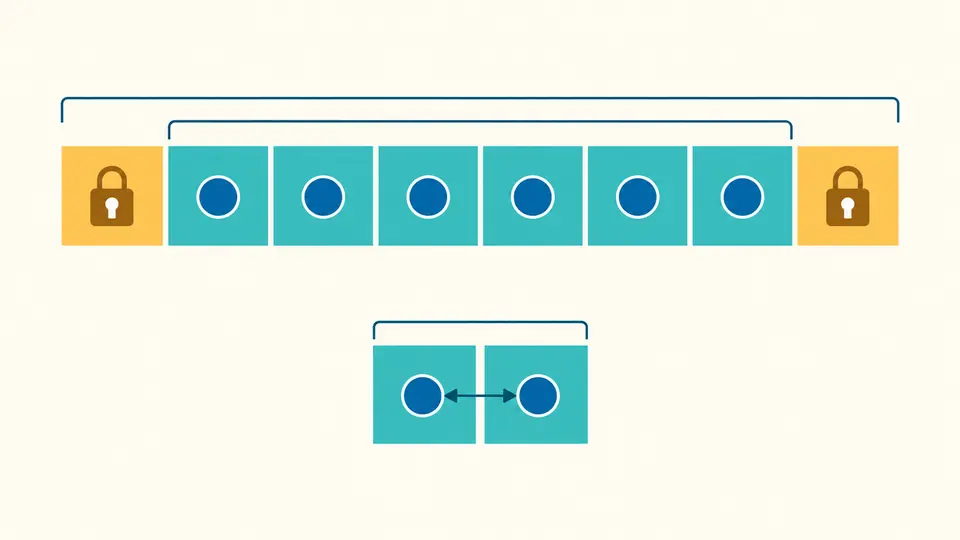
An ordinary eight-address IPv4 subnet reserves its first and last addresses. A /31 point-to-point link instead uses both endpoints. The result states which convention produced the displayed count.
Paste a complete CIDR, or enter a bare IP and a separate prefix or dotted IPv4 netmask. If you fill both forms, their prefix lengths must match.
Keep conventional hosts for the usual IPv4 host range. Choose all addresses when you need the full set covered by an access rule; IPv6 always uses full-range semantics.
Automatic calculation waits 350 ms after the latest edit. Turn it off to reveal the calculate button; Ctrl/Cmd + Enter runs manually.
The CIDR calculator accepts IPv4 prefixes /0–/32 and IPv6 prefixes /0–/128. Compressed IPv6 and embedded IPv4 tails are supported; an IPv4-mapped IPv6 address stays in the IPv6 address space.
Use the subnet mask calculator with 255.255.255.192 to obtain /26, or start with /26 to inspect that mask and the wildcard mask 0.0.0.63. Noncontiguous masks are rejected instead of rounded to a plausible prefix.
The IPv6 subnet calculator computes 2^(128−prefix) without enumerating addresses. Even the /0 count is exact. JSON uses strings for counts so downstream parsers do not round values above their integer precision limit.
Yes. In IPv4, /24 means the first 24 bits are the network part. The equivalent mask is 255.255.255.0. Enter either form; if both are supplied, this tool checks that they describe the same prefix.
There are 256 total addresses and 254 conventional IPv4 host addresses. The first and last are the network and directed broadcast. All-addresses mode instead counts all 256 for coverage; it is not a promise of 256 assignable machines.
A /31 contains exactly two addresses. For an IPv4 point-to-point link, both can be endpoints under RFC 3021. This tool displays that assumption rather than subtracting two and reporting zero hosts.
Yes, for IPv4. Enter a bare address and a contiguous mask such as 255.255.255.0 in the second field. For IPv6, use a numeric prefix length. A CIDR already containing a prefix may leave that field empty.
Yes, including compressed and embedded-IPv4 forms. The result gives the network, final address, masks and exact total. IPv6 has no broadcast address, and this tool does not turn the total into a deployment-specific usable-host count.
Still have a question?
Use the subnet calculator to review the prefix and counting convention together, then export the current result for your network notes.