YAML / TOML / ENV Config

YAML formattertidy configuration without losing its notes

Adjust indentation, inspect the structure and choose which documents to export.

YAML formatter

YAML input

Formatted result

Processed in this browser. Your YAML is not uploaded.

Formatting options

Result is out of date; export is disabled.

Use this YAML formatter before reviewing configuration that has accumulated inconsistent indentation. The output stays YAML, including the comments that explain why a setting exists and the anchors that connect reused values.

A YAML beautifier should help you read a change without hiding a different one. This page separates the formatted result from your original input and checks the whole stream before offering a document for export.

Why use this YAML formatter?

Keep explanations beside the settings

Formatting follows the document structure instead of converting through JSON. Comments, anchor references and numeric source tokens survive; layout can change, so the result remains a separate preview.

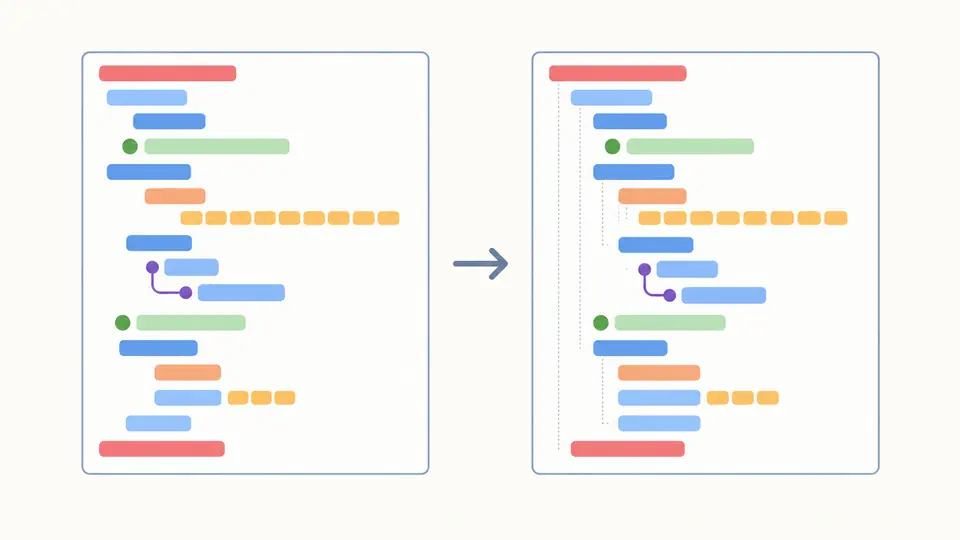
Indented configuration lines retain colored comment marks and a matching numeric sequence.

Choose a document after checking the stream

A YAML formatter must account for every document separated by markers. Select one resource for export, or keep the full stream; an error elsewhere still blocks export so an unchecked document is never silently ignored.

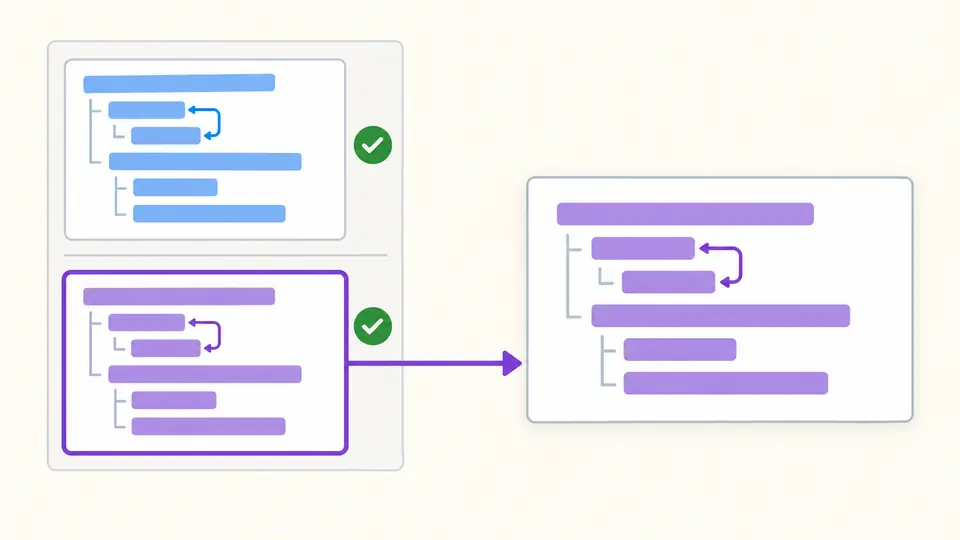
Two separated document cards lead to a selected output card, with references confined to each source card.

Inspect the scope before exporting

01

Notice the default selection

The sample contains multiple documents, and All documents is selected initially. A numbered selection extracts one document only; the input remains complete so you can return to the full stream. Example and Clear first show the number of source lines to replace; Apply confirms the change, and Undo restores the previous input and result.

02

Switch timing when editing a long block

Auto-format waits 350 ms after changes. Turn it off to reveal Format and validate, then use that button or Ctrl/Cmd+Enter. Source or option changes immediately disable export until the next successful run.

03

Distinguish views from output

Structure and Anchors show source locations, not positions in the reformatted text. Copy and Download always produce YAML for the selected scope, even while a summary view is visible.

Read the hierarchy and its references

Consistent two- or four-space indentation

Choose a width for nested mappings and sequences without changing their order. The source editor is never overwritten. Existing block strings remain YAML scalar values; formatting does not execute embedded scripts or render templates.

Duplicate keys stop the whole stream

The YAML validator checks every document before returning output. Repeated scalar keys are compared by their Core meaning, including numeric spellings, rather than allowing a later value to overwrite an earlier one. The error identifies the input location.

Precision stays in the number text

Large integers and long decimal fractions keep their original numeric tokens instead of being rounded through a browser Number. Scientific notation and non-finite YAML values remain YAML. This does not guarantee that another application will parse them with equal precision.

Browse structure without expanding aliases

Read mapping, sequence and scalar nodes with their source lines and document numbers. The reference view lists anchor declarations and alias targets. Summaries load in batches of 50; viewing a cyclic alias does not recursively duplicate its target.

Accepted syntax and explicit limits

A fixed Core schema
YAML 1.2 Core governs values: plain yes, no, on and off are strings. Other version directives and unsupported tags are rejected. Mapping keys may be string, number, boolean or null scalars; collection and alias keys are outside this tool’s scope.
References stay inside their document
Aliases retain their names instead of expanding into copied values. A self-reference may remain as a reference; undefined and cross-document aliases fail. The key << is ordinary Core data here and is never interpreted as a merge operation.
Formatting cannot repair an unknown hierarchy
Invalid indentation, duplicate keys or errors in any document block the output. The tool does not guess a repair, sort keys, minify, convert formats or validate Kubernetes and CI schemas. Whitespace and scalar presentation may change; byte-for-byte preservation is not promised.
Budgets are enforced before export
The limits are 500,000 input characters, 100 documents, depth 100, 50,000 nodes and 2,000,000 output characters. Exceeding a budget gives an error rather than a truncated download. Split oversized configuration locally and check its intended document boundaries.

YAML formatter questions

Will formatting retain my comments?

Yes. Comments are kept on the document model and written into the output. This YAML formatter does not take a YAML → JSON → YAML route, which would lose comments. Review the separate output because indentation and other presentation details can still change.

Can I adjust indentation?

Choose two or four spaces below the editors. Tabs are not an available indentation style. If the source cannot be parsed, selecting a different width will not guess how its hierarchy was intended to look.

How are several YAML documents handled?

The default exports the whole stream. Select a numbered document to export just that resource. Every document must pass syntax and duplicate-key checks first; an error in a different document still prevents exporting the selected one.

Will formatting alter values?

The formatter retains numeric tokens, comments and references while rewriting presentation. Types follow YAML 1.2 Core, so compatibility with a YAML 1.1 consumer requires a separate review. Quote an identifier if it should be text rather than a number.

Does syntax checking include application schemas?

No. A parsed mapping can still contain an invalid Kubernetes field or an incorrect workflow option. Format YAML online here to inspect syntax and layout, then use the application’s own validator before applying a configuration.

Found a configuration this tool handles incorrectly?

Return to the YAML formatter

Use the YAML formatter to compare indentation, check the document selection and export the current result.