Kubernetes

ConfigMap generatorKeep every value a string

Choose how to read your input, then generate a ConfigMap, an Opaque Secret, ENV or a string map.

ConfigMap generator

Input

Result

Processed in this browser, held only in page memory. Input is not sent in network requests or share links.

The mask covers the result only; input stays visible. Turn masking off to copy or download real values.

YAML extracts values and rebuilds metadata from these options. Base64 is encoding, not encryption.

Input/data: 256 KiB · 1000 keys · output: 1 MiB · UTF-8 text only

Enter text to begin

The ConfigMap generator helps when application settings must move between a local dotenv file and a Kubernetes manifest. A port such as 0080 stays text, while an entire properties file can remain one value instead of becoming dozens of environment variables.

Start with ENV to ConfigMap for assignments, or choose YAML to extract an existing object. The Kubernetes Secret decoder reads data as UTF-8 after Base64 decoding; ConfigMap to ENV checks portable variable names before producing assignments.

Why use this ConfigMap generator?

Choose the representation without changing the value

The ConfigMap generator builds ordinary data, Base64-encoded Secret data, or Secret stringData from the same text values. The result starts masked; reveal values before copying or downloading the complete output. The mask is only a screen preview, and the original input remains visible.

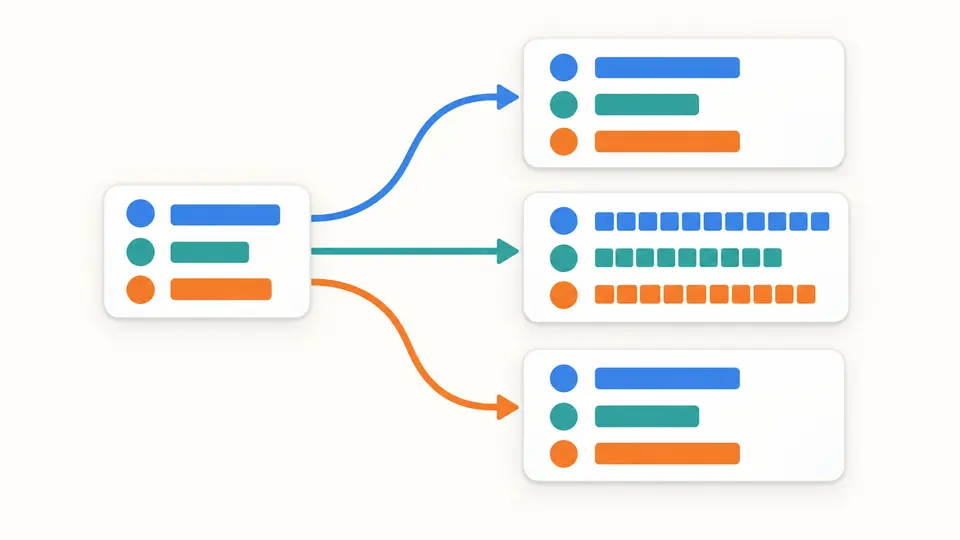
Three matching sets of values become ordinary data, encoded data and plain stringData.

Distinguish one file from many settings

A properties file may contain equals signs, blank lines and a final newline that belong to one mounted file. File mode stores the complete text under one chosen key. ENV mode instead parses assignments, so the two input choices deliberately produce different key counts.

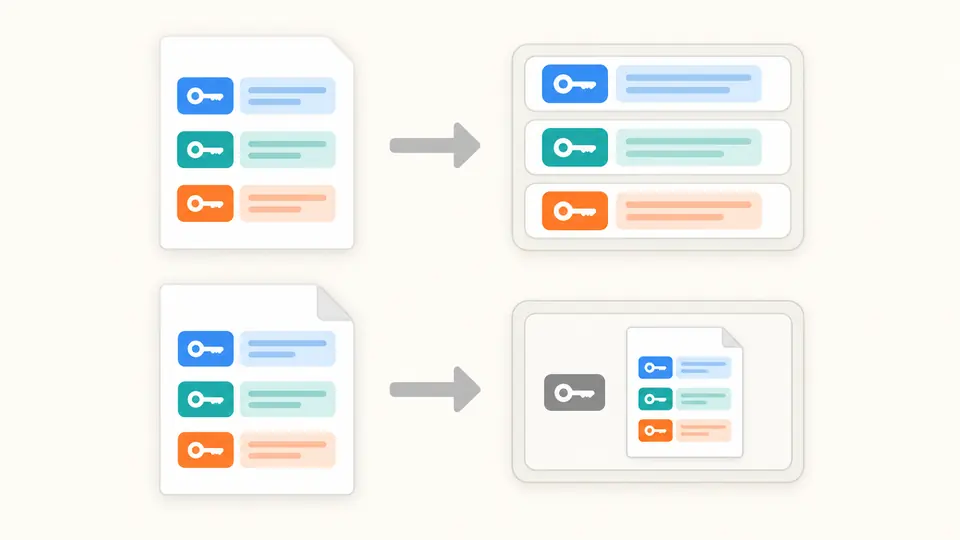
An ENV document splits into separate keys while a whole text file stays inside one file key.

Avoid the three common conversion mistakes

01

Select the input interpretation first

The file picker reads using the selected mode; a filename does not select a parser. Choose whole-file text for a mounted configuration file, and choose ENV only when each assignment is a separate setting. Replacement is previewed before application.

02

Check names before revealing values

The generated object uses the current name and optional namespace. These fields do not inherit source metadata. Leave namespace blank to omit it. File keys containing dots work in YAML and JSON but fail the portable ENV naming check.

03

Export only a current result

Changing source text or conversion options disables exports immediately. Automatic conversion waits 350 ms; turn it off to use Convert or Ctrl/Cmd+Enter. Clear, example and file replacement can each be undone once, restoring the previous input and result.

Generate manifests and recover their text values

Three manifest representations

ConfigMap stores text under data. Opaque Secret can use Base64 data or plain stringData. Every generated YAML key and value is quoted, preventing numeric-looking or boolean-looking settings from changing type.

Decode with the Kubernetes merge rule

When a Secret has both fields, stringData replaces matching data values. The status reports the number of overrides. Encoded values are validated first, so an invalid Base64 value is not hidden by a later replacement.

Keep complete file contents

File mode preserves the text, including CRLF, Unicode and trailing newlines, under a single key such as application.properties. JSON input also accepts file keys and multiline strings, without flattening nested objects.

Refuse partial conversions

Duplicate assignments, invalid names, non-string data and malformed YAML stop conversion. Errors show a source line and column when available. A failed or stale result cannot be exported; a successful result includes all accepted keys.

Supported inputs and deliberate limits

Text objects only
YAML input accepts one v1 ConfigMap or Opaque Secret. binaryData, other Secret types, multiple documents, aliases, merge keys and custom tags are rejected. The reader uses a conservative YAML 1.1 subset; quote values that could resolve to numbers, dates or booleans.
Dotenv is a specific dialect
ENV input follows the existing strict dotenv subset: quotes and comments are interpreted, and variables or commands are never expanded. This differs from kubectl --from-env-file, which retains quotation marks. Comments and source formatting are not preserved.
Strings and duplicate keys
JSON must be a flat object of strings. YAML data values must also be strings; numbers, nulls, lists and nested maps are not coerced. Duplicate keys are errors. The explicit stringData-over-data merge is the only overwrite rule.
Keys are not renamed
Kubernetes data keys allow ASCII letters, digits, dots, hyphens and underscores, up to 253 characters; a lone dot or a double-dot prefix is rejected. ENV uses the narrower portable identifier form and rejects __proto__. Incompatible file keys stop the whole ENV export.
Bounded local work
Input and decoded keys plus values are each limited to 256 KiB, with at most 1000 entries and 1 MiB of generated output. These are tool budgets, not a complete calculation of the Kubernetes API object size. Large or non-UTF-8 files and NUL bytes are rejected.
New output, not an object editor
Only data values are extracted from source YAML. Labels, annotations, immutable and other metadata are not carried forward; name and namespace come from the options. The tool does not render Helm, query a cluster, generate Pod wiring or validate deployment permissions.

ConfigMap generator questions

How can I turn a dotenv file into ConfigMap YAML?

Select ENV input and ConfigMap output, then set the object name. The parser removes supported dotenv quotes and keeps every value as text. Review the generated data before using it; importing a dotenv file does not create or modify a Kubernetes resource.

How do the Secret fields data and stringData differ?

data holds Base64 strings. stringData accepts ordinary strings and takes precedence for a matching key when the two are merged. This tool can generate either representation and reads both; stringData is an input convenience, not a stronger protection mechanism.

Does Base64 make a Secret confidential?

No. Base64 is reversible encoding. A masked preview also does not encrypt the input or output. Kubernetes Secret confidentiality depends on access controls and cluster configuration; protect the exported file and avoid treating encoded values as safe to publish.

Why must number-like ConfigMap values be quoted?

Kubernetes data is a string map. Unquoted 012 or false may be interpreted as a number or boolean by YAML readers. The generator quotes all keys and values, while its YAML input rejects non-string values instead of guessing their intended spelling.

How does importing an env file differ from importing a whole file?

ENV mode makes a key for each parsed assignment. Whole-file mode makes one key whose value is the entire text. Choose whole-file mode for application.properties or a configuration document that will be mounted as a file; equals signs within it are ordinary content.

What happens to repeated keys, comments and quoted values?

Repeated keys stop the conversion instead of silently choosing a winner. Supported dotenv quotes affect the parsed value, and comments are discarded. YAML comments and formatting are also discarded. Use whole-file mode when those characters must be retained as file content.

Missing a conversion case?

Review the representation before export

Use the ConfigMap generator with a small example, compare the entry count, then choose the output your application expects. Reveal values only when you are ready to review and export the current result.