
Android development

Android manifest viewer · Read declarations with their context

Paste text XML. Automatic analysis runs after 350 ms; turn it off to use the button or Ctrl/Cmd+Enter.

Android manifest viewer

Manifest XML

Analysis result

Paste a text AndroidManifest.xml or load the example.

Your XML is processed in this browser tab without uploading it.

Options

Only declarations in this XML are checked. Existing text, whitespace and resource references are preserved; build configuration and runtime behavior are not evaluated.

Paste a text AndroidManifest.xml or load the example.

A release review often starts with one unexpected permission or an activity that fails to install. The Android manifest viewer brings those declarations out of a long XML document, keeping each intent filter attached to its component and each finding tied to a source line.

Use a source manifest to inspect what that file declares, or paste decoded XML from a finished build to inspect its combined configuration. An Android Manifest Formatter can improve readable layout, but the useful distinction here is between the declaration you can see and the build or device behavior you still need to verify.

Why use the Android manifest viewer

Follow the component behind a filter

The Android manifest viewer separates requested permissions, permission definitions and application components. Two intent filters on one activity remain two filters, with their own actions, categories and data attributes. That makes a launcher declaration easier to distinguish from a web-link entry without searching across unrelated XML tags.

A manifest tree connects to separate permission, component and intent-filter cards.

Review a condition at its source

A missing exported attribute means something different when the target SDK is unknown. Findings retain the source line and explain whether the numeric SDK condition was met. An explicit debug setting prompts review; a clean list never turns into a security certificate.

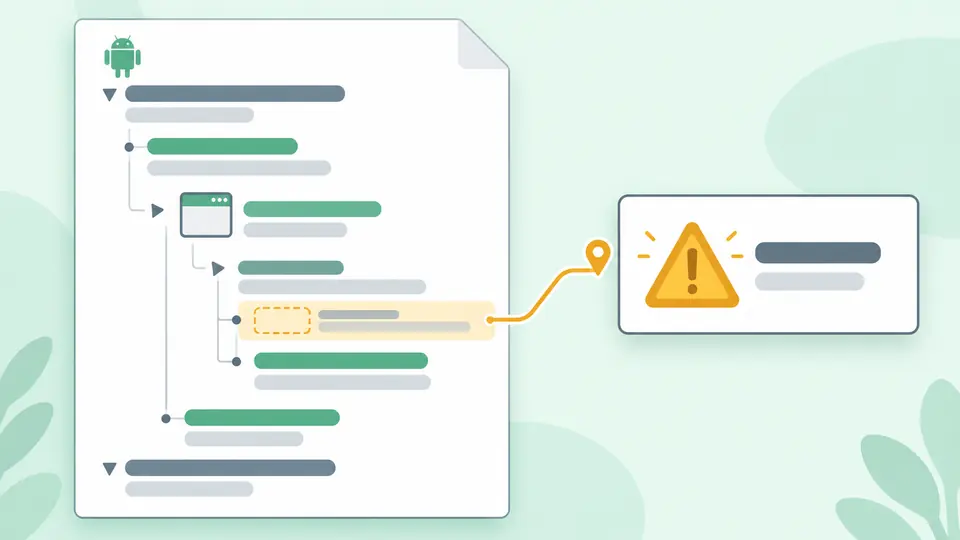
A highlighted component with an intent filter points to a review marker for its missing exported declaration.

Get the right snapshot before exporting

01

Choose the document that answers your question

A source file may omit values supplied by Gradle or dependencies. For a release check, obtain the merged or decoded manifest first. Resource references and placeholders remain visible as written so you can spot where external build context is still needed.

02

Use refresh timing deliberately

Automatic analysis waits 350 ms after input or indentation changes. Disable it for a manual run with Ctrl/Cmd+Enter. A pending result cannot be copied or downloaded. Changing only the result view leaves the analysis intact.

03

Choose the export by its contents

Copy in Summary or JSON returns the complete JSON report, including entries beyond the first 50 shown per list. XML view copies formatted XML. Sample loading and clearing show a replacement preview; one undo restores the preceding input and result.

Declarations, relationships and useful findings

Application and SDK values as written

Inspect package and version attributes, uses-sdk entries and application settings together. An absent field stays absent; a resource such as @string/app_name stays a reference. Relative component names are preserved because their final class name depends on the build namespace.

Permission and component inventory

The report distinguishes uses-permission, uses-permission-sdk-23 and permission. It includes activities, activity aliases, services, receivers and providers directly inside application. Original attributes and repeated declarations remain available instead of being silently combined.

Focused rules with source positions

Checks cover application count, missing component or permission names, SDK order, filters without actions and incorrectly bound android prefixes. A numeric target of 31 or above activates the missing-exported check for filtered activities, aliases, services and receivers. Explicit debug and cleartext flags generate review warnings.

Readable XML and a complete JSON report

Choose two or four spaces for containers that contain no direct text. Existing whitespace, comments and mixed content remain protected. Each summary list expands by 50 entries; XML and JSON downloads include the complete successful result, with diagnostics and raw declarations in the JSON.

What this inspection can establish

Text XML only
Paste one XML 1.0 document with an unnamespaced manifest root. The encoding declaration may be UTF-8, UTF8 or absent. APK archives, binary AXML and AAB files cannot be pasted as readable XML; decode them with Android build tools first.
No build or resource resolution
Gradle merging, tools: directives, resource tables and placeholders are not evaluated. SDK values can be overridden during a build. The report does not expand .MainActivity using the package attribute or guess a missing target SDK.
Formatting preserves text-bearing subtrees
Whitespace between tags is XML text too. A subtree containing text, CDATA or protected spacing can keep its existing indentation even when you select four spaces. Formatting creates a separate output; it neither rewrites the input nor promises canonical XML.
Finite rules, no security verdict
A declared permission is not evidence of runtime access. An exported component is not proof of a vulnerability. allowBackup is shown as declared; this tool does not assess effective backup policy, verify App Links over the network, execute intents or replace Android Lint and device tests.
Processing has explicit limits
Input is limited to 500,000 UTF-16 code units, 20,000 nodes and depth 100. XML output and JSON output each allow up to 2,000,000 code units. A supplementary character can occupy two units. Exceeding a limit stops processing and prevents partial export.
No repair or external document loading
Malformed XML is reported with a line and column. DOCTYPE is rejected; no external entity or namespace URL is fetched. The tool cannot decide which permission to remove or which exported value your app needs, so those changes remain explicit edits in your input.

Android manifest viewer questions

How can I view AndroidManifest.xml from an APK file?

An APK normally contains binary AXML rather than plain-text XML. Use Android Studio’s APK Analyzer or apkanalyzer manifest print to obtain readable XML, then paste that output here. Renaming an APK to ZIP exposes the file but does not decode its contents.

Why must android:exported be explicitly specified on Android 12?

For apps targeting Android 12, activities, services and receivers with intent filters need an explicit exported value. This checker also includes activity aliases. It reports the missing attribute when the supplied target is numeric and at least 31; an unknown target produces a conditional note. It never chooses true or false for you.

What is the difference between uses-permission and permission?

uses-permission requests access controlled by an existing permission. permission defines a permission that can protect components or other operations. They appear as different entry types, and neither entry tells this page what a user actually granted on a device.

Where did an unexpected permission in the merged manifest come from?

A dependency or another source set can contribute it during manifest merging. This page lists the declarations in the input; it cannot reconstruct their provenance from one merged file. Inspect Android Studio’s Merged Manifest view and merger report to identify the contributing source.

What is the difference between minSdkVersion and targetSdkVersion?

minSdkVersion states the minimum API level for installation; targetSdkVersion selects the platform behavior the app targets. Both are displayed as raw input values. Gradle can supply or override them, so inspect the final build before drawing conclusions about a release.

Does a declaration appear incorrectly?

Inspect a manifest with context

Open the Android manifest viewer example to compare a permission request with a permission definition, then follow the missing exported finding back to its component.