
iOS / Android Dev Tools

AASA validatorTrace the rule that wins

Paste a file, test several HTTPS URLs or paths, and inspect each app ID's deciding rule. No domain is fetched.

AASA validator

Inputs

Report

Edit the example, then validate.

Validation runs in this browser tab. The tool does not request the pasted domains or URLs.

Options

Leave empty to report every declared App ID; an exact ID limits the results.

Edit the example, then validate.

An AASA validator is useful before publishing an association file or when one product link opens the app while another stays in Safari. A JSON syntax check alone cannot explain which ordered rule claimed a URL.

This Apple App Site Association validator reports the rule and App ID chosen from the text you pasted. It separates local matching from server hosting, Apple CDN state and the behavior of an installed iPhone app.

Why use this AASA validator

See what the pasted rules decide

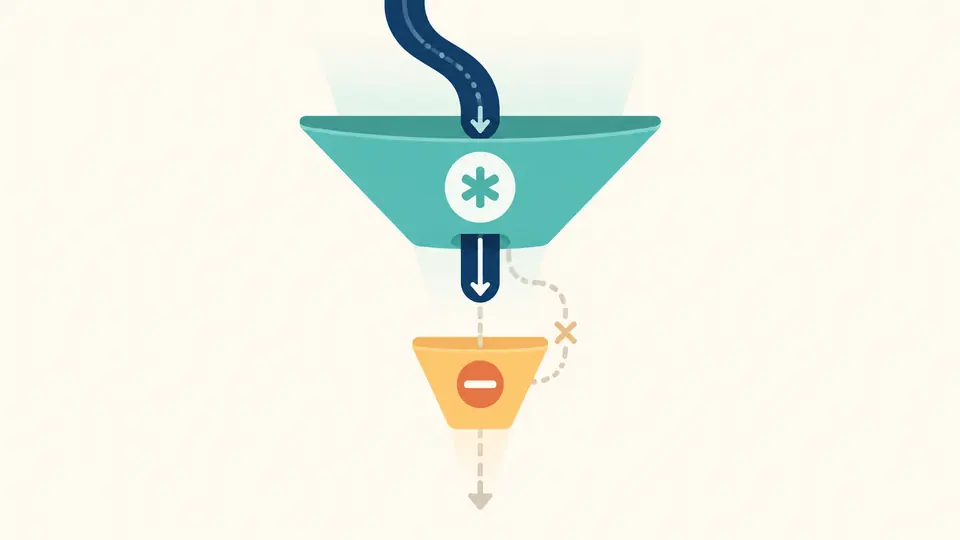
The AASA validator sends several URL paths through the same ordered rule list and separates included, excluded and unmatched outcomes. This reveals a path mistake before the file is deployed.

A local rule document branches to included, excluded and unmatched URL paths while a cloud remains disconnected.

Catch a hidden exclusion

A broad rule placed first can claim a URL before a later exclusion is reached. The AASA validator shows the deciding rule index and warns when a catch-all shadows later entries.

A broad first rule catches a URL path above a later exclusion rule that cannot receive it.

Read the trace without mistaking it for a device test

01

Start with a complete association object

Paste the full JSON, including applinks.details. The example uses modern appIDs and components; legacy appID and paths also work. A syntax error points to its line and column.

  • Use Load example to compare an exclusion, an included path and a query rule.
02

Choose the app and the URLs you care about

Enter one HTTPS URL or slash-led path per line. Leave the App ID filter empty to see every declared app; changing any input makes the previous report stale until you validate again.

  • Ctrl/Cmd + Enter runs the manual check; no URL is fetched.
03

Follow the first deciding rule

Inspect each result's details and rule index before exporting. A green local match means that the pasted rules selected an app, while every hosting and device item remains marked Not checked.

  • Copy or download only the current report; a stale report cannot be exported.

A readable trace for each app and URL

Modern and legacy rule sets

Compare components with path, query, fragment and exclude conditions, or test older paths with ordered NOT exclusions. This Universal Link tester keeps the two formats distinct.

App ID aware results

Run the same URL against every declared ID or select one exactly. An absent ID is reported separately from a valid ID whose paths do not match.

Export the full evidence

The AASA path checker records findings, input line numbers, deciding rule indices and a deployment checklist in a JSON report for release review.

What the local result can and cannot establish

A local match is only a rule decision
This AASA validator never fetches a host. It cannot verify TLS, HTTP redirects, Content-Type, public access or the Apple CDN cache; the checklist marks all of those Not checked.
Unknown syntax stays undecidable
Substitution variables, mixed formats and unsupported component keys are not quietly treated as no match. The report marks those decisions as undecidable so you can compare them with Apple's swcutil.
AASA is not app signing
An App ID may look well formed in JSON without matching the installed app's signed entitlement. The AASA validator cannot inspect an IPA, device preference or Safari navigation context.
Other services remain outside scope
webcredentials, appclips and Android assetlinks.json are not checked. Their presence is noted, but an applinks report does not certify the entire file.

AASA validator questions from real debugging

Why does a valid AASA file still open links in Safari?

A local AASA validator can show that the pasted path includes a URL, but iOS also depends on the hosted file, CDN copy, Associated Domains entitlement, app installation and how the link was opened. Use the deployment list and then test on a device.

How can I test a Universal Link path without building the app?

Paste the association JSON and one or more HTTPS URLs here. The rule trace identifies the first matching component or paths entry, including exclusions. It predicts the JSON decision, not an installed app launch.

Does AASA support both paths and components?

Yes. Older details entries use appID with paths, while newer entries can use appIDs with components. This page evaluates either style in a details entry and reports mixed or unsupported forms as undecidable.

Why can an excluded link still match another rule?

Order matters. A broad include rule before a narrower exclude can win first, so the later exclusion is never reached. Put the exclusion before the catch-all and test the exact URL again.

Can this validator check Apple CDN caching?

No. The AASA validator does not make network requests. Check the CDN copy and real device separately after deployment; the local checklist does not claim those checks passed.

Still stuck on a rule?

Run the AASA validator before publishing

Test a real URL against the intended app ID, then carry the unchecked deployment items into your release review.