01
Read A before B or C
Scores compare lexicographically: one ID beats any number of classes. Equal scores stay in their original input order when sorting.
CSS selector tools
Enter one selector per line. Comma-separated selectors become separate results; optional HTML matching stays off until you enable it.
One selector per line; top-level comma lists are split.
Enter a selector to begin.
Selectors and optional HTML stay in this browser. Parsing does not fetch external resources.
Input changed; the previous result is out of date.
When two rules seem to fight, a CSS specificity calculator makes the ID, class and type columns visible before you edit the stylesheet. Compare CSS selectors without treating a large numeric score as a browser verdict.
Use this CSS selector specificity view to distinguish selector weight from whether a selector matches your markup. The CSS specificity checker also keeps invalid lines out of copied reports.
A selector such as :is(#dialog, .panel) inherits the highest argument weight, while :where(#dialog, .panel) contributes zero. This CSS specificity calculator names each contributing piece instead of leaving you to infer it from a total.

A high-weight #missing selector may match nothing in the HTML fragment while a lower-weight .card does match. Inspect the two facts side by side; neither proves which CSS declaration eventually applies.
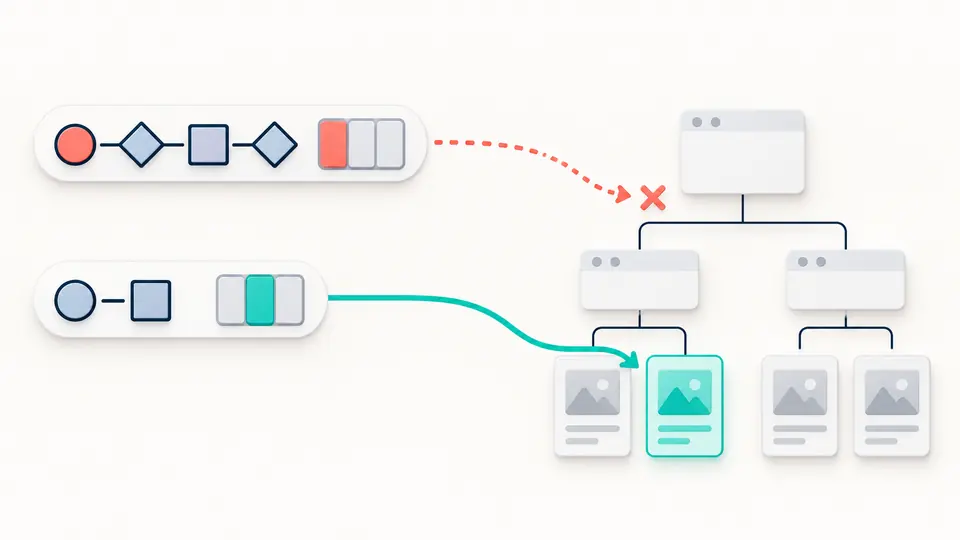
Scores compare lexicographically: one ID beats any number of classes. Equal scores stay in their original input order when sorting.
Try :is() and :where() with the same arguments. :is() takes the highest argument score; :where() stays zero. :nth-child(... of S) adds its own class point.
Paste an HTML fragment after enabling matching. Match counts describe that static fragment, not hover, focus, pseudo-element rendering or the full cascade.
Each selector gets separate ID, class/attribute/pseudo-class and type/pseudo-element counts, plus the pieces that supplied them.
A top-level comma list becomes separate candidates. Sort highest first or preserve input order; ties keep their original order.
An inert HTML parse tree checks which nodes each selector finds. No pasted script runs and no image, stylesheet or URL is fetched.
Count IDs in A, classes, attributes and pseudo-classes in B, and elements and pseudo-elements in C. Compare the three counts from left to right.
:is(), :not() and :has() use their most specific argument; :where() and its arguments add zero. The calculator shows this in each row.
A pseudo-class such as :hover adds to B. A pseudo-element such as ::before adds to C; it is not an element in the optional HTML match list.
No. Inline styles and !important participate in other cascade steps. The reported A-B-C value belongs to selector text alone.
The scores tie. Within the same origin, layer and importance, later cascade criteria such as scope proximity and source order can decide; this page has no full stylesheet context.
Found a selector that scores incorrectly?
Compare a few selectors, then add a local HTML fragment only if you need to check matching. The CSS specificity calculator keeps the two results distinct.