
DNS configuration

DNS zone editor

Inspect a zone, build records, and review local diagnostics before exporting.

DNS zone editor

Zone input

Result

Zone text stays in this browser. No DNS queries are sent.

Parsing context

Build a record

SOA: primary server, mailbox name, serial, refresh, retry, expire, minimum. TXT/CAA: enter plain text, without outer quotes.

TTL calculator

3600 seconds · 0 d 1 h 0 m 0 s

11 records · 0 warnings

Up to 1 MiB of UTF-8 text and 5000 records. Local checks do not verify live DNS. Normalized output is also limited to 1 MiB.

A hosting migration often starts with a text export whose short names depend on hidden context. The DNS zone editor exposes that context: every parsed row shows its complete owner, its TTL in seconds and the source of that TTL. Compare the table with the original before preparing an import.

This is a working copy of your file. Changing text updates the separate result; applying a preview is the step that rewrites the input. A successful check describes the supported syntax and internal consistency, so keep your DNS provider’s import checks as the final deployment step.

Why use this DNS zone editor?

Make inherited names visible

An indented record can belong to the previous owner even after an origin directive changes. The DNS zone editor resolves that relationship and expands relative targets. A missing final dot is never repaired automatically: mail.example.com inside example.com. really expands to mail.example.com.example.com.

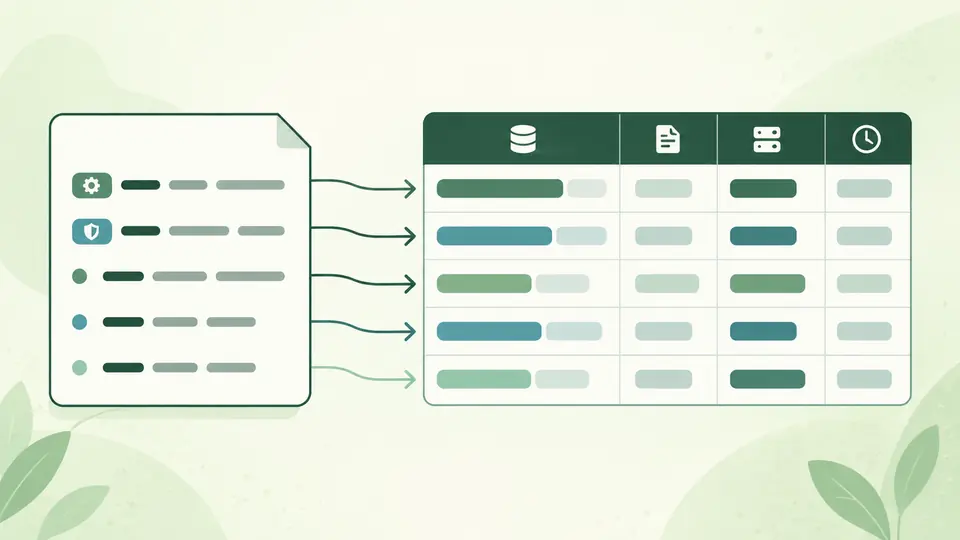
A compact source file expands into a table of complete record names and TTL values.

Build a record in its actual context

Use the DNS record generator for an address, service or certificate-authority record, then inspect the proposed addition beside your existing zone. SRV priority, weight and port stay separate fields; CAA values are quoted and escaped. A conflicting CNAME blocks the addition before it reaches the input.

A new service record is checked against an existing zone before a preview is applied.

Read the context before changing records

01

Set the fallback deliberately

Leave origin empty when the file declares $ORIGIN. A record fragment using @ or relative names needs an origin. The fallback TTL starts at 3600 seconds and is used only where neither a record TTL nor $TTL supplies a value.

02

Compare the expanded table

Switch to records to see the full owner and TTL source. Type filtering narrows only the table; it never removes records from the exported zone. Diagnostic links return you to the source location. Rows are shown in batches of 50.

03

Review before replacing the source

Automatic checking waits 350 ms after an edit. Disable it to run manually with Ctrl/Cmd + Enter. Applying formatting shows the record count and discarded comment/blank-line counts first; undo restores the previous input and result together.

From master-file syntax to inspectable records

BIND-style structure

The DNS zone file parser handles $ORIGIN, $TTL, @, omitted owners, either TTL/class order, semicolon comments and parenthesized records. SOA timing fields accept BIND duration units. Output keeps record order while making owners and name-valued targets explicit.

Ten record types

Inspect A, AAAA, NS, CNAME, MX, TXT, SOA, SRV, CAA and PTR. Numeric fields are checked against their supported ranges. TXT chunks retain their order and each decoded chunk is checked against the 255-byte limit; multiple chunks remain separate.

Local consistency diagnostics

Find invalid addresses, unsupported directives, malformed fields, duplicate records, mixed TTLs within an RRset, CNAME conflicts and alias loops. Missing SOA or NS records produce warnings so that a small record fragment can still be inspected.

A separate TTL calculator

The DNS TTL calculator accepts seconds or units such as 1w2d and 1h30m. It reports total seconds plus days, hours, minutes and seconds. This calculation does not change the zone or estimate when an existing resolver cache will expire.

What this file check can establish

No live configuration verification
The workbench does not query DNS, perform AXFR, publish records, check delegation or validate DNSSEC signatures. A reachable host and a correctly configured mail service cannot be inferred from a syntactically valid file.
A documented syntax subset
Only IN records and the ten listed types are parsed. $INCLUDE, $GENERATE, unknown types and backslash-escaped DNS names stop complete export. TXT and CAA text escapes are supported. Expand external files or use your server’s native checker for unsupported syntax.
Formatting is a reviewed rewrite
The normalized zone uses explicit names and numeric TTLs. It discards comments and blank lines and flattens multiline records. It preserves TXT chunks and record order; it does not sort, deduplicate, fix targets or increment the SOA serial.
Fallback and RRset TTLs remain visible
The 3600-second fallback is a page setting, not an assertion about a server’s legacy SOA fallback. Conflicting TTLs in one name/type group trigger a warning and remain as written; choose a consistent TTL before using the output.
Bounded single-file input
Paste up to 1 MiB of UTF-8 text and 5000 records. There is no URL import or multi-file project. Errors and stale results disable export; warnings remain available for review. The record builder makes one proposed addition at a time. Normalized output is also limited to 1 MiB.

DNS zone editor questions

How can I check a zone file for mistakes?

Paste it and review the diagnostics and expanded records. The DNS zone editor reports supported syntax errors and selected consistency problems with source locations. A clean result still needs the checks of the DNS server or provider that will load it.

What happens if a target lacks its final dot?

It is relative to the current origin. With $ORIGIN example.com., mail becomes mail.example.com., while mail.example.com becomes mail.example.com.example.com. The table shows that actual expansion; decide whether you meant a relative or absolute name.

Why might a generated record omit its TTL?

Some generators assume the surrounding zone uses their default. Here, normalized output and constructed records always include a numeric TTL, including 3600. That makes copying a line into a zone with a different default less ambiguous.

Which CAA tags can I enter?

Common tags are issue, issuewild and iodef. The builder accepts a one-to-fifteen-character alphanumeric tag and flags from 0 to 255, and quotes the supplied value. It checks record structure, not the certificate authority’s policy or authorization.

Why does a record line start with whitespace?

Leading whitespace means the owner is inherited from the preceding record. It does not mean @, and it does not create a new owner from the type name. Formatting writes the inherited owner explicitly, which helps when moving individual lines.

Missing a useful check?

Open the DNS zone editor

Use the DNS zone editor to make a zone’s implicit names and timing visible before importing it elsewhere.

Start with the example, examine one record in the table, then preview a change against the whole file.