01
Start with the original payload
Do not pretty-print JSON or trim the request body. A newline, BOM or different Unicode representation can change the signed bytes.
- Use Hex or Base64 when text controls cannot preserve the original bytes.
Hash & Crypto Helpers
Choose encodings for the message and key. Generate a digest or verify an expected value independently.
Message and key stay in this page’s memory; nothing is uploaded or saved to browser storage.
No trimming or normalization. For multiline keys use Hex/Base64. Verify accepts the full digest without a header prefix.
Message: 1,000,000 UTF-16 units and bytes. Key: 4,096 UTF-16 units; nonempty.
Enter a key, then generate or verify. An empty message is allowed.
HMAC generator helps diagnose a webhook or API signature that differs between systems. Keep the original message intact and check the key representation before changing the algorithm.
Use the HMAC SHA256 default for a matching integration, or choose SHA-512 or SHA-1 when the protocol requires it. This HMAC calculator checks a message authentication code; it does not encrypt the message.
HMAC generator separates message encoding from key encoding. The characters 6162 in a text key are four bytes; Hex 6162 decodes to two. An identical-looking secret can therefore produce a different digest.
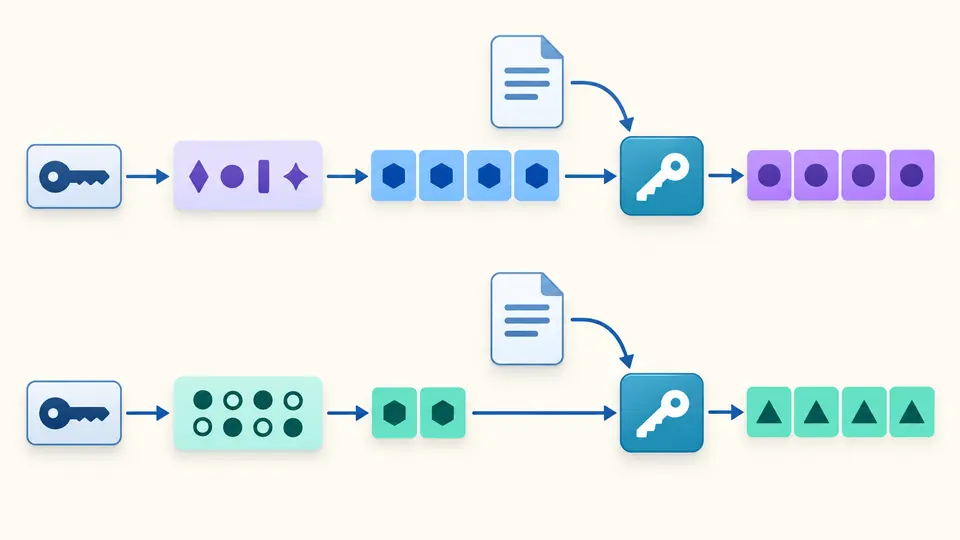
As an HMAC verifier, this tool distinguishes malformed input from a valid signature that does not match. Verification uses the current message, secret and algorithm, even when you have not generated a result first.
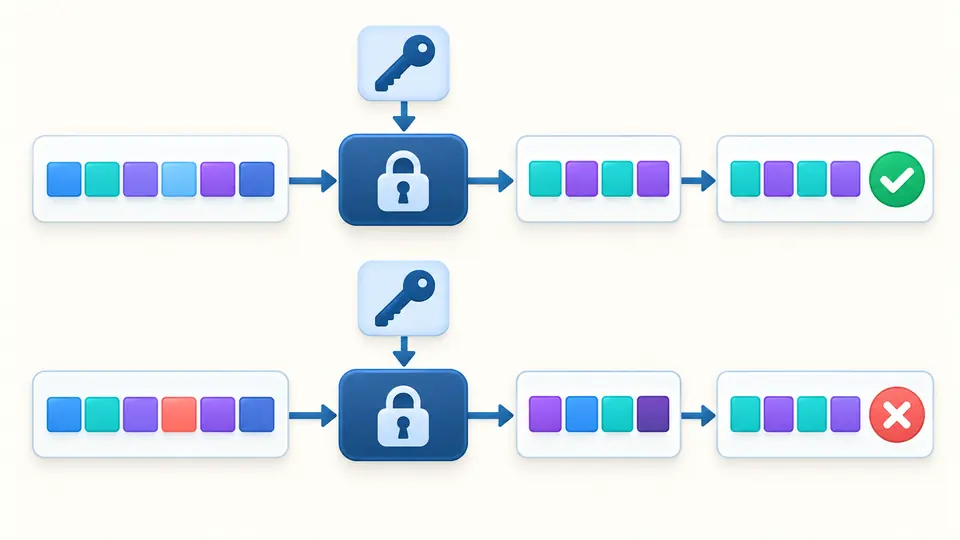
Do not pretty-print JSON or trim the request body. A newline, BOM or different Unicode representation can change the signed bytes.
Choose UTF-8 for literal text, Hex for byte pairs, or standard Base64 for an encoded key. The masked key field is single-line.
Generate computes a digest; Verify also checks the expected digest using its own encoding selector. Both run only when requested.
SHA-256 produces 32 bytes, SHA-512 produces 64, and SHA-1 produces 20. Match the algorithm named by the receiving system; the SHA-1 option is for legacy compatibility.
Message and key each accept UTF-8, Hex or standard Base64. Output and reference can use different encodings: uppercase Hex and lowercase Hex describe the same bytes; Base64 is case-sensitive.
The browser Web Crypto API performs HMAC signing and verification. A match checks the supplied bytes and key. It does not validate a webhook timestamp, identify a sender independently, or prevent replay.
Match the algorithm in your integration documentation. SHA-256 is selected initially. SHA-512 and SHA-1 are available for compatibility with specified protocols; changing the algorithm changes both the digest and its expected length.
The HMAC generator computes locally and does not send the message or key to a server or store them in browser storage. Clear retains one undo snapshot until another edit; leaving the page removes application references. JavaScript cannot promise forensic memory erasure.
They are representations of the same digest bytes. Select the format used by the reference value. A SHA-256 digest has 64 Hex characters or 44 standard Base64 characters including padding. Output format and expected format are separate options.
UTF-8 encodes literal characters without normalizing Unicode. Hex and Base64 first decode to bytes. Browser paste behavior may alter line endings, so use encoded bytes when the exact original payload matters.
Check the raw body, secret encoding and algorithm first. Extract the digest from the header and build the signed string exactly as the provider specifies. This page does not assemble timestamps, strip signature prefixes or enforce expiry.
Still have a question?
Use HMAC generator with the RFC example, verify its reference, then change one message character and observe the mismatch.
Choose encodings for the message and key. Generate a digest or verify an expected value independently.