HTTP & Request Debugging

HTTP headers parserkeep every field in view

Paste one header block to inspect its fields, parameters and repeated values. Request and response examples show different cases.

HTTP headers parser

Raw HTTP headers

Input is processed in this browser; the tool sends no requests and saves no history.

Parsed result

Request / status line

GET /reports HTTP/1.1

Host

Line 2
example.com

Accept

Line 3
application/json, text/html;q=0.8, */*;q=0.1
Parsed parameters
  • application/jsonWeight (q): 1
  • text/htmlWeight (q): 0.8
  • */*Weight (q): 0.1

Accept-Language

Line 4
en, ja;q=0.8, *;q=0
Parsed parameters
  • enWeight (q): 1
  • jaWeight (q): 0.8
  • *Weight (q): 0

Authorization

Line 5Masked
[REDACTED]

X-Trace

Line 6Repeated
first

x-trace

Line 7Repeated
second

Options

Masks Authorization, Proxy-Authorization, Cookie and Set-Cookie in results and exports. The input stays visible; custom keys and URL secrets are not masked.

One text block, up to 128 KiB UTF-8 and 1000 fields. The first empty line ends the header section.

6 fields · 2 repeated entries · 0 notes

The HTTP headers parser helps when a captured request behaves differently from the request you expected. Keep each occurrence visible before turning a network trace into a test fixture: a repeated field is evidence, not something to discard.

Use HTTP headers to JSON conversion to compare captured values in a script. The report includes ordered entries and grouped arrays, so you can follow the original sequence or retrieve every value for one name.

Why use this HTTP headers parser

Keep repeats as evidence

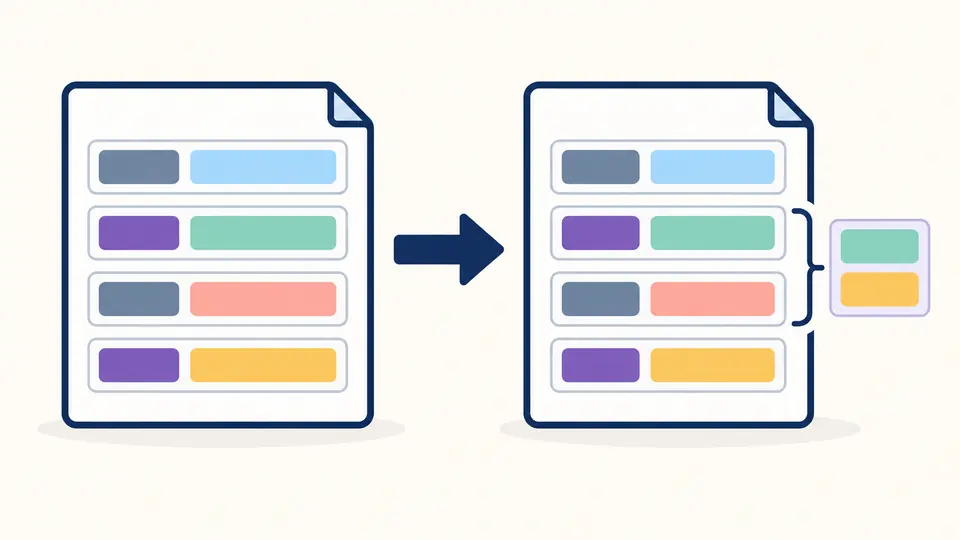
The HTTP headers parser retains two Set-Cookie lines as two entries, even when their spelling differs. A comma inside Expires stays in its value. Review upstream duplication without a conversion silently choosing the first or last line.

Two matching field labels retain two separate colored values in ordered rows and a grouped list.

Unpack a complicated field

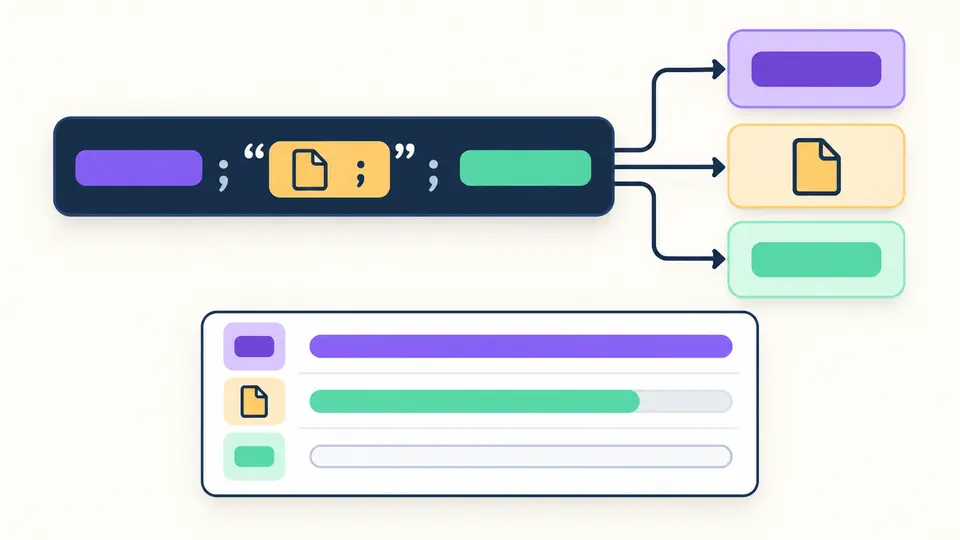
A Content-Disposition parser should distinguish a semicolon inside a quoted filename from a parameter separator. Inspect the raw value beside decoded parameters; the Accept-Language parser likewise exposes weights without rearranging the preferences.

One complex field branches into a filename card and an ordered set of parameter cards.

Read a capture without losing context

01

Start with the matching example

The request example contains Accept, language weights and a fictional bearer token. The response example contains an extended filename and two cookies. Replacing input opens a preview with a character count; Undo restores the previous input and report.

02

Choose when results refresh

Automatic mode waits 350 ms after edits. Turn it off to inspect a draft, then use Parse headers or Ctrl/Cmd+Enter. Editing input or name display makes the report stale and disables export until the next successful parse.

03

Check the projection before exporting

Masking is on by default. Turning it off reveals the four protected field values in both views and JSON downloads. The Fields and JSON views share one report; Show 50 more only expands the preview, while export always includes all entries.

Inspect fields beyond their names

Ordered entries plus lookup arrays

Each entry records its source line, original spelling and displayed name. The grouped object uses the first displayed spelling as its key and always stores an array, including when the field occurs only once. Names are matched without case distinctions.

Attachment parameters

Content-Disposition exposes its type, parameter list and suggested filename. A valid filename* takes precedence over filename. UTF-8 and ISO-8859-1 are decoded; ambiguous duplicate parameters or unsupported encodings generate notes instead of an invented filename.

Accept weights without negotiation

Accept media ranges and Accept-Language ranges retain their input order and parameters. Missing q means 1; q=0 remains visible. An invalid weight becomes null in the detail report and produces a note. The raw field value is kept for diagnosis.

Positioned failures

Missing separators, invalid field names, embedded control characters and obsolete folded lines stop parsing with a source location. Malformed parameters inside the three inspected fields produce notes while retaining the field itself. No partial header report is offered after a block syntax error.

What the report does and does not mean

One text header section
The first empty line after a start line or field ends parsing; a following body is ignored. Paste each response separately. Full cURL commands, verbose log prefixes, HAR files, binary HTTP/2 frames and reverse JSON-to-header conversion are outside this tool. Text pseudo-fields such as :method: GET are accepted.
A report is not a protocol verdict
Changing case does not validate a wire format. The tool neither validates credentials nor grades CORS, CSP or caching. Preference weights alone cannot predict the server response, and a suggested attachment filename is never used as the report download name.
Bounded parsing and explicit masks
The complete pasted input must fit within 128 KiB of UTF-8 and the header section may contain at most 1000 fields. Larger input fails instead of being truncated. Masking covers four named fields only; review custom credentials, request targets and other values before sharing a report.

HTTP headers parser questions

Are field names case-sensitive?

No. Content-Type and content-type identify the same field for grouping. Original mode keeps each spelling in the ordered entries; lowercase and title case only change displayed names. Values retain their case.

Are comma-separated values split automatically?

Ordinary fields remain whole. Only Accept and Accept-Language are split into a separate detail list, with quoted commas respected. Repeated physical lines always remain separate entries, including Set-Cookie.

Will parsing make an HTTP request?

No. There is no URL fetch action or request replay. Obtain the header block using your own browser or HTTP client, then paste its text here.

Must I remove the request or status line?

A recognizable leading line such as GET / HTTP/1.1 or HTTP/2 200 is saved separately. It is not counted as a field. A block containing just Name: value lines also works.

Can a pasted response include its body?

Yes, if an empty line separates it from the headers. Parsing stops there and reports that subsequent text was ignored. The full input size limit still applies, so remove a large body before pasting.

Found a field that parses incorrectly?

Inspect your next header capture

Use the HTTP headers parser on a single captured exchange, review any parameter notes, and export the current JSON report for your next debugging step.